Wave Spot
Wave Spot
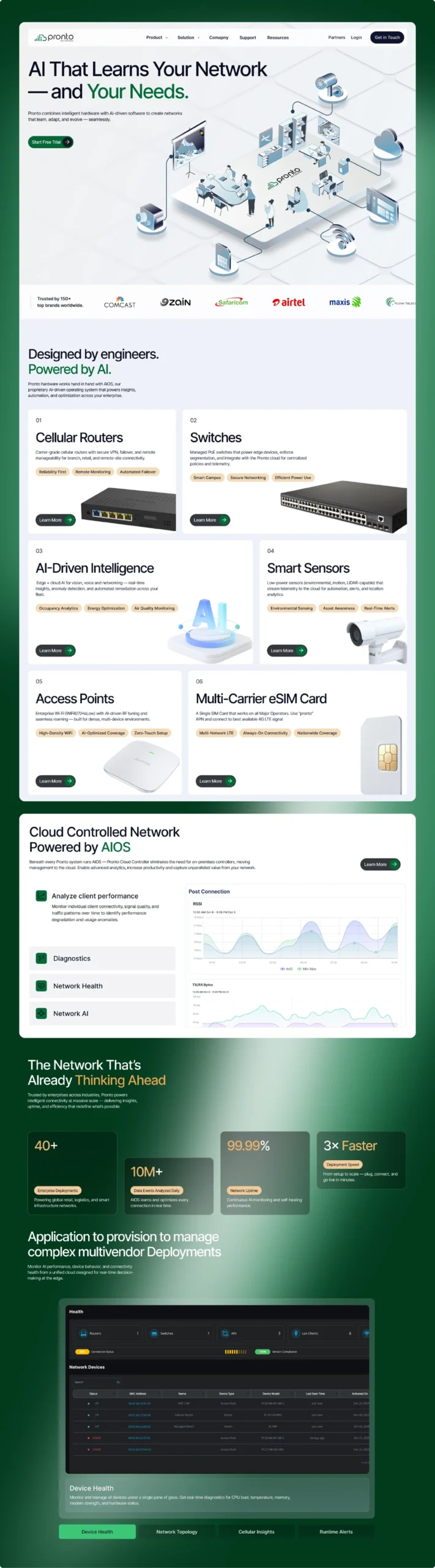
Pronto Networks provides cloud-managed networking solutions for Wi-Fi, routers, and access points.
Wavespot is its centralized platform for monitoring, configuring, and managing network infrastructure at scale.
Project Overview
ROLE
Product Designer (End-to-end)
TIMELINE
2025-2026
PLATFORM
Web App (Enterprise SaaS — Network Management
FOCUS
Legacy Redesign, Design Systems, Dashboard Design, Data Visualisation, Information Architecture, Developer Handoff
CONTEXT AND PREMISE
Pronto Networks brought me in as the product designer to lead a full redesign of Wavespot — their cloud-based network management platform.
The platform had been live for over 10 years but had aged poorly, and the business needed it to look and feel competitive against industry
benchmarks like Meraki, Mist, and Cisco.My scope was end-to-end: every module, every screen, from scratch. This wasn’t a refresh — it was a
ground-up rebuild of the entire product experience, starting from zero with a clean design system, while staying technically grounded in the
platform’s real constraints and the needs of network admins who rely on it daily.The expectation was clear — design a product that could sit
alongside the best in the industry and not look out of place.
THE PROBLEM
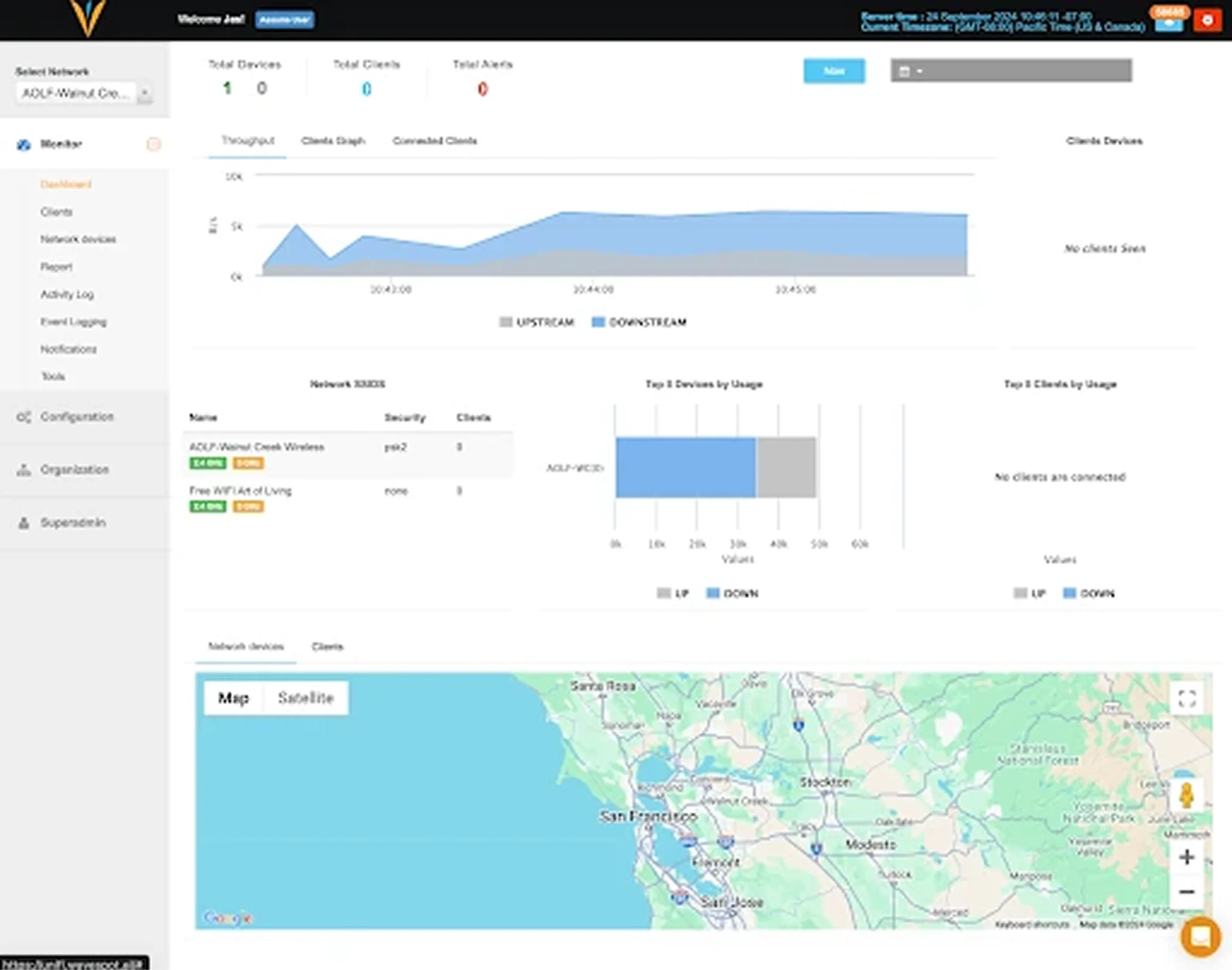
Legacy System with High Cognitive Load
The existing platform overwhelmed users with cluttered interfaces and poor visual hierarchy — treating critical network data as information
dumps rather than actionable insights. Admins managing 50+ sites had no clear way to understand what was wrong, where, and why. Everything
was visible, but nothing was prioritised. The experience slowed down the very decisions it was meant to support, and it was falling further behind
as competitors raised the bar on what enterprise network management software should feel like.
THE PROCESS
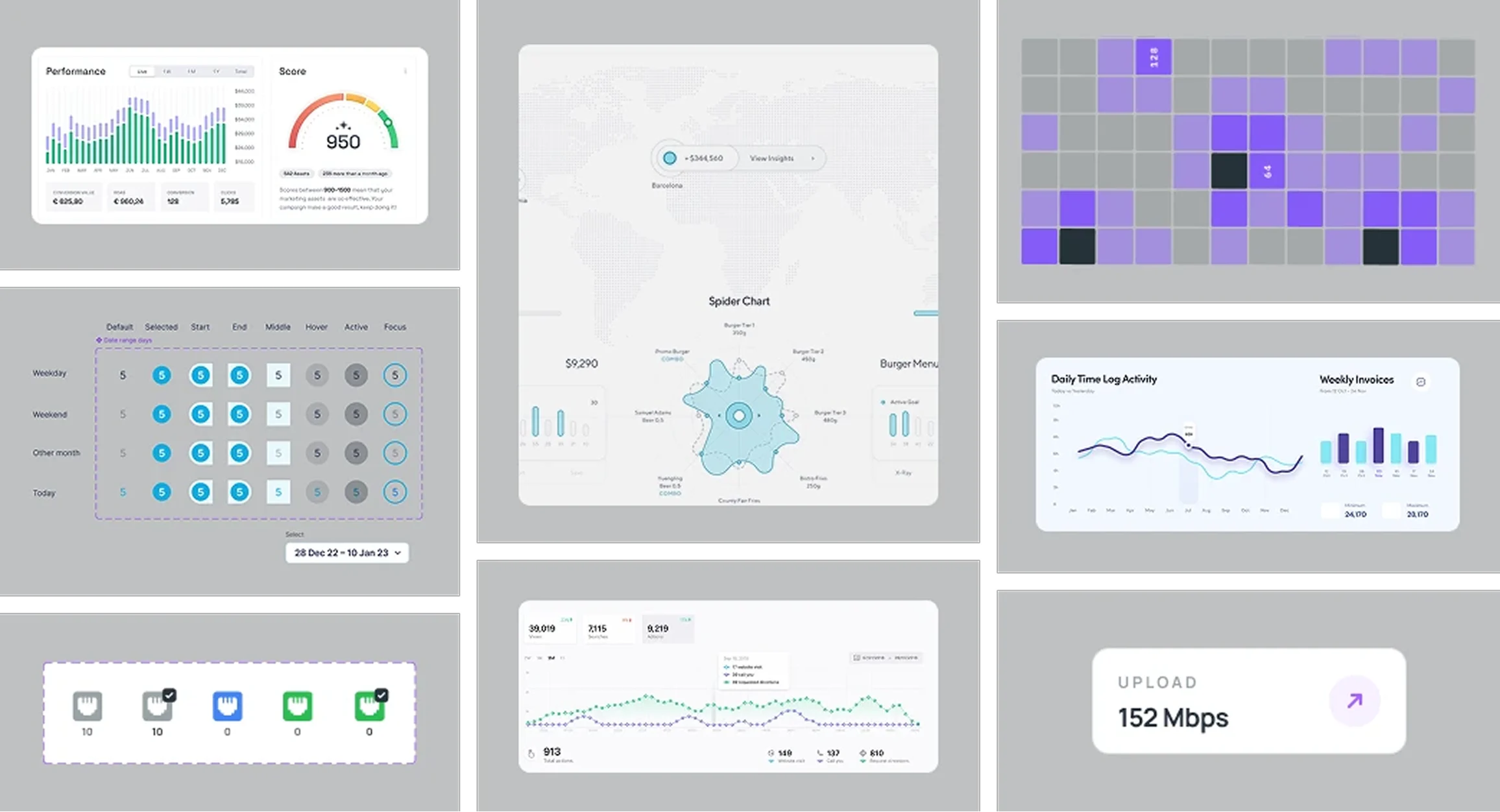
1. Research, Moodboard & Design System
Before touching a single screen, I audited the competitive landscape — Meraki, Mist, TP-Link, Cisco — mapping how each handled multi-site
dashboards, topology views, device pages, and alert systems. I built a moodboard capturing the visual direction, interaction patterns, and data
hierarchy that set the industry standard, and used it to define the design direction for Wavespot.
2. The Messy Part Nobody Shows
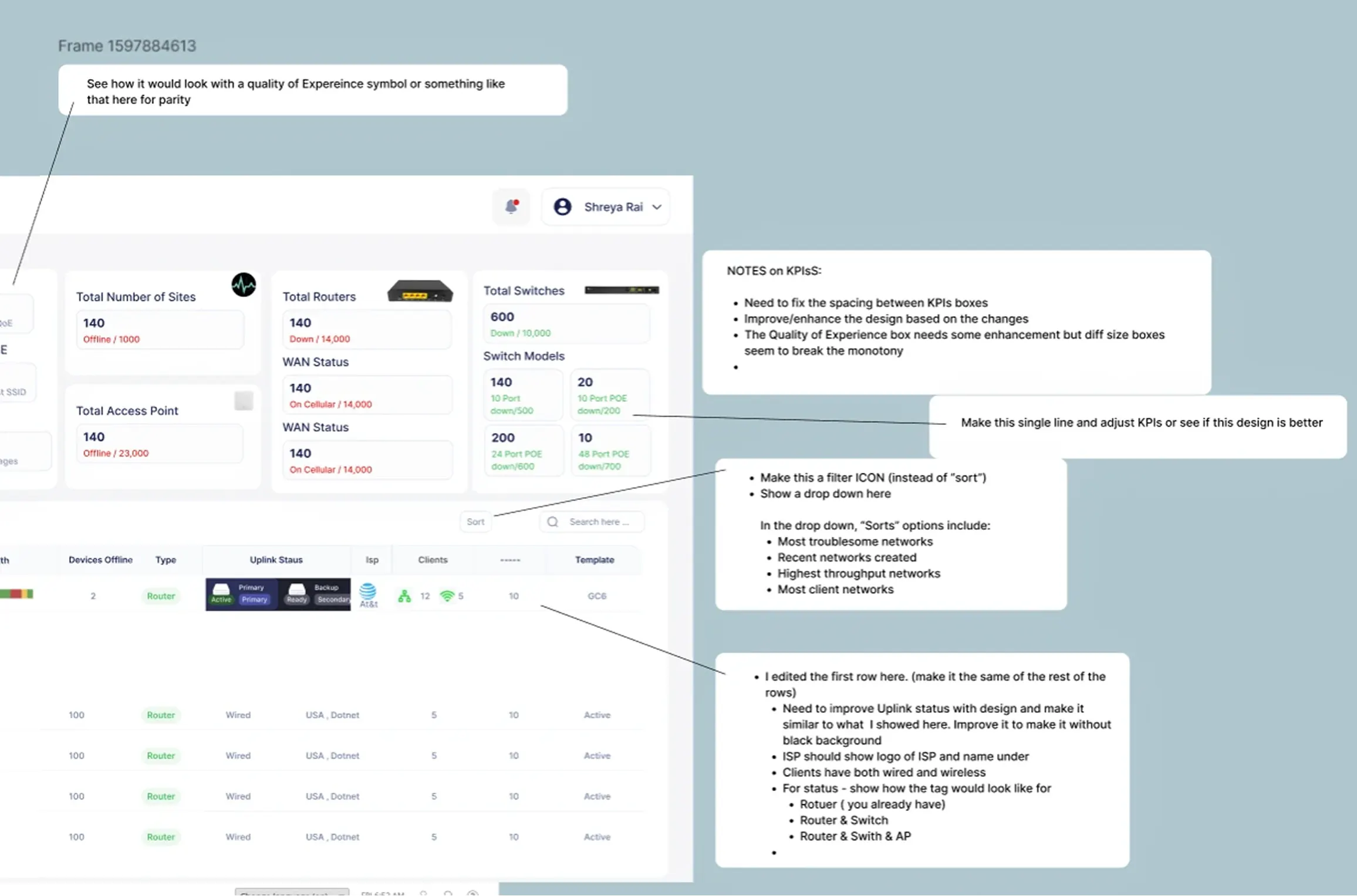
This is what actually happens before the clean screens. Every module started as a conversation — the client annotating directly on designs,
flagging what didn’t work, what needed more detail, what the engineers couldn’t build yet. KPI spacing issues, filter logic debates, table row
behaviour, ISP display rules. The image above is a real working session — not a polished deliverable, but the back-and-forth that made the final
designs defensible. Good design isn’t just what you put on screen. It’s what you figure out before you get there.
3. Requirements workshops with the client
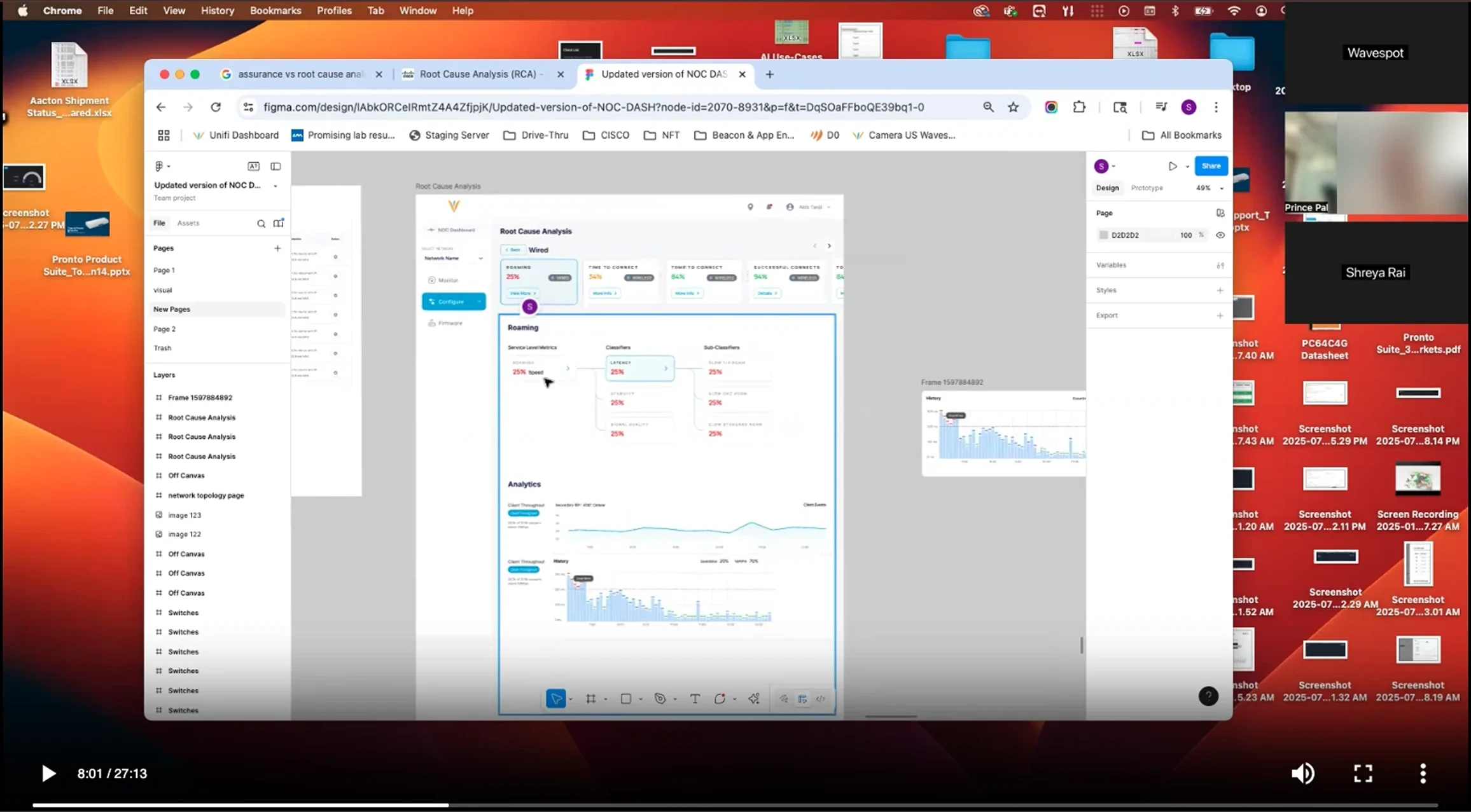
Each module was scoped through structured client sessions where we walked through business requirements, technical constraints, and user
needs together. The client brought deep knowledge of what network admins actually needed to do; I brought the design thinking to translate that into clear, usable interfaces. This back-and-forth shaped every major design decision across the platform.
THE SOLUTION
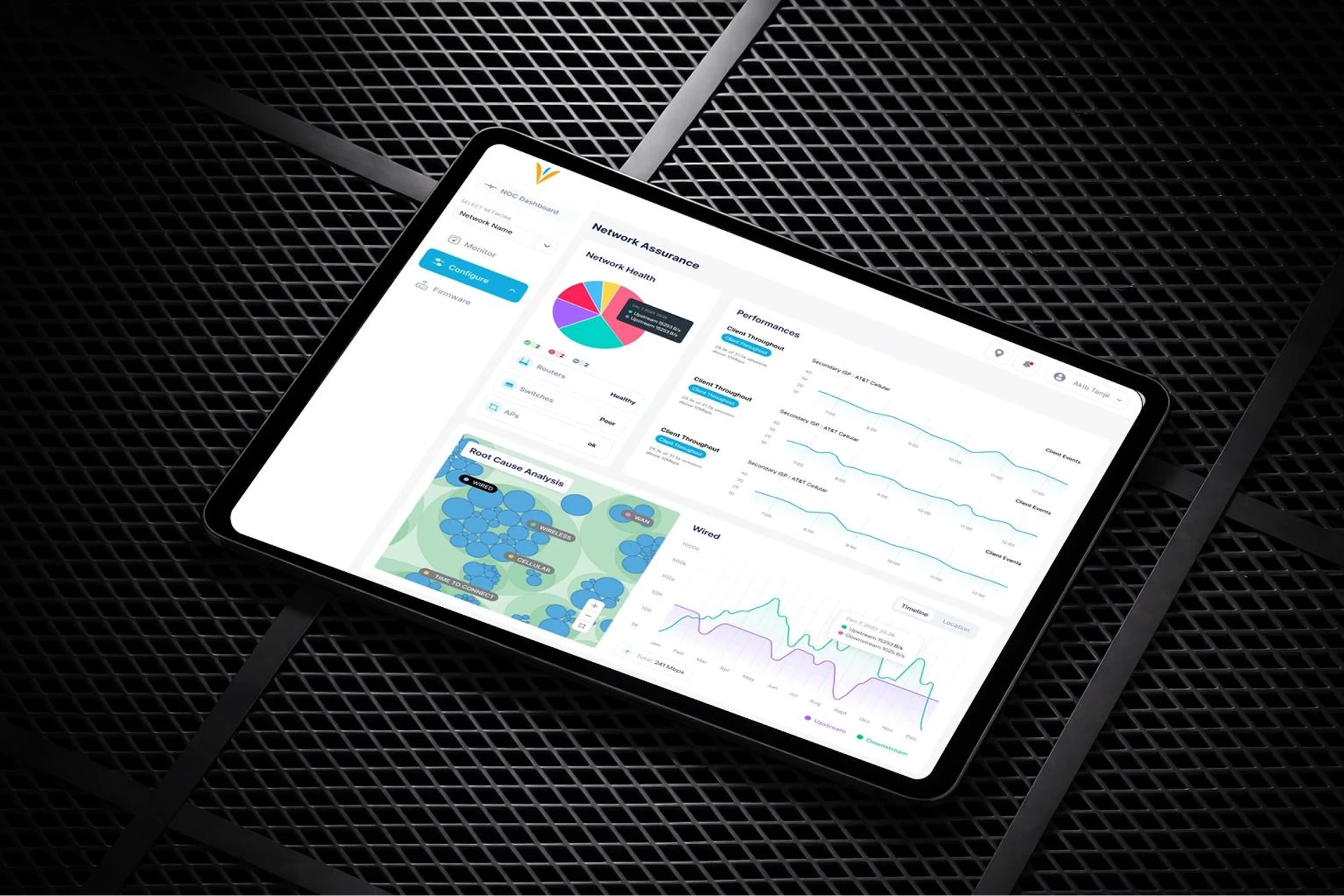
1. A Multi-Network Dashboard built for clarity at scale
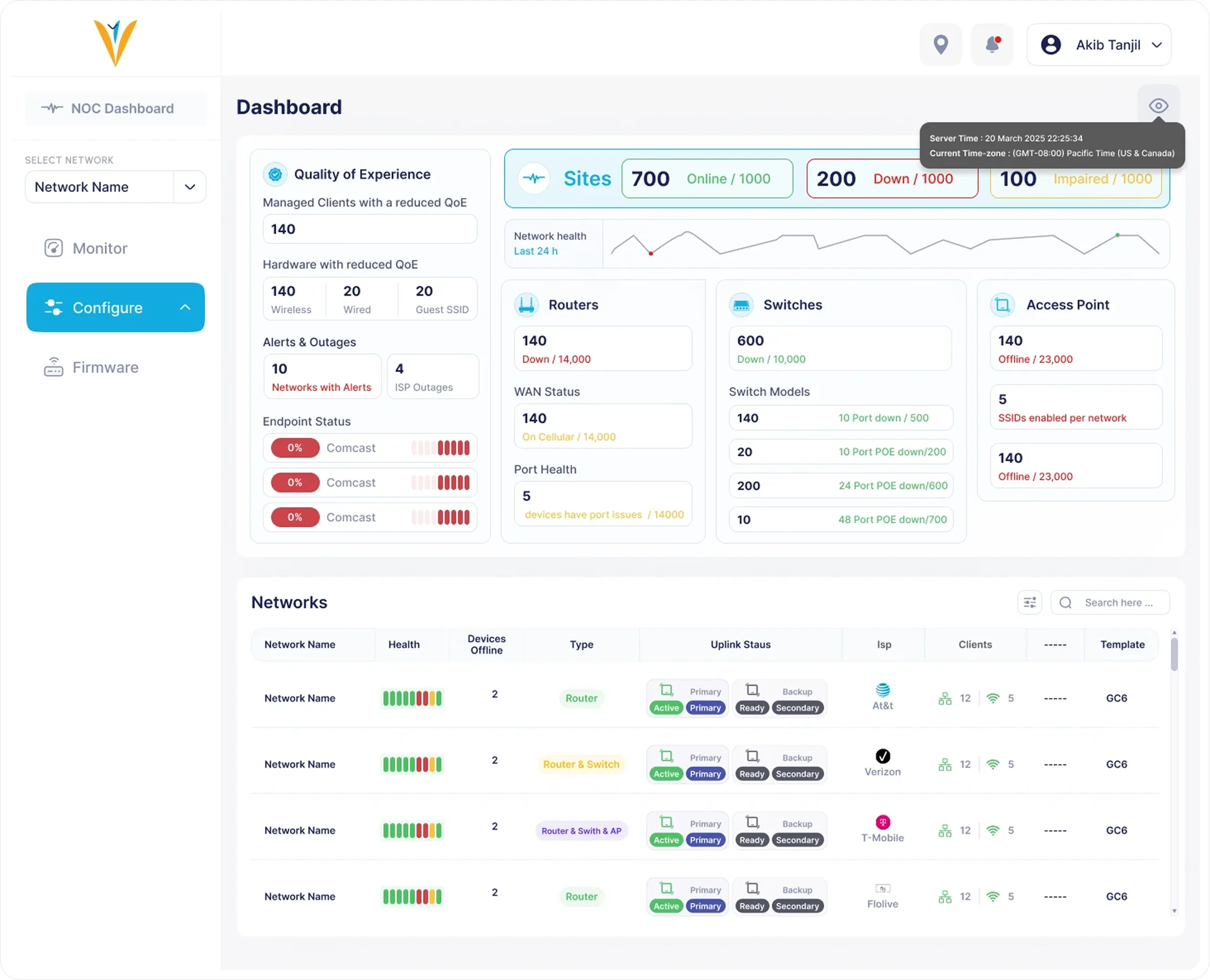
The redesigned NOC dashboard leads with the metrics that matter most — total sites, device health across routers, APs and switches, client
counts, WAN uplink status (wired and cellular), and active alerts. Below this, a customisable table lets admins filter and scan across their full
deployment. A map view adds geographic context for large multi-site networks — something the old platform never had.
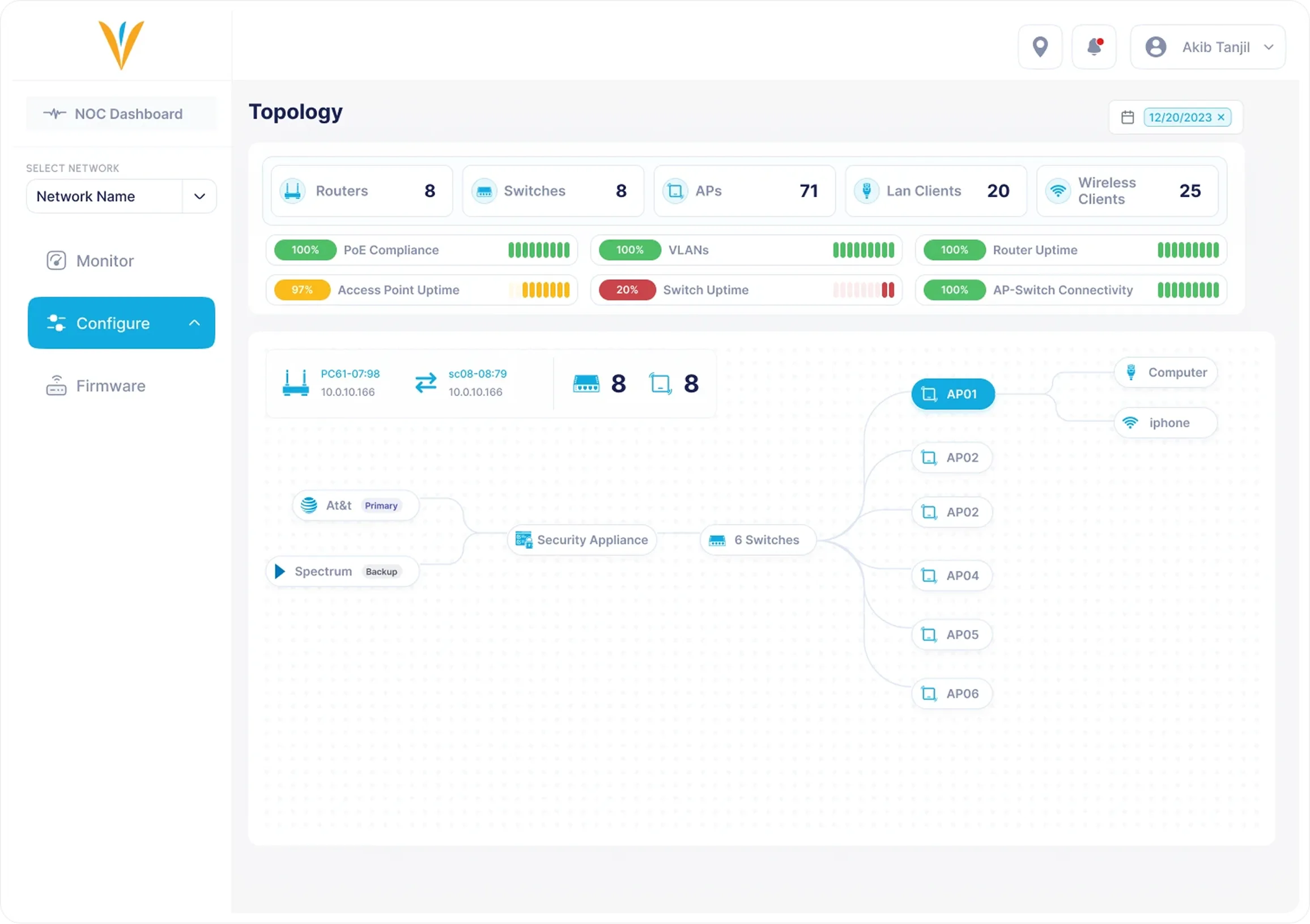
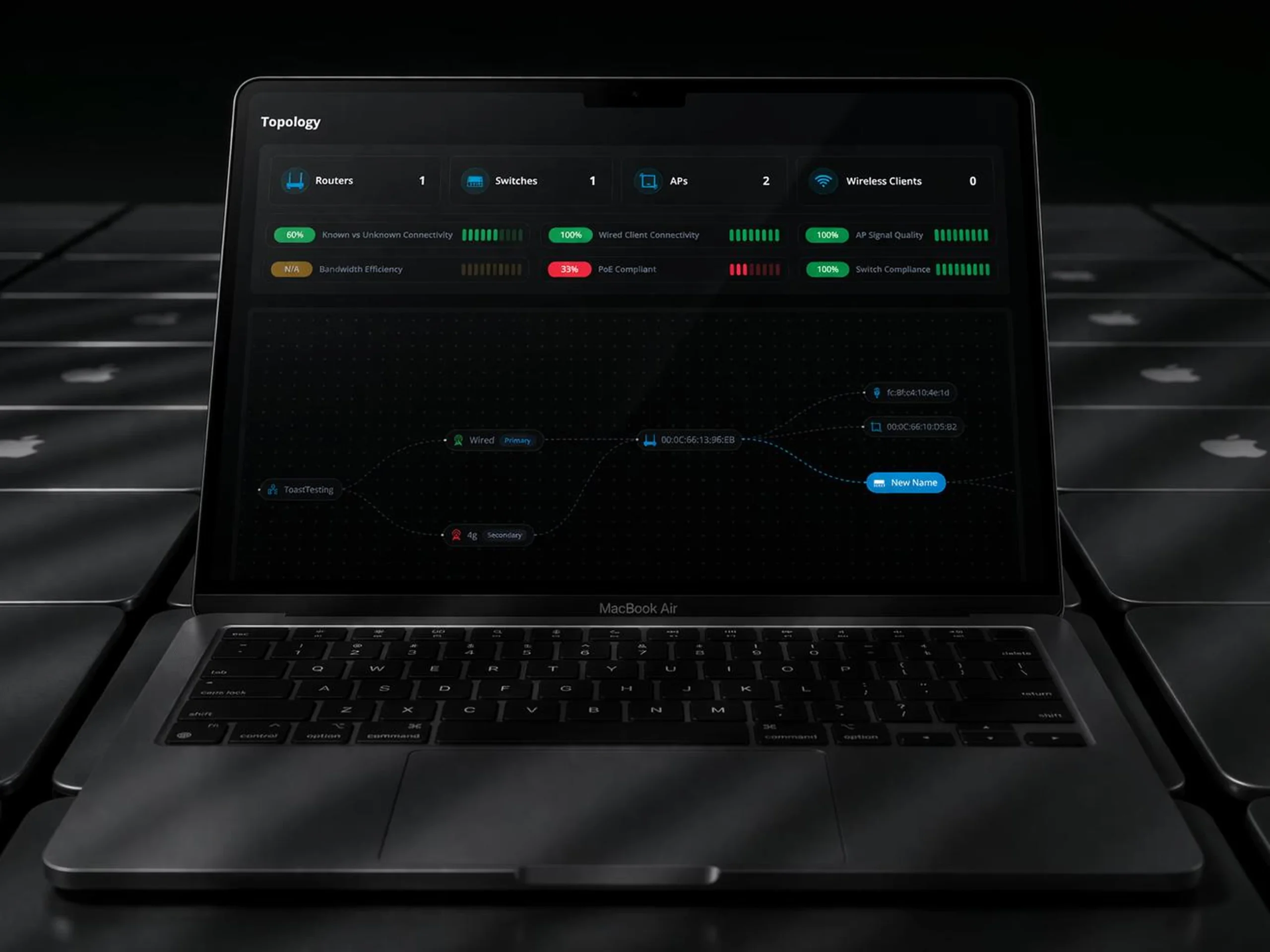
2. A Network Topology Page that makes infrastructure visible
The topology view renders each site as a visual hierarchy — ISP → cellular router → switches → access points — so admins can trace issues
without mentally reconstructing the network from a flat list. Clicking any device surfaces its full details in a side panel. KPIs at the top give an
instant health read before drilling in.
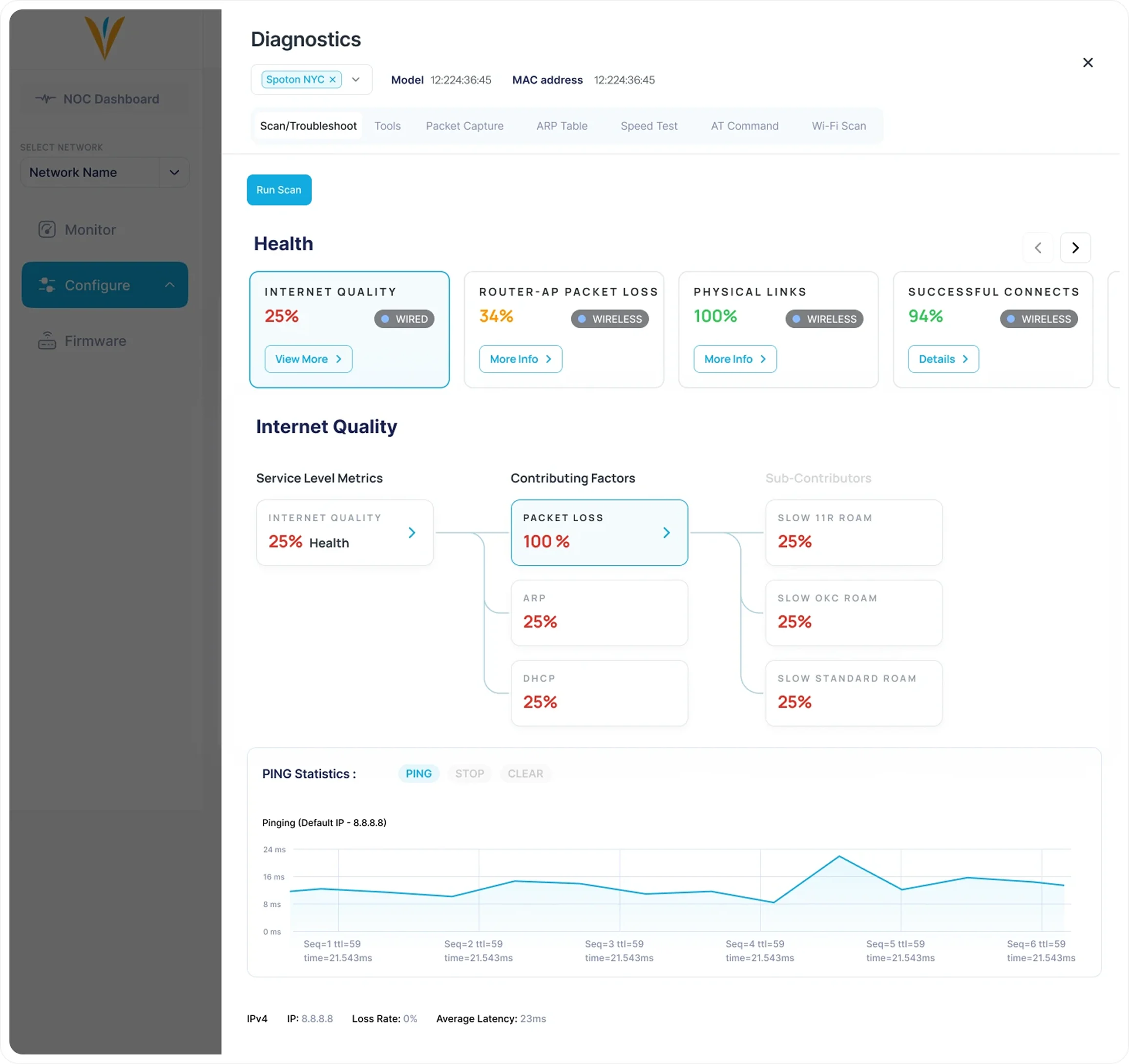
3. AI-Assisted Troubleshooting Through the Topology Flow
One of the new capabilities introduced in the redesign was an AI-powered troubleshooting layer built directly into the topology view. Rather than
requiring admins to manually cross-reference device stats and event logs to diagnose an issue, the system surfaces intelligent alerts and
contextual guidance within the topology diagram itself — pointing to the affected node, explaining what’s wrong, and suggesting a resolution
path. The design challenge was integrating this without cluttering the topology view. The solution was a non-intrusive alert state on each device
node that expands into a troubleshooting panel on click — keeping the visual diagram intact while making the AI layer feel native to the workflow
rather than bolted on.
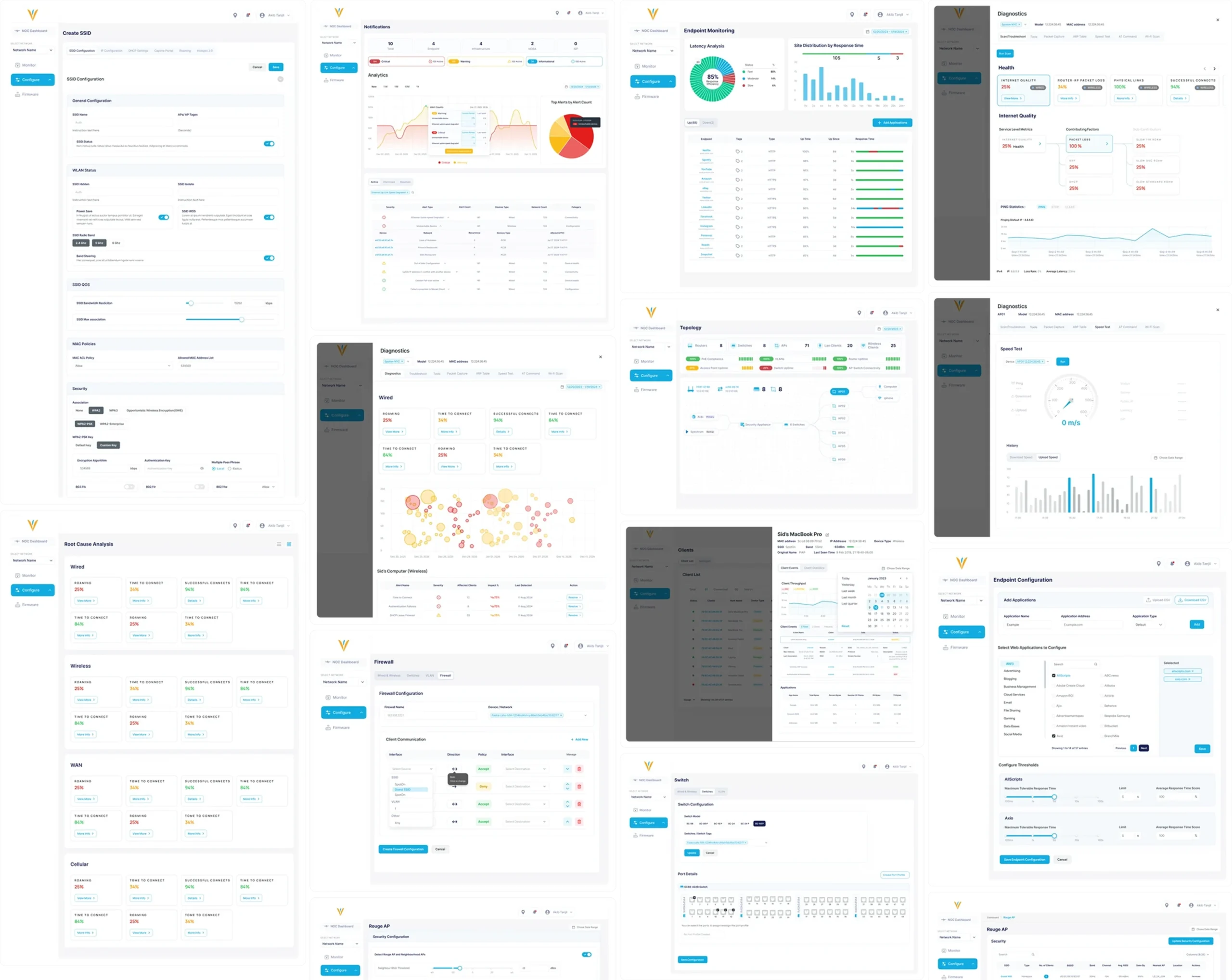
Conclusion
Pronto/Wavespot taught me what it means to design for technical users at scale. The challenge wasn’t creativity — it was
restraint, structure, and deep domain understanding. Getting the information hierarchy right mattered more than any
visual choice. Building a design system first made every subsequent module faster and more consistent. And working
closely with the client throughout meant the designs were grounded in how these tools actually get used — not just how
they should theoretically work.
Landing Pages / Marketing Assets / Emailers & Campaign Design