
For most of my eighteen years in this work, design had a shape you could point at. Someone brought a problem, you figured out who had it and why, and you drew the screens that got them out of it. Good screens usually meant a good product. You could argue about the details, but you knew where the job was.
That isn’t true for AI products, and I think a lot of designers sense it before they can name it.
Key takeaways
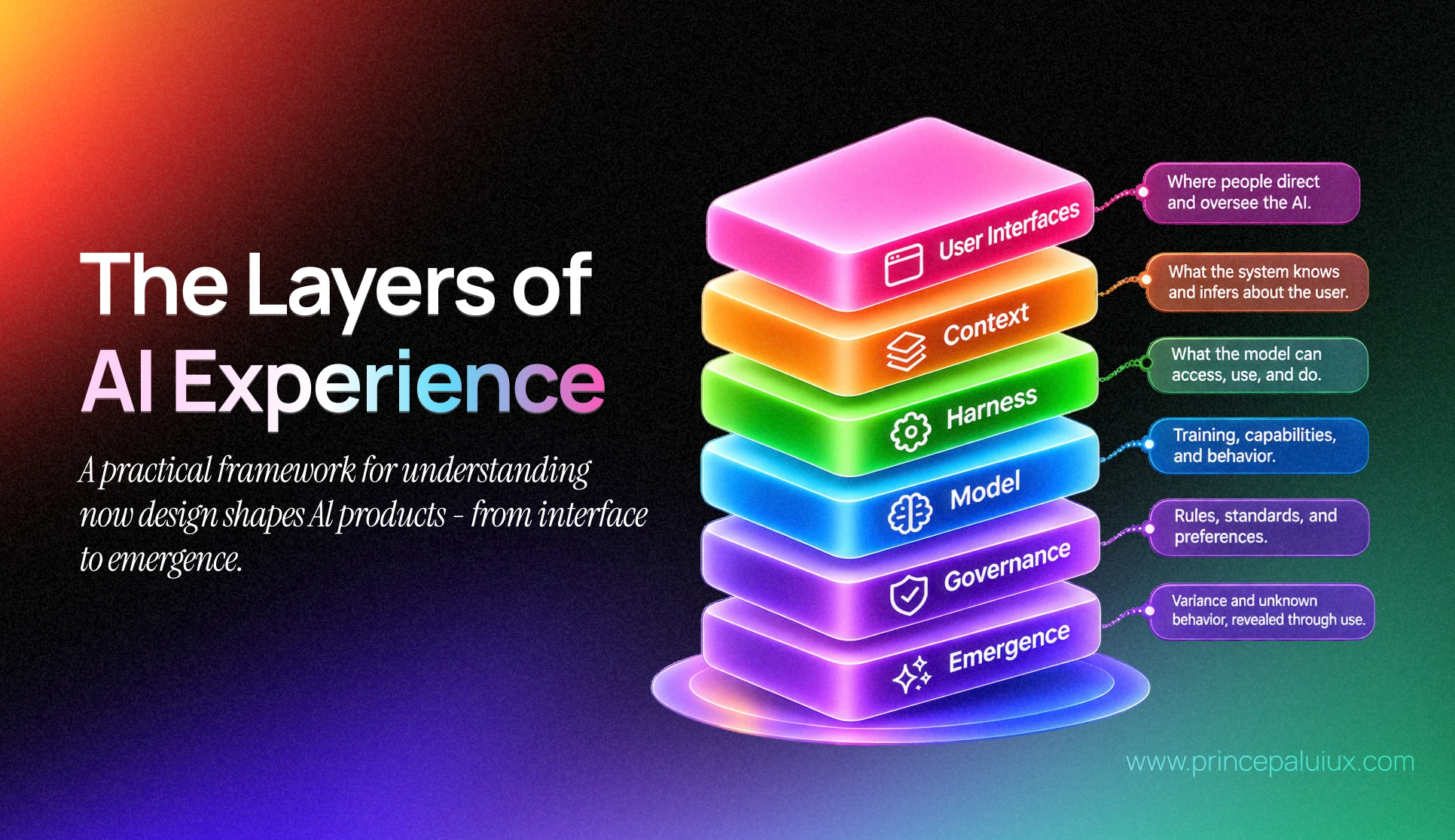
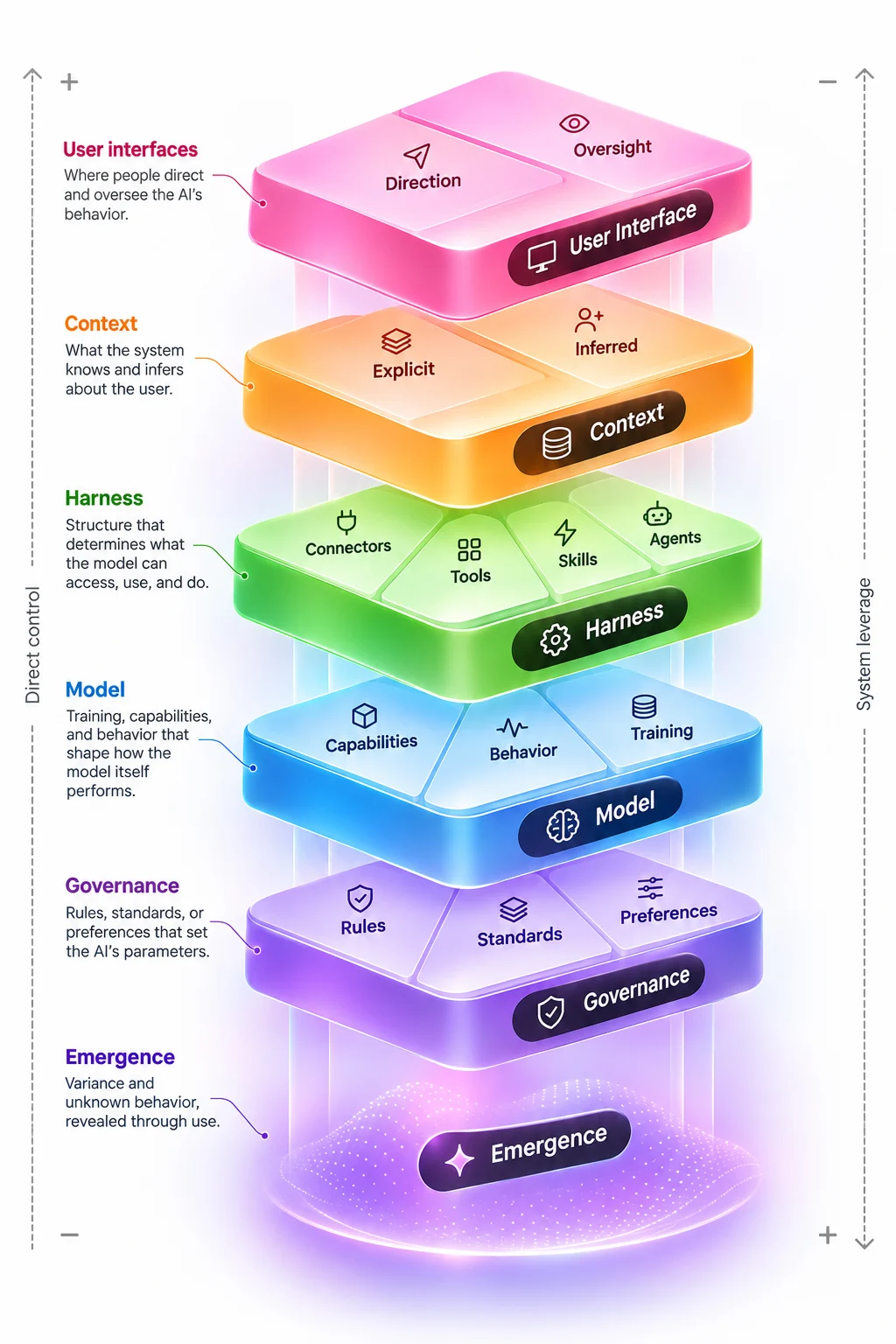
- The layers of AI experience is a framework by designer Emily Campbell that breaks an AI product into six layers: user interface, context, harness, model, governance, and emergence.
- In AI products, the interface is only the top layer. Most of what users actually experience is shaped underneath it.
- AI UX design is moving from specifying screens to shaping the conditions that produce outcomes, which looks a lot like systems design.
- Onboarding flips: instead of users learning the product, the product learns the user. Campbell calls this progressive autonomy.
- Designers don’t need to become ML engineers. They need working fluency in every layer so they know where to intervene.
Emily Campbell named it. Her essay The Layers of AI Experience (on her Substack, Shape of AI) breaks an AI product into six layers: the interface, context, the harness, the model, governance, and emergence. It’s the most useful map of AI UX I’ve read this year. This piece isn’t a summary of it; go read hers. It’s what the model looks like from the client work I do, and a few places where I’d take it further.
Why traditional UX frameworks fall short for AI products
Traditional UX frameworks assume that if you specify every state, the product will behave as specified. AI products are probabilistic, so that assumption no longer holds.
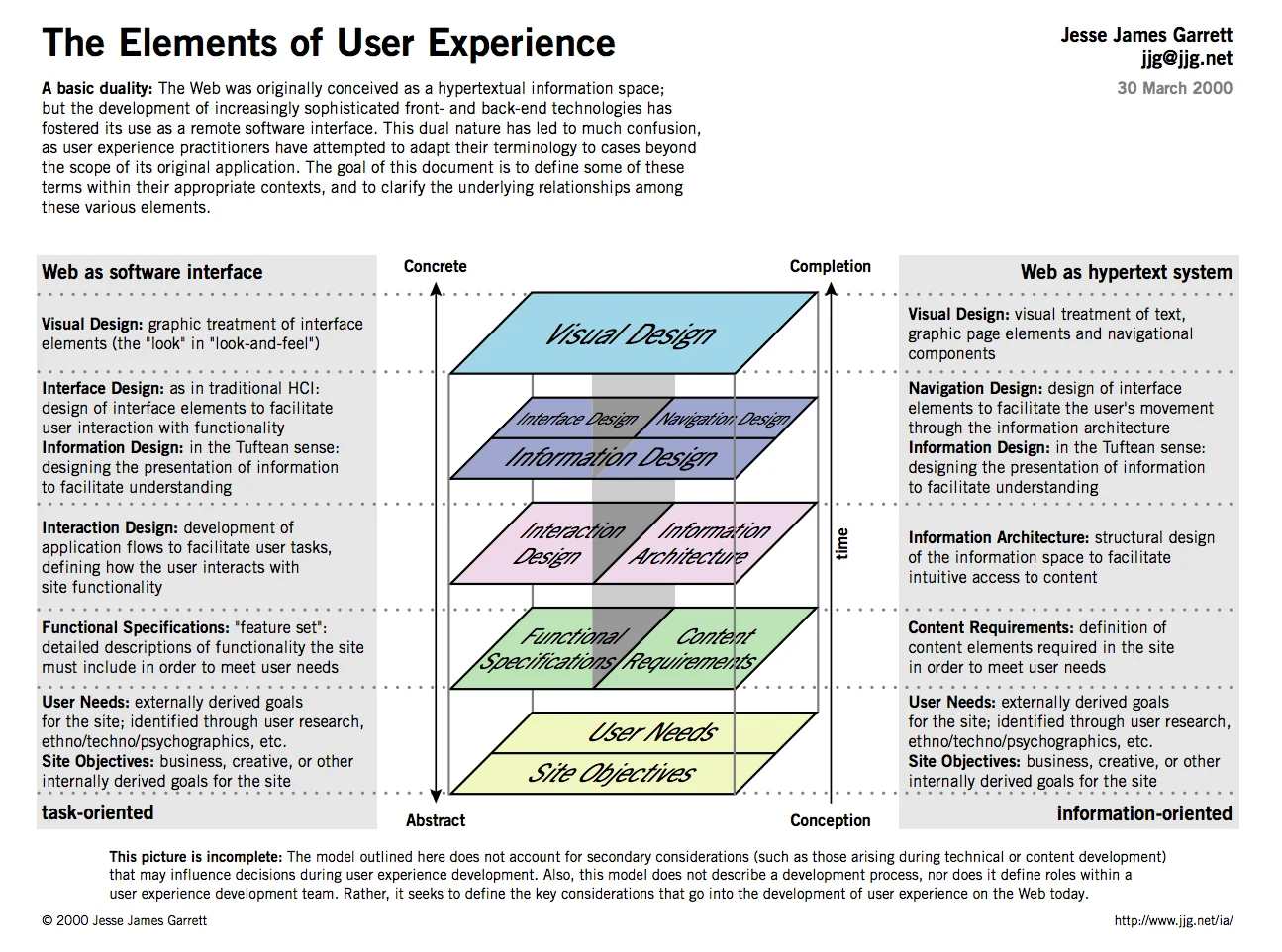
In 2000, Jesse James Garrett gave us The Elements of User Experience: five planes, from strategy at the bottom to the visual surface on top. His point was that you can’t fix a surface problem when the skeleton underneath is wrong.
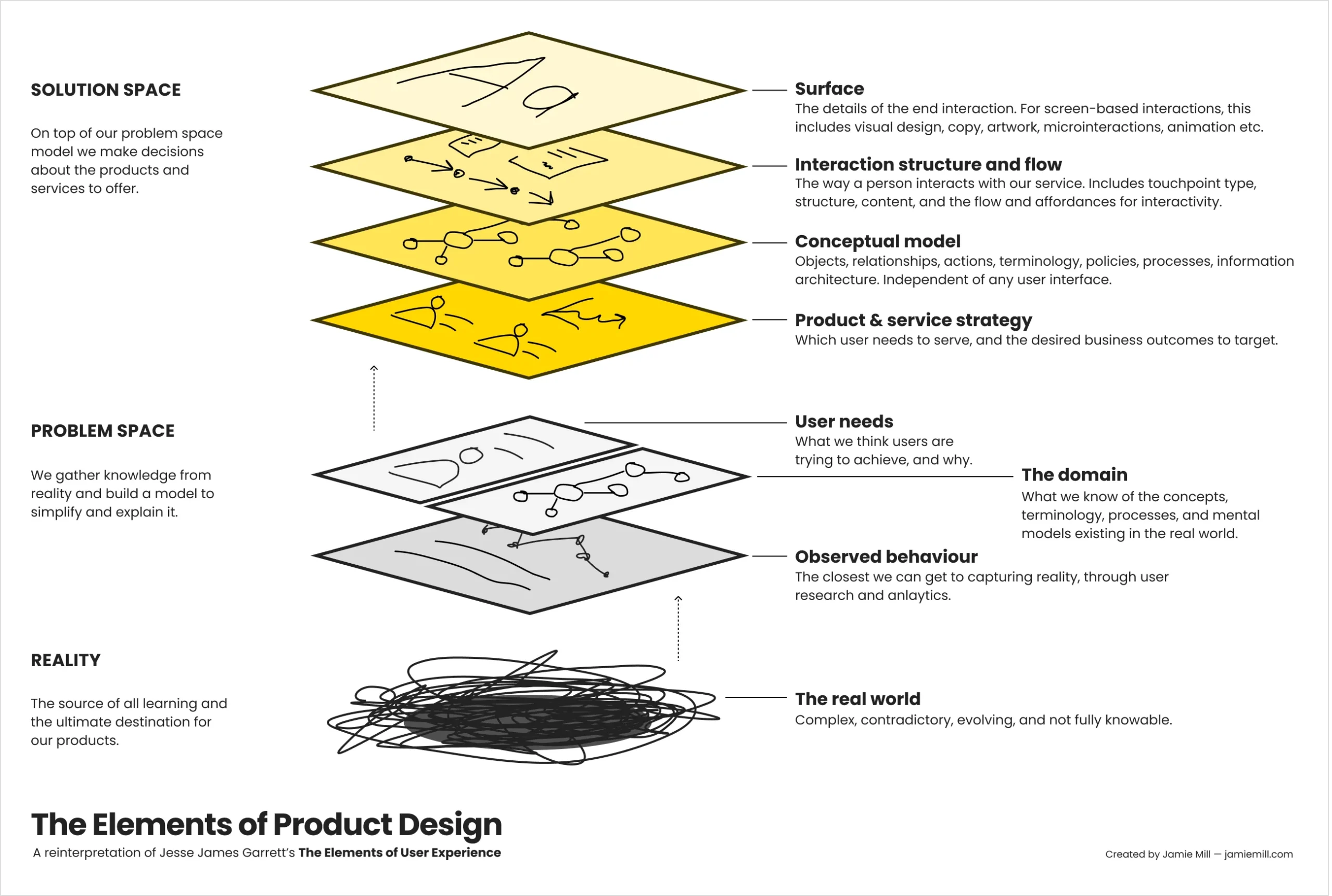
Twenty years later, Jamie Mill stretched that into The Elements of Product Design, pulling in the problem space and the messy real world around a product.
Both frameworks still assume something quietly. If you specify the states well enough, the product does what you specified.
Generative AI breaks that. The same prompt can give you a different answer on Tuesday than it did on Monday. You can’t spec every state of a system that writes its own states. So the job shifts. You stop drawing outcomes and start shaping the conditions that produce them. Campbell frames this as closer to systems design, and I agree with her completely. It’s also why she has no patience for the “design is dead” crowd. Neither do I. The work moved. It didn’t vanish.
The six layers of AI UX at a glance
Here’s how I’d explain the stack to a founder in a first call, with the column I care about most on the right: what goes wrong when no one owns that layer.
| Layer | Definition | Where designers can act | Common failure when unowned |
|---|---|---|---|
| 1. User interface | Where people direct and oversee the AI | Shifting the surface from direction to oversight; review and memory controls | Users retype the same background every session |
| 2. Context | What the system knows and infers about the user | Deciding what gets kept, dropped, and shown back | Context rot, or remembering things it shouldn’t |
| 3. Harness | Connectors, tools, skills, and agents around the model | Permissions, autonomy calibration, visibility of actions | An agent acts before the user expected it to |
| 4. Model | Training, capabilities, and behavior | Task design, effort and speed modes, model fit | The wrong model for the job, such as a slow reasoner in a fast flow |
| 5. Governance | Rules, standards, and preferences set from outside the team | Policy and service design, explaining limits in the UI | Refusals that feel arbitrary |
| 6. Emergence | Unplanned behavior revealed through real use | Observability, traces, provenance, recovery | Strange outputs no one can trace |
The top four are how the product is put together. The bottom two are the conditions it runs in. Most teams I meet spend 90% of their design hours on the first row.
Layer 1: The user interface layer
The user interface layer is where people direct and oversee an AI system. Early in a relationship with the product, the interface is mostly about direction: prompts, inline actions, workflows. As the system learns more, the interface shifts toward oversight, closer to an instrument panel than a command line.
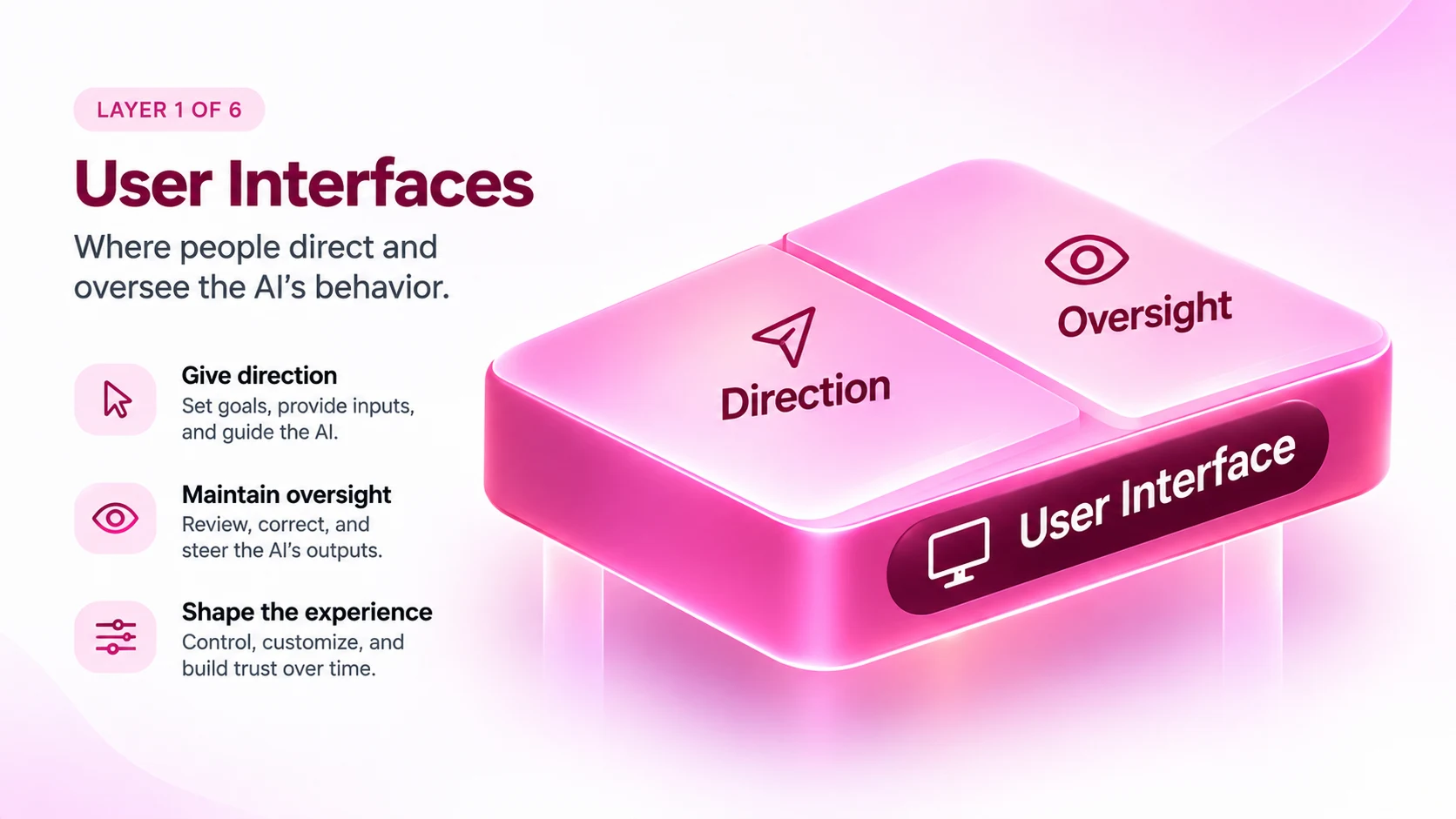
This is why the “is chat good or bad?” debate misses the point. The right surface depends on how well the system knows the user, how sensitive the task is, and how confident the model is. The same task for the same person might need hands-on direction in week one and a quiet background process by month three.
What changes for designers: onboarding runs backwards. Traditional onboarding teaches the person the product. AI onboarding is the product learning the person. Campbell calls the result progressive autonomy, the AI counterpart to progressive disclosure. If your first-week metrics still count feature discovery, you’re measuring the old model.
Layer 2: The context layer
The context layer is everything the AI knows or infers about the user, their task, and their surroundings. It starts with explicit input, like goals, uploads, and connected data, and grows through inferred context from behavior and history. Campbell describes it as the engine of an AI experience.
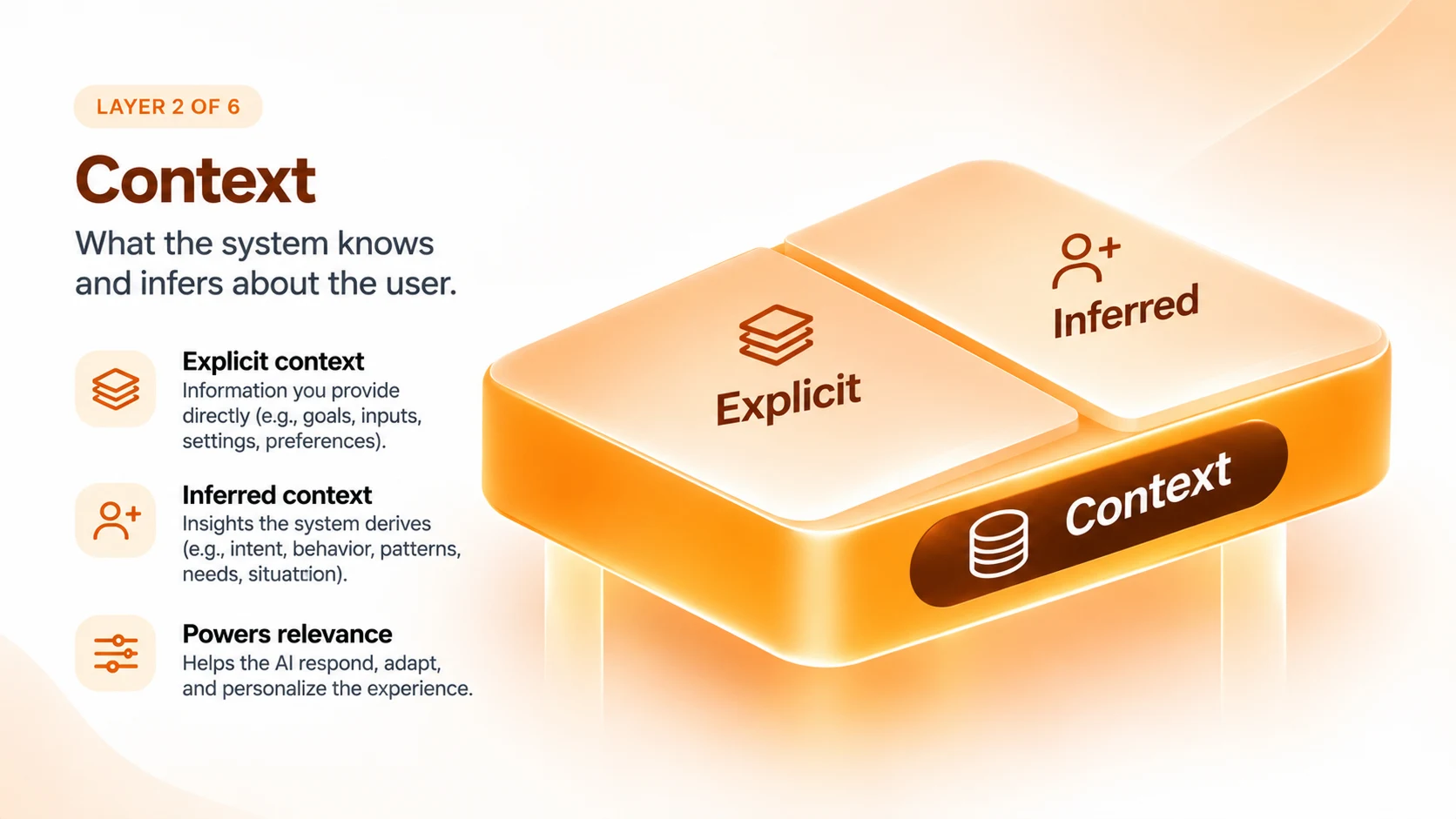
Context management is about balance. Too much context leads to context rot: long histories that burn tokens and degrade answers. Too little leaves users re-explaining themselves forever. The worst cases are a system that keeps personal details it shouldn’t, or carries one project’s assumptions into another.
My view: designers should own the decision about what an AI forgets. Engineering sees token cost, legal sees retention risk, and the user sees an unsettling callback to something they said once. Design is the one discipline that has to weigh all three at once.
Layer 3: The harness layer
The harness is the operational layer around the model that decides what it can access, use, and do. It has four parts:
- Connectors decide what data the model can see.
- Tools decide what actions it can take, like sending email or updating records.
- Skills give it reusable working knowledge: methods, formats, and rules.
- Agents combine all three to pursue goals with less supervision.
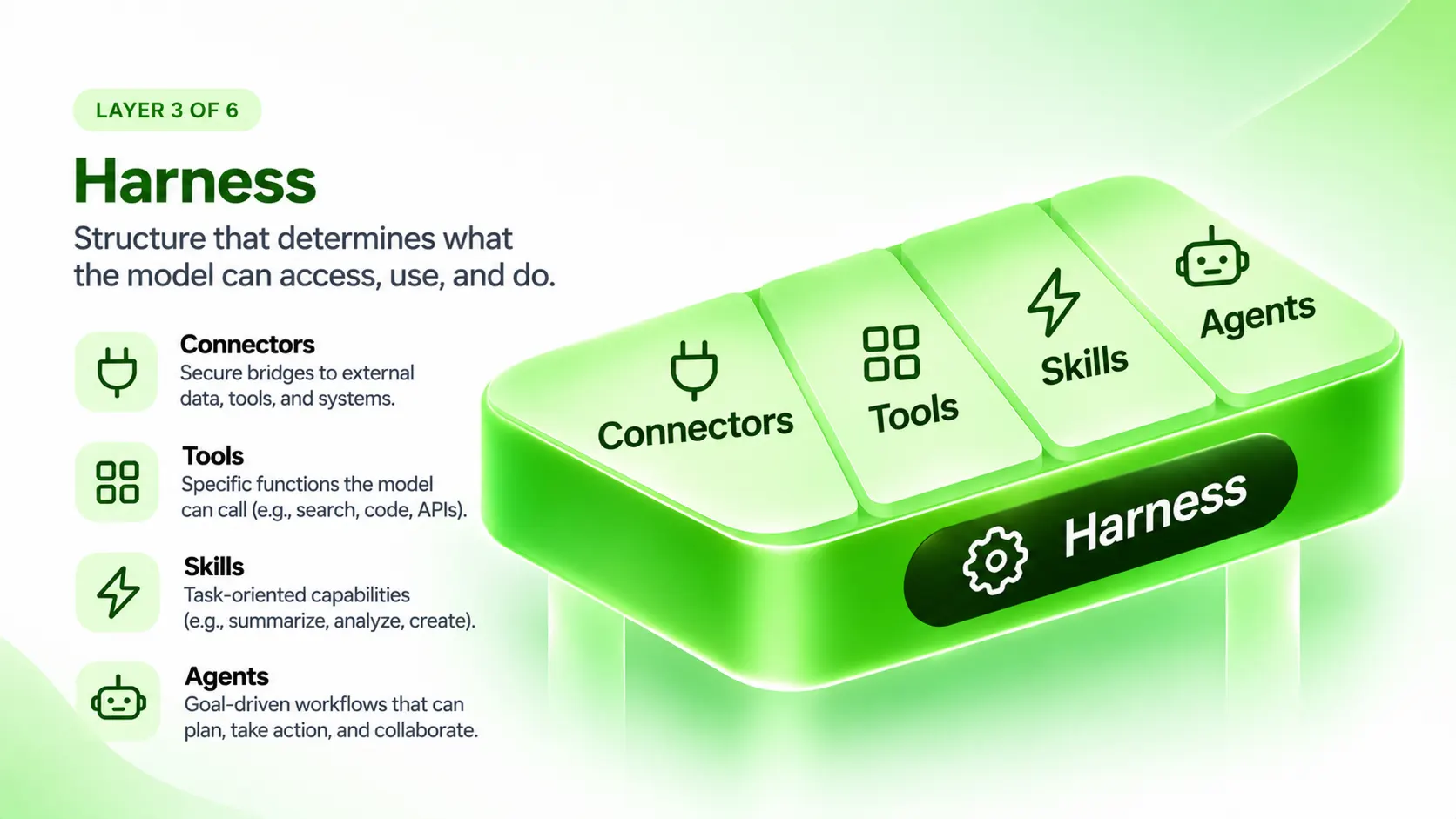
The harness is where trust is won or lost. Permissions that are too loose mean users find mistakes after the damage is done. Permissions that are too tight turn users into babysitters. Phone permission prompts got one thing right that AI products should copy: they explain why access is needed at the moment it’s requested.
Where I’d go further: autonomy should be earned per task, not granted per product. Someone might let an agent file expenses unattended and still want to approve every client email.
Layer 4: The model layer
The model layer covers the AI model’s training, capabilities, and default behavior. To most users, GPT, Claude, Gemini, and Grok look interchangeable. They aren’t. Each brings its own tone, caution, speed, and habits into the product.
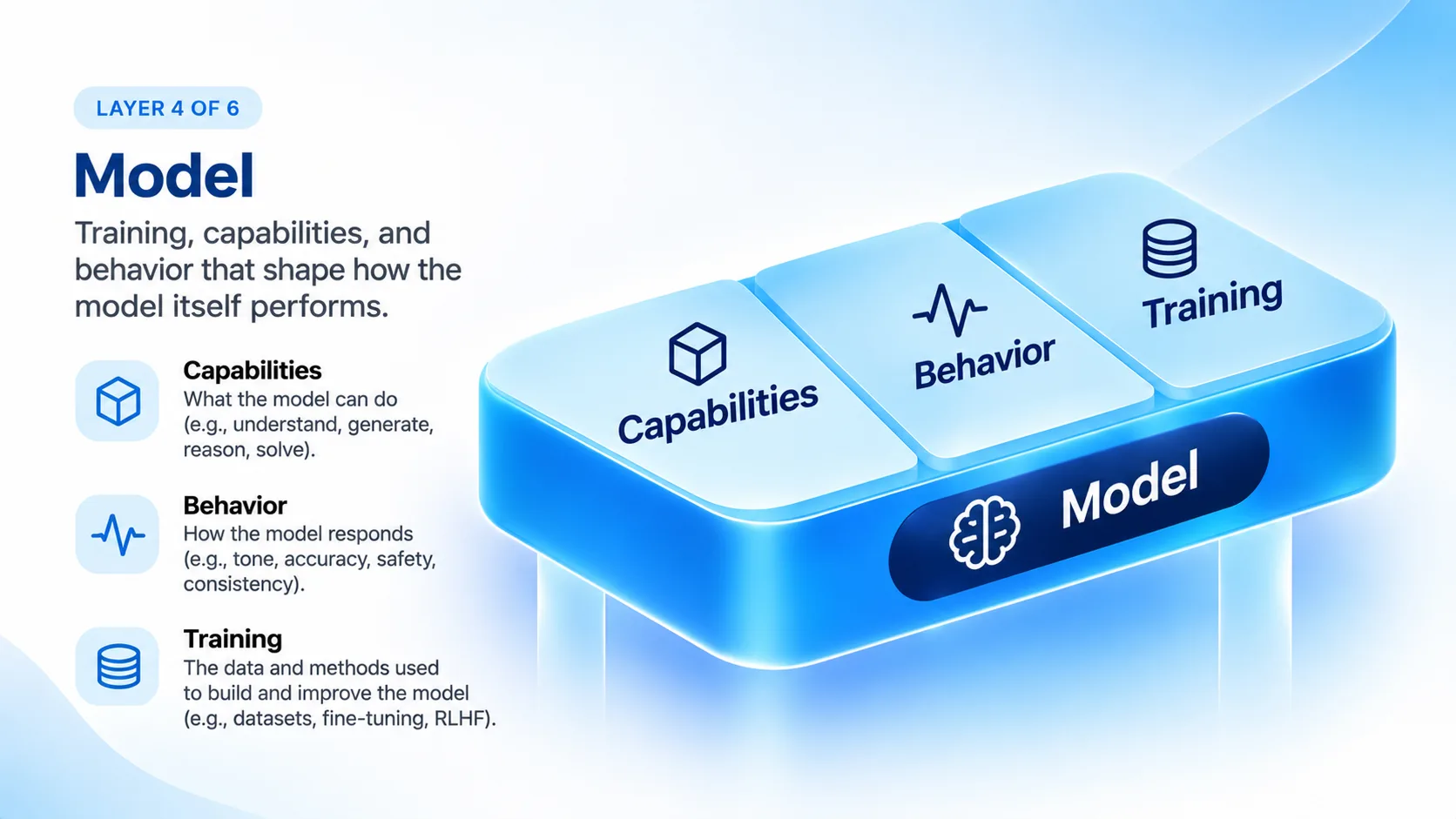
That makes model selection a design decision. Swap the provider and the product feels different without a single screen changing. A refusal is an interaction, and so is a model that acts eagerly where another would ask first. Designers should help decide which model handles which task, and how effort levels or modes are exposed to users so nobody needs to understand the model landscape to get good results.
Layer 5: The governance layer
Governance is the set of rules, standards, and preferences that sets the boundaries of an AI product. Campbell ranks them by how strictly they’re enforced:
- Rules are hard limits: laws, policies, and restrictions.
- Standards define good performance, such as accuracy, fairness, accessibility, and safety.
- Preferences are unenforced but powerful signals from users, companies, and the public.
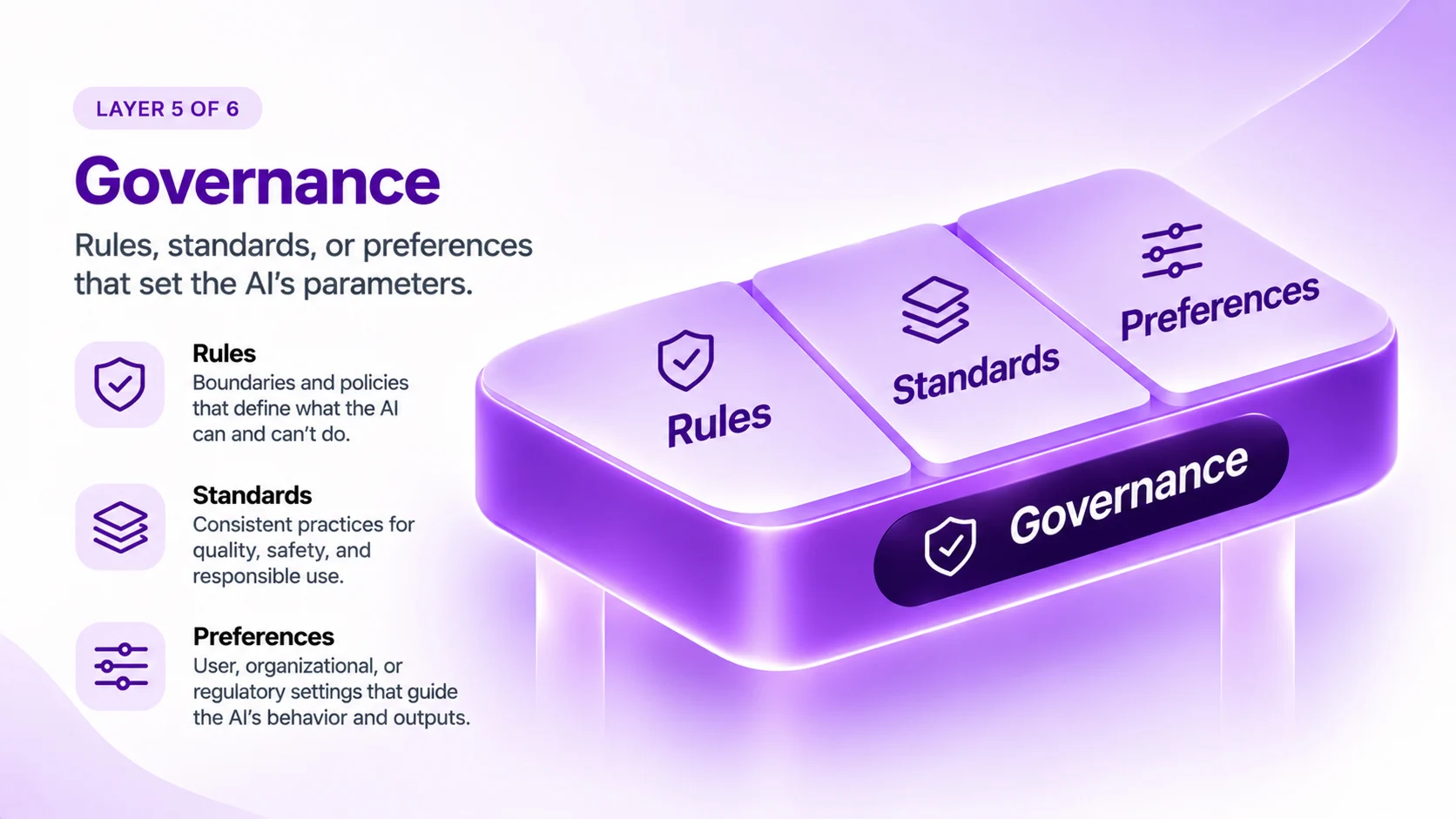
One example she cites: when Sam Altman publicly acknowledged that GPT-4o had become too sycophantic, user preference flowed straight down into model behavior. Governance usually sits with legal, compliance, and leadership, but its effects show up in the interface. Designers at least need to understand the framework they’re working inside and explain its limits to users clearly.
Layer 6: Emergence
Emergence is the unexpected behavior that appears when probabilistic AI systems run in the real world. It’s the one layer designers can’t configure directly. They can only design around it.

Campbell’s best example is OpenAI’s “goblin” episode, where a small personality-training incentive led a model to slip goblin metaphors into unrelated answers. A tiny change deep in the stack surfaced as something odd and very visible on top.
Variance isn’t purely a bug. It’s part of what makes generative tools useful, especially in creative work. The design goal is to make unexpected behavior easy to observe, explain, and correct, using three principles:
- Observability: seeing what the system is doing.
- Interpretability: understanding why it took a given path.
- Provenance: tracing an output back to how it was formed.
What is a full-stack AI designer?
A full-stack AI designer is a designer with working fluency across every layer of the AI experience, from interface to emergence. It doesn’t mean doing engineering. Campbell is clear that designers don’t need to be ML engineers, policy experts, or model researchers. They need to speak each layer’s language well enough to see when something underneath is about to surface in the product.
She expects roles to spread across the stack. Technical designers will lean toward model, harness, and context. Others will move into policy and emergent research. Classic interface design stays, but its tools and outputs change.

I’d add one thing. The layers show where to intervene. They don’t tell you when. That’s judgment, and it’s the thread of my book, Judgment Is The Advantage. Every layer hides a call someone has to make: what to remember, what to permit, which model fits, which rule to explain. As AI makes production cheap, making those calls well is what separates good AI products from noisy ones.
How to apply the layers of AI experience: a six-question review
Use one question per layer in your next AI design review:
- Interface: Is this screen built for the first session or the fiftieth?
- Context: What will the system remember after this, and can the user see and edit it?
- Harness: What can the AI do without asking, and how will the user find out?
- Model: Why this model for this task, and what changes if we swap it?
- Governance: Which rule shaped this behavior, and does the user know it exists?
- Emergence: When something weird happens, how will we trace it?
If your team can’t answer one, that’s the layer nobody is designing yet. Start by asking which layer carries the most risk for your product. A legal research tool lives in governance and context; a creative tool lives in emergence; a workflow agent lives in the harness.
The surface got thinner
Design isn’t dead. The surface just became a smaller share of what users actually experience. Campbell’s six layers give us a shared vocabulary for everything underneath, and that matters more than any single pattern or component library right now.
She’s promised a second part on how design roles will change. I’ll be reading it. In the meantime, the honest move for any of us building AI products is to look below the interface and ask who, if anyone, is designing down there.
Frequently asked questions
Who created the layers of AI experience framework?
Designer Emily Campbell created it and published it in 2026 in her essay The Layers of AI Experience on her Substack, Shape of AI. It builds on Jesse James Garrett’s The Elements of User Experience and Jamie Mill’s The Elements of Product Design.
What are the six layers of AI UX?
User interface, context, harness, model, governance, and emergence. The first four describe how an AI product is composed. Governance and emergence describe the conditions it operates in.
What is the harness in AI product design?
The harness is the operational layer around a model, made up of connectors, tools, skills, and agents. It decides what the AI can access and do, and how independently it can act.
What is context rot?
Context rot is the drop in AI output quality that happens when a system carries too much context, such as very long histories or bloated memory files. It also wastes tokens.
What is progressive autonomy in AI UX?
Progressive autonomy is the idea that an AI product earns more independence as it learns the user. Interfaces start by asking for direction and gradually shift to oversight. It’s the AI counterpart of progressive disclosure.
Is UX design dead because of AI?
No. Campbell argues the opposite, and I agree: the work has moved deeper into the system rather than disappearing. Designers now shape context, permissions, model choice, and governance, not just screens.
Do designers need to learn machine learning to design AI products?
No. They need fluency, not expertise: enough understanding of each layer to know how it affects the user experience and when to step in.
Sources
- Emily Campbell, The Layers of AI Experience, Shape of AI (shapeofai.substack.com), 2026
- Jesse James Garrett, The Elements of User Experience, 2000
- Jamie Mill, The Elements of Product Design
- John Maeda, Design in Tech Report, 2017