
I conversations are moving beyond simple chatbot experiences. Modern AI interfaces are becoming smarter spaces where humans and intelligent systems can communicate, create, and solve problems together. Conversational UI Patterns help designers build AI products that understand context, support natural conversations, and adapt to user needs.
From AI assistants like ChatGPT and Claude to voice interfaces and multimodal experiences, the future of interaction is less about typing commands and more about meaningful collaboration. Great AI UX design focuses on memory, guidance, feedback, and flexibility — creating experiences where technology feels less like a tool and more like a helpful partner.
For many people, the first image that comes to mind after hearing “AI interface” is a chat box.
A blank input field.
A blinking cursor.
A message:
“How can I help you?”
Simple.
Familiar.
But here’s the thing — the future of AI interaction probably won’t live inside one tiny text box forever.
Chat was the doorway.
It helped millions of people understand AI.
But intelligent systems are slowly moving beyond typing prompts and waiting for replies.
Future AI experiences will feel less like sending messages to software and more like collaborating with someone who understands context.
Why Traditional Chatbots Failed
Before modern AI assistants arrived, most chatbots had a reputation problem.
We’ve all experienced something like this:
User:
“I need help changing my subscription.”
Bot:
“Great. Here are our popular articles.”
Wrong answer.
Wrong moment.
Wrong experience.
Old chatbot systems mostly followed fixed conversation paths.
They looked conversational.
But they didn’t really understand conversation.
The experience felt like pressing buttons with extra typing.
Modern AI changed user expectations.
People now expect systems to:
remember previous context,
understand messy human language,
switch between topics,
explain decisions,
adapt responses.
That means designers need new interaction patterns.
Pattern 8: Conversational Interface Patterns
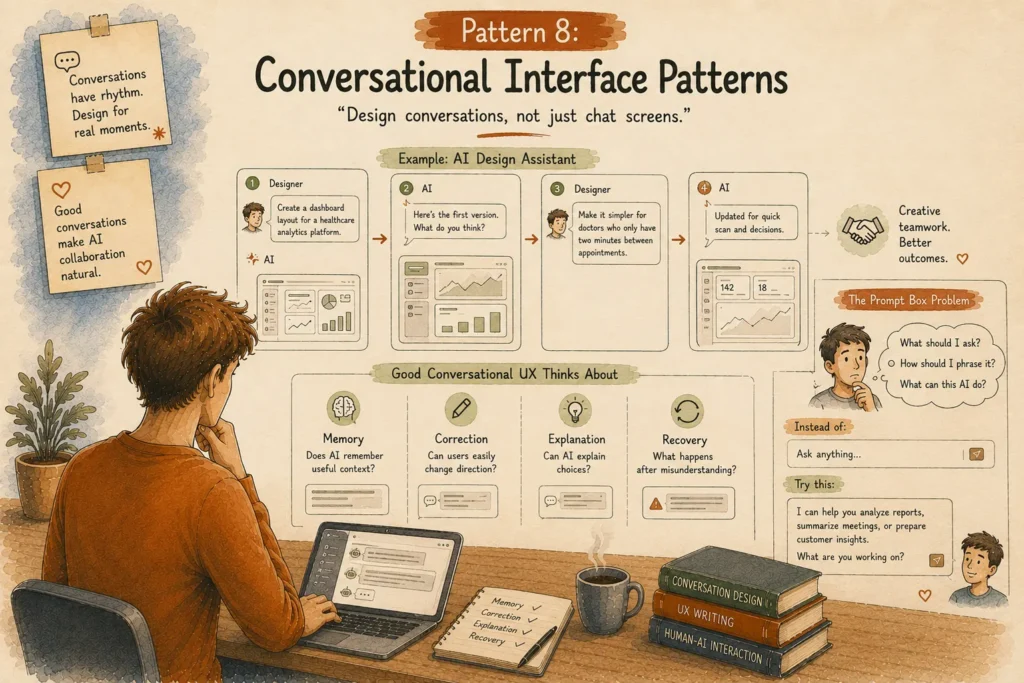
“Design conversations, not just chat screens.”
A conversation is more than messages moving up and down.
Real conversations have rhythm.
Sometimes people interrupt.
Sometimes they correct themselves.
Sometimes they say:
“Actually, forget that. Try another idea.”
AI interfaces need room for these natural moments.
Example: AI Design Assistant
Imagine a designer working with an AI tool.
Designer:
“Create a dashboard layout for a healthcare analytics platform.”
AI creates the first version.
Designer:
“Make it simpler for doctors who only have two minutes between appointments.”
The AI understands the new direction.
It adjusts.
The interaction becomes creative teamwork.
Good conversational UX thinks about:
Memory:
Does AI remember useful context?
Correction:
Can users easily change direction?
Explanation:
Can AI explain choices?
Recovery:
What happens after misunderstanding?
Conversation design is becoming a core UX skill.
The Prompt Box Problem
A blank input field looks simple.
But sometimes simple creates pressure.
Think about opening an AI tool and seeing:
“Ask anything.”
Anything?
That’s actually a huge mental task.
Users think:
“What should I ask?”
“How should I phrase it?”
“What can this AI actually do?”
A better experience gives guidance.
Example:
Instead of:
“What do you want?”
Try:
“I can help you analyze reports, summarize meetings, or prepare customer insights. What are you working on?”
Small change.
Different feeling.
Pattern 9: Multimodal Interaction Patterns
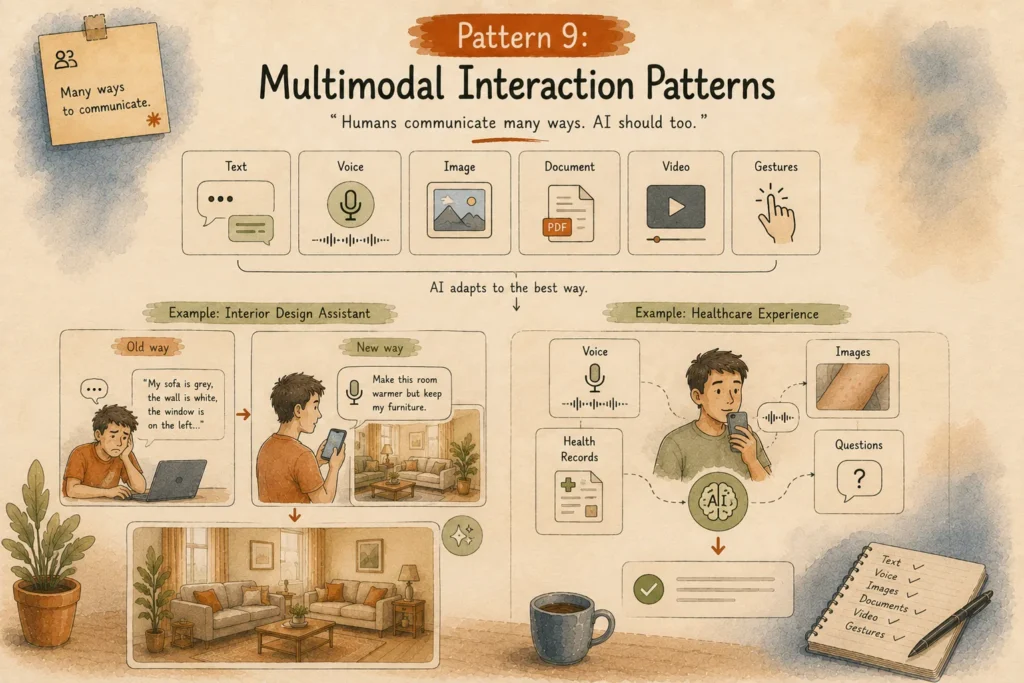
“Humans communicate many ways. AI should too.”
People don’t communicate only through text.
We speak.
Point.
Draw.
Take photos.
Share screenshots.
Use expressions.
Human communication has layers.
AI interaction is starting to follow the same direction.
Modern AI experiences combine:
Text.
Voice.
Images.
Documents.
Video.
Gestures.
The interface chooses the communication style that matches the situation.
Example: AI Interior Design Assistant
Imagine redesigning your living room.
The old way:
Write a long description.
“My sofa is grey, the wall is white, the window is on the left…”
Painful.
The new way:
Take a photo.
Say:
“Make this room warmer but keep my existing furniture.”
AI understands visual information and conversation together.
That feels natural.
Example: Healthcare Experience
A patient may explain symptoms through:
voice description,
uploaded images,
health records,
simple questions.
Different inputs create a better picture.
The interface adapts around the person.
Pattern 10: Mixed-Initiative Interface Patterns
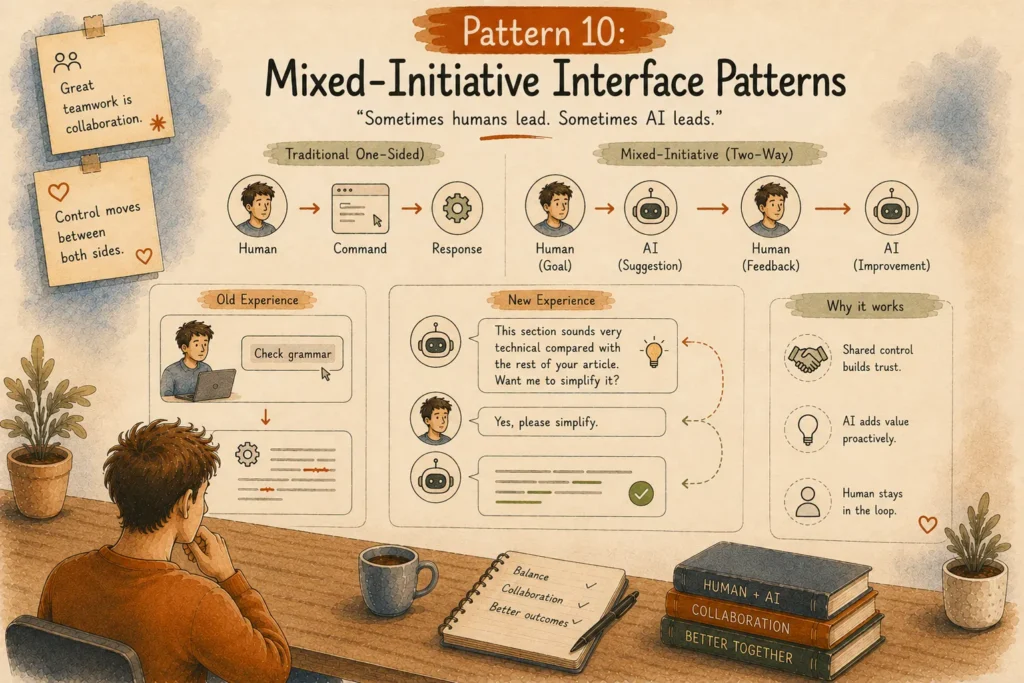
“Sometimes humans lead. Sometimes AI leads.”
Great teamwork is not one person giving commands forever.
Think about working with a talented colleague.
Sometimes you explain what you need.
Sometimes they suggest something first.
AI interaction is heading in that direction.
Traditional software:
Human → Command
Software → Response
Mixed AI experience:
Human → Goal
AI → Suggestion
Human → Feedback
AI → Improvement
The control moves between both sides.
Example: AI Writing Assistant
Old experience:
User clicks:
“Check grammar.”
Software fixes grammar.
New experience:
AI notices:
“This section sounds very technical compared with the rest of your article. Want me to simplify it?”
The AI contributes without taking over.
That balance matters.
Pattern 11: Ambient Agent Patterns
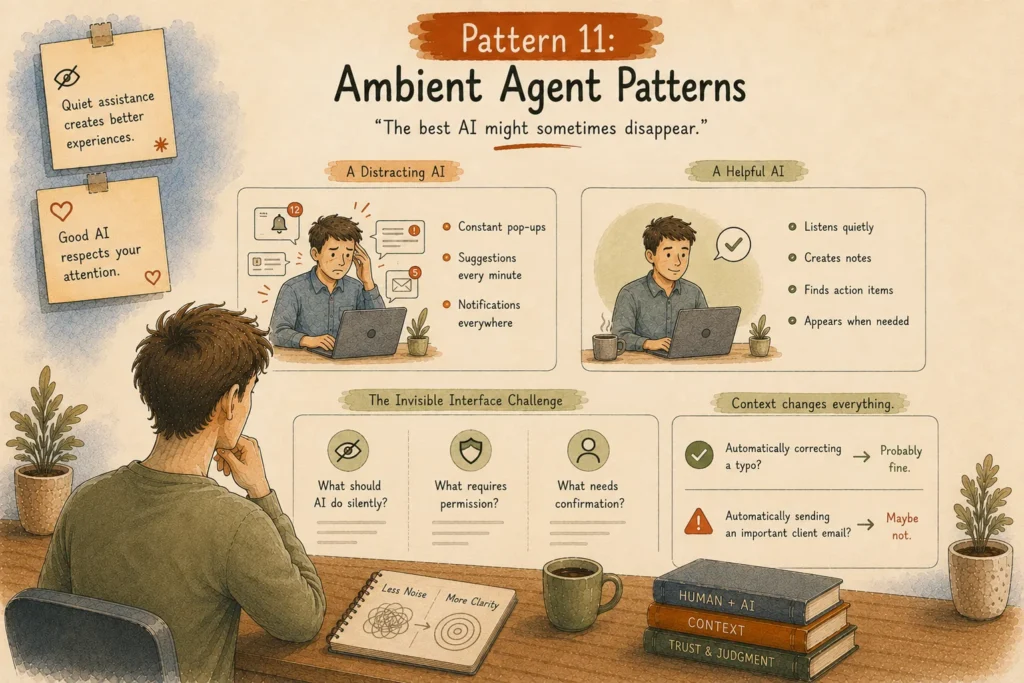
“The best AI might sometimes disappear.”
This sounds strange.
People spend years designing beautiful interfaces.
Now we’re saying the interface may disappear?
Kind of.
The goal is not always more screens.
Sometimes the best experience is quiet assistance.
Think about a smart assistant during a meeting.
A distracting AI:
Constant pop-ups.
Suggestions every minute.
Notifications everywhere.
A helpful AI:
Listens quietly.
Creates notes.
Finds action items.
Appears when needed.
Good AI respects attention.
The Invisible Interface Challenge
Designers love visible things.
Buttons.
Cards.
Animations.
Layouts.
But agentic systems introduce a new question:
What should AI do silently?
What requires permission?
What needs confirmation?
For example:
Automatically correcting a typo?
Probably fine.
Automatically sending an important client email?
Maybe not.
Context changes everything.
Pattern 12: Cross-Platform Agent Experiences
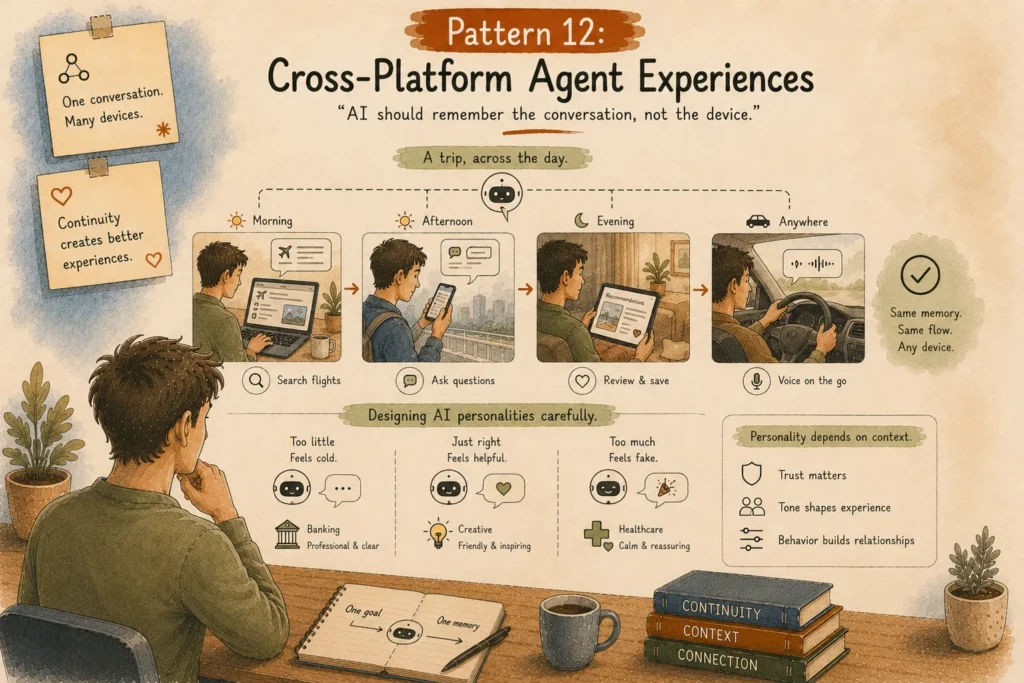
“AI should remember the conversation, not the device.”
People move constantly.
Laptop during work.
Phone while traveling.
Tablet at home.
Voice assistant while driving.
AI experiences need continuity.
Imagine planning a trip:
Morning:
Research flights on laptop.
Afternoon:
Ask questions through phone.
Evening:
Review recommendations on tablet.
Starting again every time feels broken.
Users expect AI to remember the flow.
Designing AI Personalities Carefully
Another interesting challenge:
Should AI have personality?
The answer is complicated.
Too little personality feels cold.
Too much personality feels fake.
A banking AI assistant probably shouldn’t sound like your funny friend.
A creative brainstorming assistant can be more playful.
A medical assistant needs calm communication.
Voice, tone, and behavior become part of UX design.
The Next Interface Is a Relationship Layer
The future of AI design is not only about better chat screens.
It’s about creating systems that understand:
when to speak,
when to stay quiet,
when to suggest,
when to ask permission,
when humans need control.
The best AI experiences may not feel like using technology.
They may simply feel like getting the right help at the right moment.
And designing that moment?
That’s where the next generation of UX designers will make their biggest impact.
Other AI Patterns
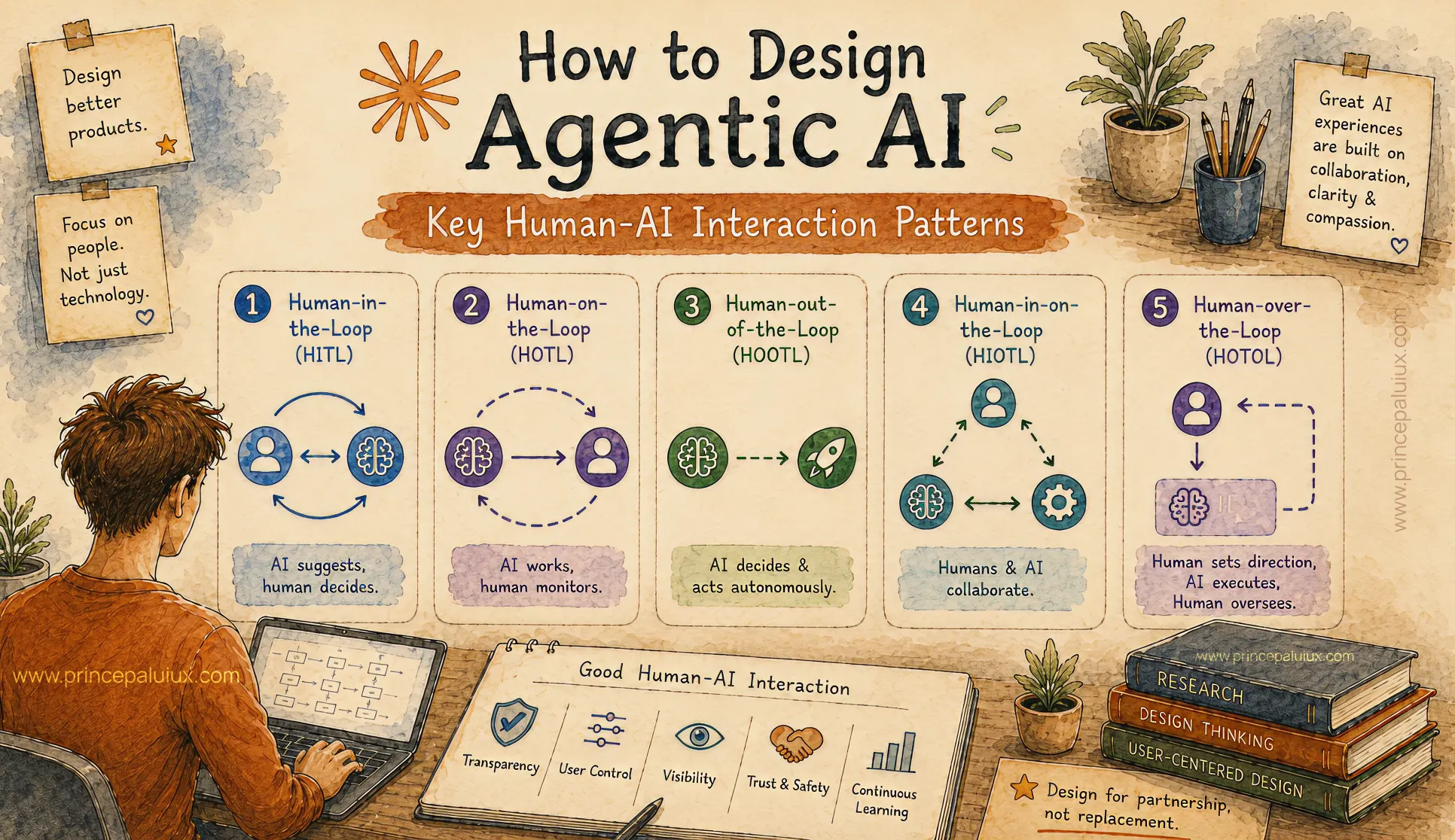
How to Design Agentic AI: Key Human-AI Interaction Patterns
- Pattern 1: Human-in-the-Loop (HITL)
- Pattern 2: Human-on-the-Loop (HOTL)
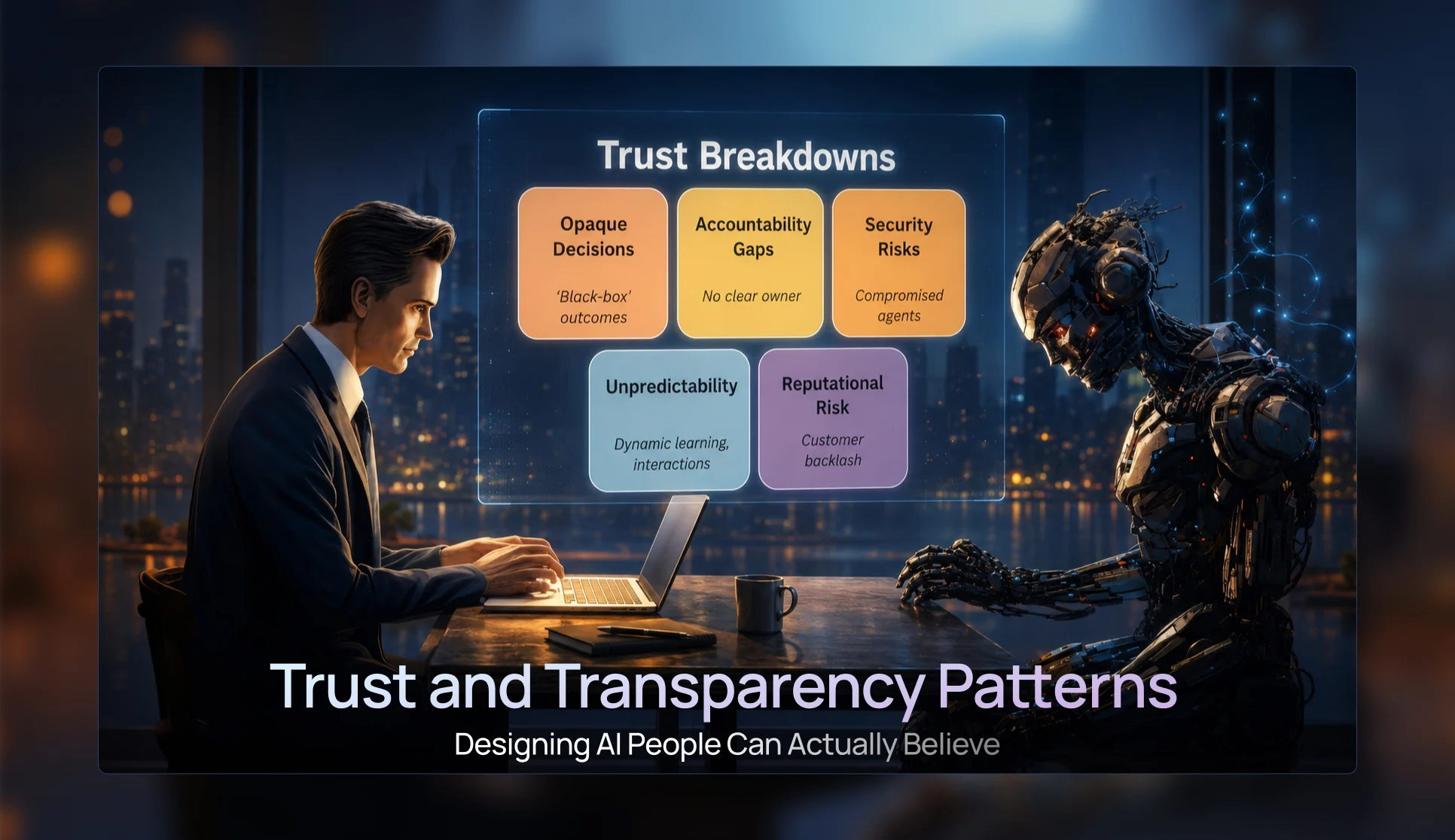
Trust & Transparency Patterns — Designing AI People Can Actually Believe
- Pattern 3: Progressive Disclosure UI Patterns
- Pattern 4: Confidence Visualization Patterns
- Pattern 5: Trust and Transparency Patterns
- Pattern 6: Agent Status & Activity Patterns
- Pattern 7: Visual Reasoning Interfaces

Conversational UI Patterns for the Future of AI Chat Windows
- Pattern 8: Conversational Interface Patterns
- Pattern 9: Multimodal Interaction Patterns
- Pattern 10: Mixed-Initiative Interface Patterns
- Pattern 11: Ambient Agent Patterns
- Pattern 12: Cross-Platform Agent Experiences

The Future of AI UX: Designing Interfaces for Multi-Agent Systems
- Pattern 13: Agent Collaboration UX
- Pattern 14: Mission Control Monitoring Interfaces
- Pattern 15: Agent Status & Activity Visibility
- Pattern 16: Context Window Management UX
- Pattern 17: Error Handling and Recovery Patterns
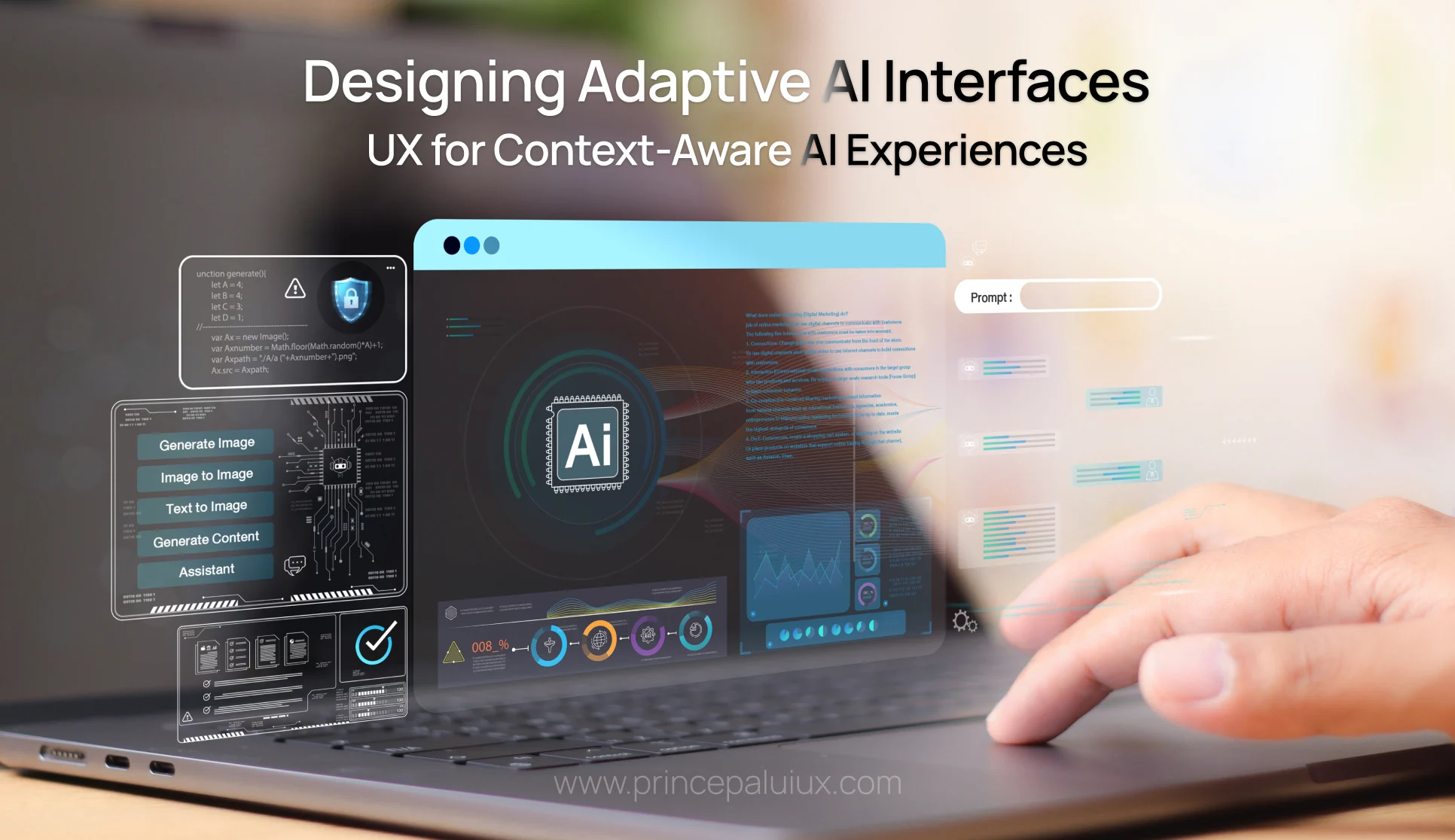
Designing Adaptive AI Interfaces: UX for Context-Aware AI Experiences
- Pattern 19: Adaptive Interface Patterns
- Pattern 20: Privacy and Security UX
- Pattern 21: Accessibility in AI Design
- Pattern 22: Agent Onboarding and Education Patterns