
Human-AI Interaction Patterns provide a practical design framework for building better AI-powered products. These AI UX patterns help designers create experiences where humans and AI work together through clear communication, transparent decisions, smart automation, and meaningful user control.
From Human-in-the-Loop systems and AI confidence indicators to conversational interfaces and multi-agent experiences, the next generation of UI/UX design is moving beyond screens. It’s about creating thoughtful relationships between people and intelligent technology.
For decades, designers followed a simple rule:
A user takes an action → the interface responds.
Click a button. Open a menu. Submit a form. Complete a task.
Simple.
Then AI entered the room and quietly changed the relationship between humans and software.
Now, software doesn’t always wait for instructions. AI assistants can plan tasks, suggest ideas, summarize meetings, write code, analyze medical images, manage workflows, and sometimes make decisions before a person touches the screen.
The interface is no longer just a collection of buttons and screens.
It’s becoming a conversation.
A partnership.
A shared workspace between humans and intelligent systems.
And this creates a completely different challenge for designers:
How do we design experiences where humans trust AI without blindly depending on it?
That question sits at the center of modern Human-AI Interaction design.
The Old UI Rulebook Was Built for Tools. AI Behaves More Like a Teammate.
Think about traditional software.
A spreadsheet never says:
“I noticed your sales numbers dropped this month. Should I investigate why?”
A calendar never used to say:
“Your schedule looks overloaded. I moved your focus work to tomorrow morning.”
Traditional software waits.
AI agents act.
That small difference changes everything.
Designers are moving away from creating screens where users control every tiny action. Instead, they’re creating environments where humans and AI systems work together.
A good AI experience feels a little like working with an experienced assistant.
You don’t explain every small detail.
You give direction.
You review.
You correct.
You build trust over time.
But here’s the tricky part — humans still need visibility and control.
Nobody wants an AI system making important decisions behind a curtain.
Imagine a doctor using AI for diagnosis. Speed matters, yes. But would anyone feel comfortable if the AI simply displayed:
“Treatment selected.”
Probably not.
The doctor needs to know:
- Why did AI suggest this?
- How confident is the system?
- What information influenced the decision?
- Where does human judgment enter?
This is exactly why Human-AI Interaction Patterns exist.
What Are Human-AI Interaction Patterns?
Human-AI Interaction Patterns are reusable design approaches that help people communicate, collaborate, supervise, and build trust with AI systems.
They answer questions like:
“How should AI explain itself?”
“When should humans approve an action?”
“How much control should AI have?”
“What happens when AI gets something wrong?”
Traditional UX patterns solved problems like navigation, forms, search, and checkout flows.
AI UX patterns solve a new category of problems:
Relationship problems between humans and machines.
Sounds slightly strange, right?
But think about your daily interaction with tools like ChatGPT, Claude, Perplexity, Gemini, or Microsoft Copilot.
You don’t use them like normal software.
You negotiate.
You clarify.
You correct.
Sometimes you trust.
Sometimes you question.
That emotional layer matters.
A beautiful AI interface without trust is like a luxury car without brakes. It looks impressive, but nobody wants to use it.
Why Agentic AI Changes the Designer’s Job
AI products are slowly moving through three stages.
Stage 1: Command-Based AI
This is where many AI products started.
The user gives a command.
Example:
“Write me an email.”
AI generates the output.
The interaction is simple.
Human asks → AI answers.
Stage 2: Collaborative AI
This is where many products are now.
The AI and human work together.
Example:
A designer using Figma AI might generate a layout idea, modify sections manually, ask AI for variations, and then refine the final experience.
The AI contributes.
The human directs.
Stage 3: Agentic AI
This is where things become interesting.
AI doesn’t just respond.
It works through goals.
Example:
Instead of saying:
“Create a spreadsheet report.”
A user says:
“Analyze last quarter’s customer feedback and find the biggest product problems.”
The AI agent may:
- collect data
- organize information
- find patterns
- create summaries
- suggest actions
The user becomes less of an operator and more of a reviewer.
This is a huge design shift.
The New UX Question: Control or Collaboration?
For years, designers obsessed over reducing clicks.
Make it faster.
Remove friction.
Automate everything.
AI challenges that idea.
Sometimes friction is actually helpful.
A confirmation screen before deleting a file is friction.
A doctor approving an AI recommendation is friction.
A financial analyst reviewing an automated investment suggestion is friction.
But these moments protect people.
Good Human-AI UX is about finding the right balance.
Too much AI control feels scary.
Too little AI assistance feels pointless.
The magic happens somewhere in between.
Pattern 1: Human-in-the-Loop (HITL)
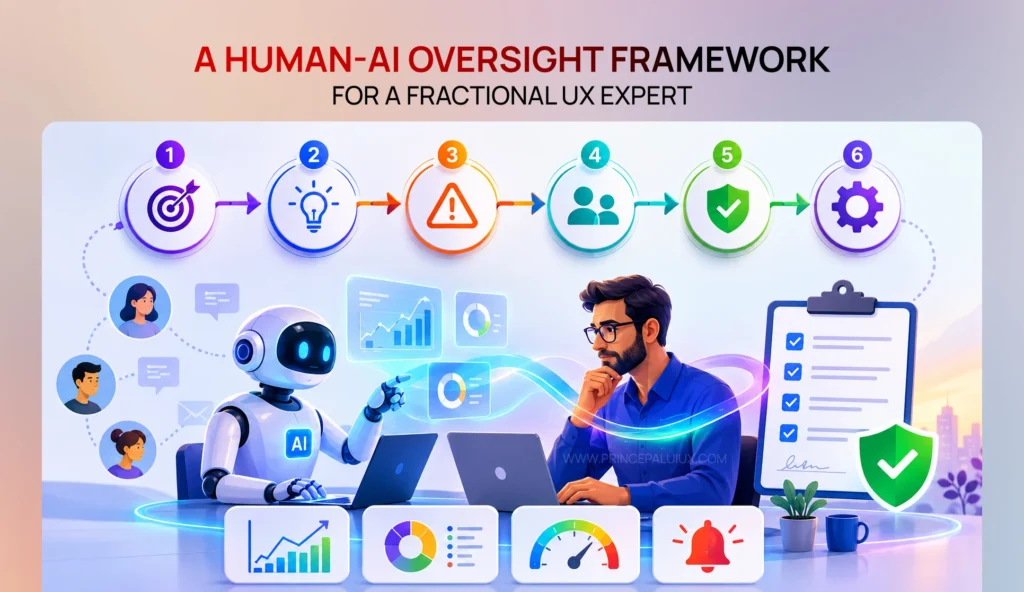
A practical framework for a Fractional UX Expert to design Human-in-the-Loop systems that balance Human-AI Oversight, automation, and human judgment.
“AI can suggest. Humans make the final call.”
Human-in-the-Loop is one of the most important patterns in AI design.
The idea is simple:
AI performs work, but a human reviews or approves important decisions.
Think of it like having a junior team member.
They research.
They prepare.
They recommend.
But the senior expert signs off.
Example: Healthcare AI
Imagine an AI system analyzing dental X-rays.
The AI detects possible issues:
“Potential cavity detected — 87% confidence.”
A dentist reviews the finding.
The dentist accepts, edits, or rejects the suggestion.
The AI speeds up the workflow.
The professional keeps responsibility.
Good Human-in-the-Loop Design Includes:
Clear AI suggestions.
Visible confidence levels.
Easy approval or rejection.
Simple ways to correct mistakes.
The worst version?
Making humans click “approve” without giving enough information.
That’s fake control.
Real control means people understand what they’re approving.
Pattern 2: Human-on-the-Loop (HOTL)
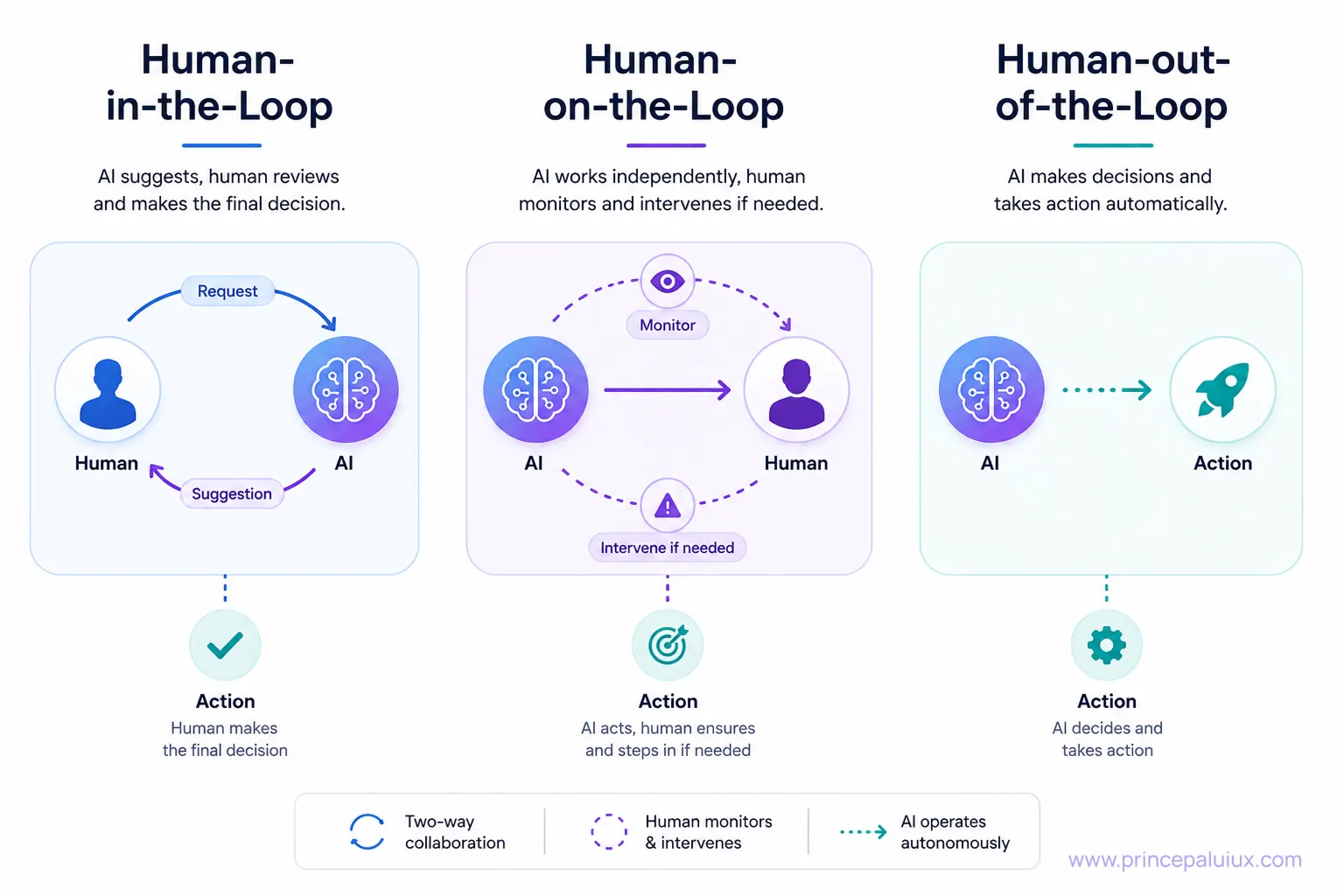
Human-out-of-the-Loop (HOOTL)
Human-out-of-the-Loop represents the highest level of AI autonomy, where the system can complete tasks independently without asking for human approval or requiring constant supervision. The human sets the initial goal or rules, but after that, AI handles the actions by itself.
We already experience this type of automation every day. A spell checker fixes typing mistakes while we write, recommendation systems suggest videos or products based on our interests, and cloud systems automatically adjust computing resources when demand changes.
The key design challenge with Human-out-of-the-Loop systems is creating the right balance between convenience and trust. Users may not control every action, but they still need visibility, clear boundaries, and the ability to step back in when something unexpected happens.
“AI operates. Humans supervise.”
This pattern is slightly different.
The human is not approving every action.
Instead, they monitor the system and step in when needed.
Think of an air traffic control room.
The system is constantly running.
The human watches.
If something unusual happens, they take action.
Example: AI Customer Support System
Imagine an AI support agent handling thousands of customer conversations.
Most simple questions are answered automatically.
A human manager sees:
- conversation quality
- unresolved problems
- unusual customer frustration
- system performance
The person doesn’t control every message.
They guide the system.
This approach becomes extremely useful as companies start using networks of AI agents.
The Future Interface Looks Less Like a Dashboard and More Like a Partnership
The next generation of UX design won’t only focus on where buttons go.
Designers will think about:
Trust.
Timing.
Human judgment.
AI confidence.
Control sharing.
The best AI products won’t replace human thinking.
They’ll create better spaces where humans and machines combine their strengths.
And maybe that’s the biggest design challenge ahead.
We’re no longer designing screens.
We’re designing relationships.
Other AI Patterns
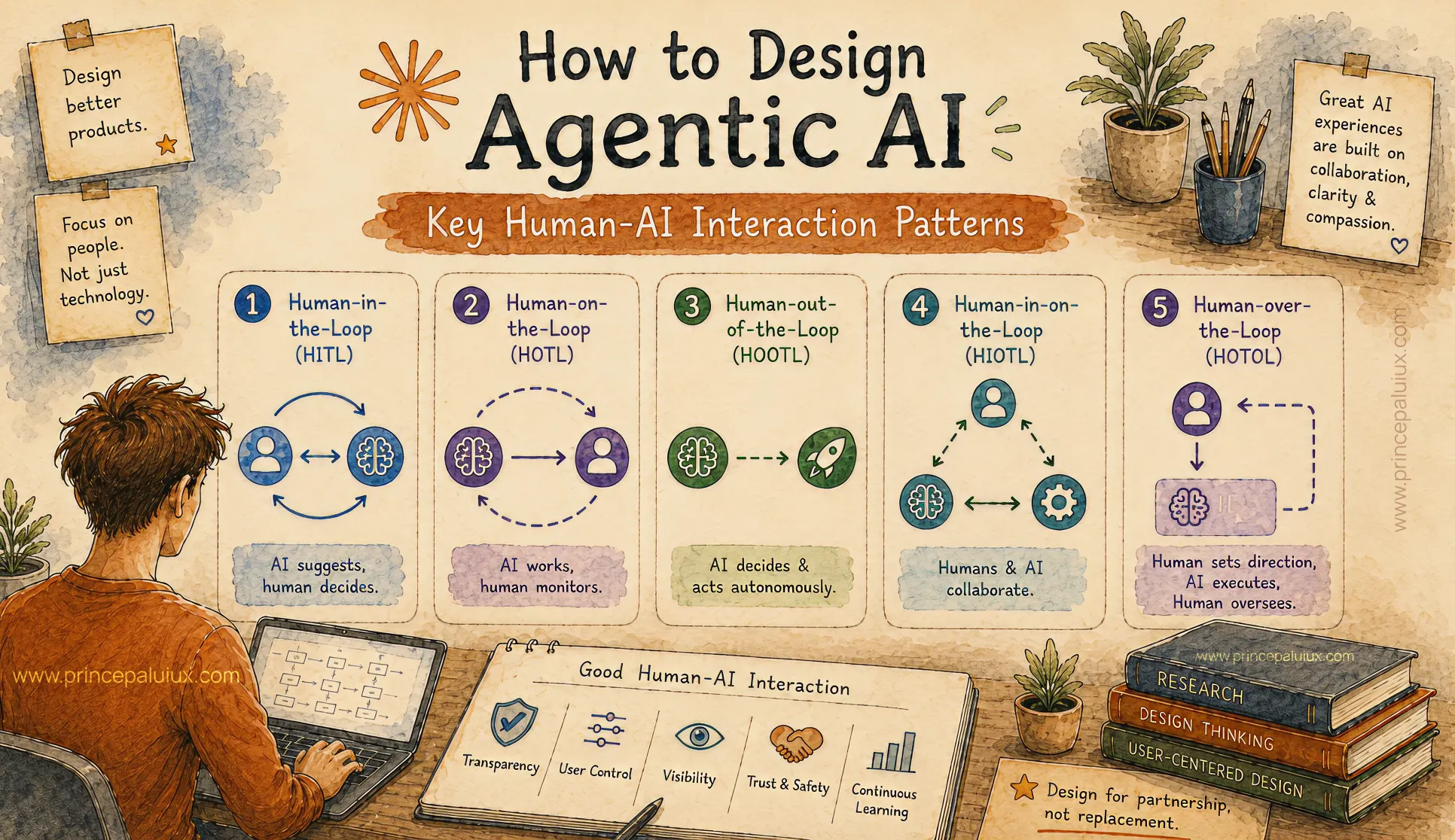
How to Design Agentic AI: Key Human-AI Interaction Patterns
- Pattern 1: Human-in-the-Loop (HITL)
- Pattern 2: Human-on-the-Loop (HOTL)
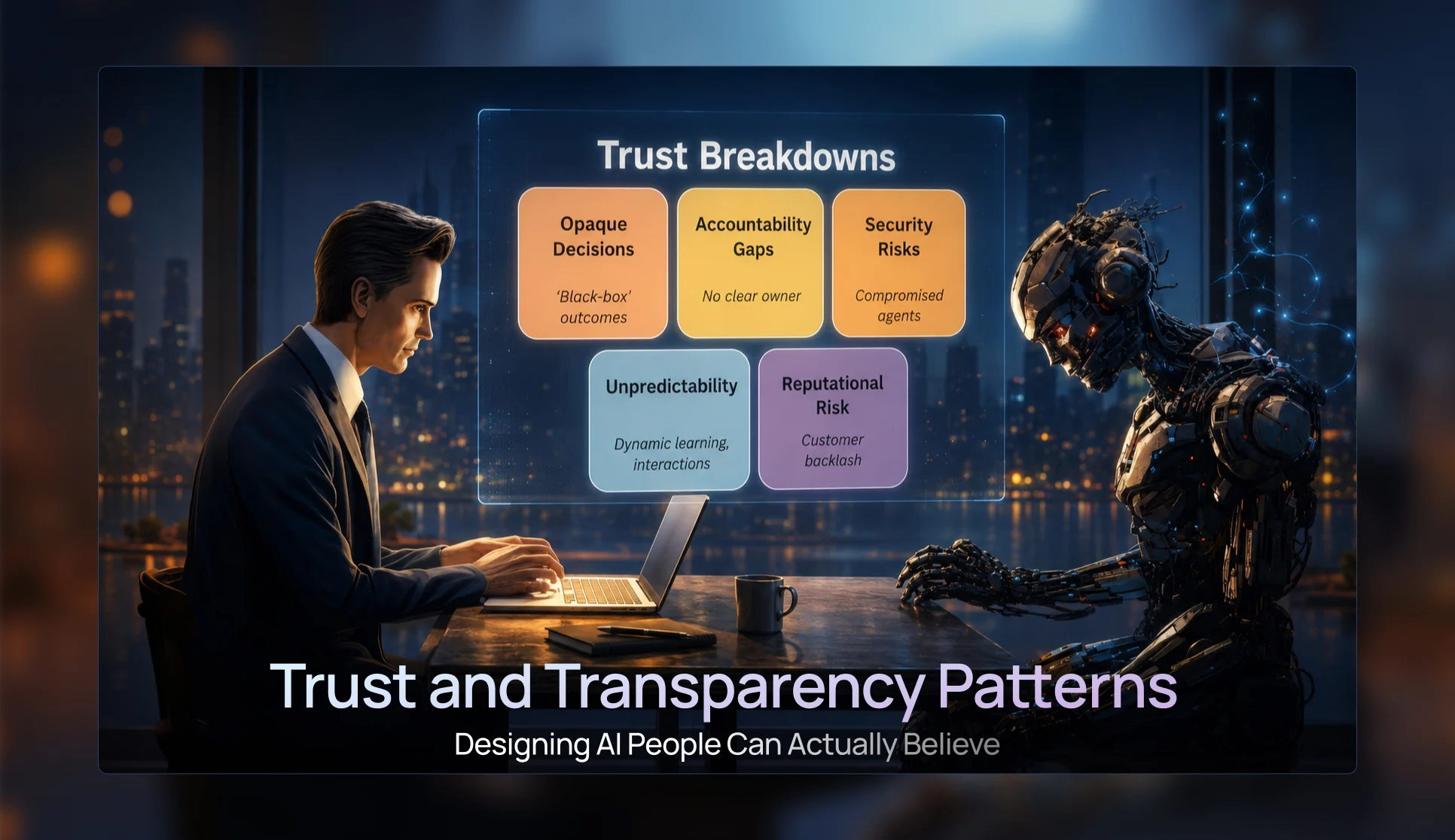
Trust & Transparency Patterns — Designing AI People Can Actually Believe
- Pattern 3: Progressive Disclosure UI Patterns
- Pattern 4: Confidence Visualization Patterns
- Pattern 5: Trust and Transparency Patterns
- Pattern 6: Agent Status & Activity Patterns
- Pattern 7: Visual Reasoning Interfaces
Conversational UI Patterns for the Future of AI Chat Windows
- Pattern 8: Conversational Interface Patterns
- Pattern 9: Multimodal Interaction Patterns
- Pattern 10: Mixed-Initiative Interface Patterns
- Pattern 11: Ambient Agent Patterns
- Pattern 12: Cross-Platform Agent Experiences
The Future of AI UX: Designing Interfaces for Multi-Agent Systems
- Pattern 13: Agent Collaboration UX
- Pattern 14: Mission Control Monitoring Interfaces
- Pattern 15: Agent Status & Activity Visibility
- Pattern 16: Context Window Management UX
- Pattern 17: Error Handling and Recovery Patterns
Designing Adaptive AI Interfaces: UX for Context-Aware AI Experiences
- Pattern 19: Adaptive Interface Patterns
- Pattern 20: Privacy and Security UX
- Pattern 21: Accessibility in AI Design
- Pattern 22: Agent Onboarding and Education Patterns