
AI products are evolving from single assistants into connected networks of specialized AI agents working together. Multi-Agent UX focuses on designing clear experiences where users can understand agent roles, monitor activities, manage workflows, and step in when needed.
Agent Collaboration Dashboards, Mission Control Monitoring, and Error Recovery Patterns help create AI systems that feel transparent and manageable. Designers need to show what AI agents are doing, how decisions are made, and how users can correct mistakes.
The future of AI UX design is about creating intelligent teamwork between humans and multiple AI systems.
For years, software followed a familiar pattern:
One user.
One interface.
One task.
Open Photoshop → edit an image.
Open Excel → analyze data.
Open Gmail → send messages.
Everything had a clear relationship.
But AI agents are changing that model.
A person may soon manage multiple AI agents working together:
One agent researches.
One writes.
One checks quality.
One schedules.
One analyzes data.
Suddenly, the user isn’t operating a tool anymore.
They’re coordinating a small digital team.
Sounds exciting.
Sounds messy too.
And that’s exactly why Multi-Agent UX matters.
The Rise of Agent Collaboration UX
Imagine hiring five talented people but never knowing:
Who is working?
What are they doing?
Who made which decision?
Where did something go wrong?
The team might be smart.
The experience would still feel chaotic.
The same problem appears with AI agents.
Intelligence alone doesn’t create confidence.
People need visibility.
Pattern 13: Agent Collaboration UX
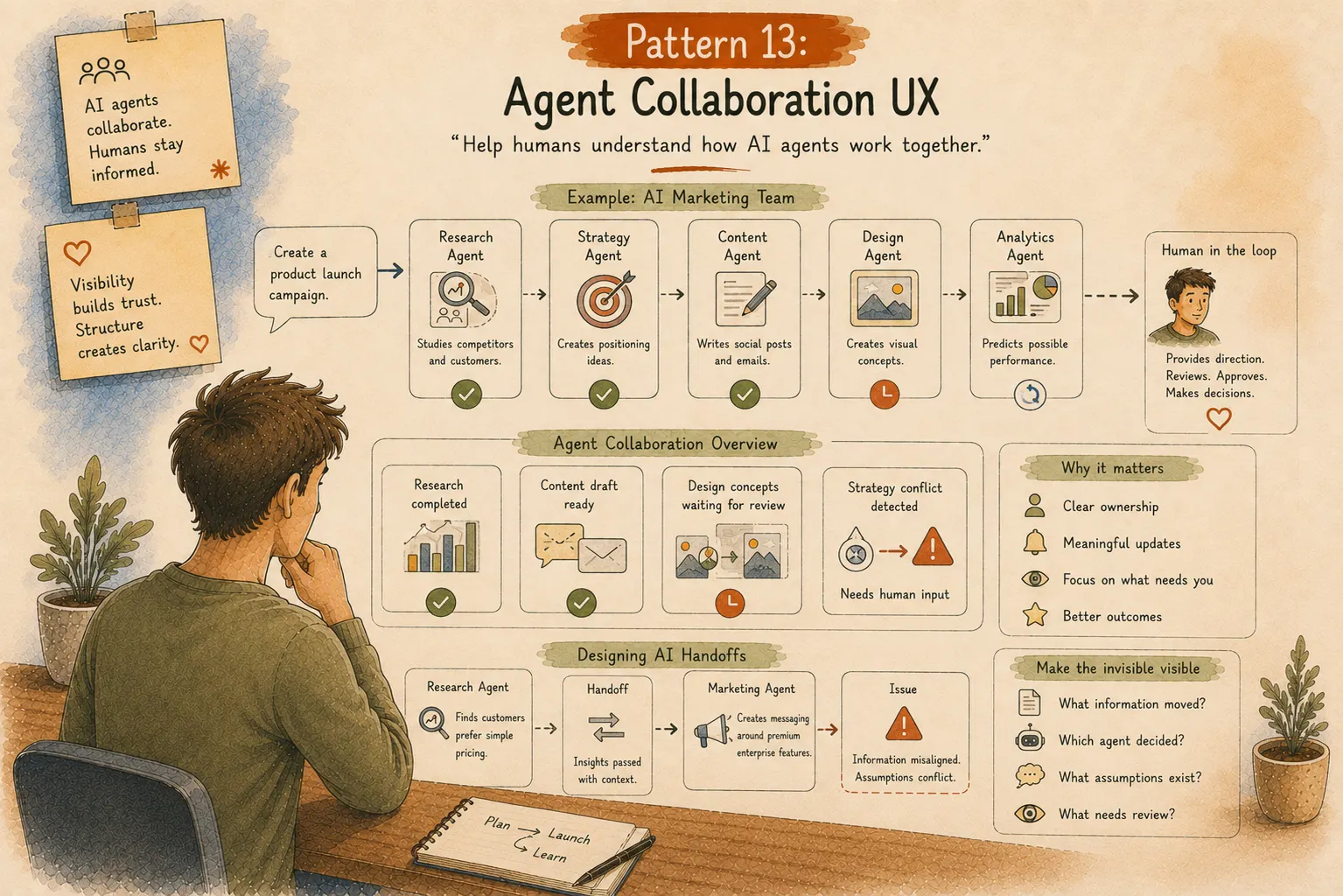
“Help humans understand how AI agents work together.”
Agent Collaboration UX focuses on designing experiences in which multiple AI systems can share tasks while humans remain informed.
Think of it like a project management board.
A manager doesn’t watch every keyboard click.
They need meaningful updates:
Who owns this?
What changed?
Where is attention needed?
Example: AI Marketing Team
Imagine asking:
“Create a product launch campaign.”
Behind the scenes:
Research Agent:
Studies competitors and customers.
Strategy Agent:
Creates positioning ideas.
Content Agent:
Writes social posts and emails.
Design Agent:
Creates visual concepts.
Analytics Agent:
Predicts possible performance.
From the user’s perspective, this cannot look like five random conversations happening at once.
The interface needs structure.
A better experience might show:
Research completed.
Content draft ready.
Design concepts waiting for review.
Strategy conflict detected — needs human input.
The human stays involved without managing every tiny action.
Designing AI Handoffs
Human teams fail when communication breaks.
AI teams have the same challenge.
Imagine this:
Research Agent finds that customers prefer simple pricing.
Marketing Agent creates messaging around premium enterprise features.
Something went wrong.
The information transfer failed.
Good Multi-Agent UX makes handoffs visible.
Users should understand:
What information moved between agents?
Which agent made a decision?
What assumptions were created?
What needs review?
The invisible parts become visible at the right moments.
Pattern 14: Mission Control Monitoring Interfaces
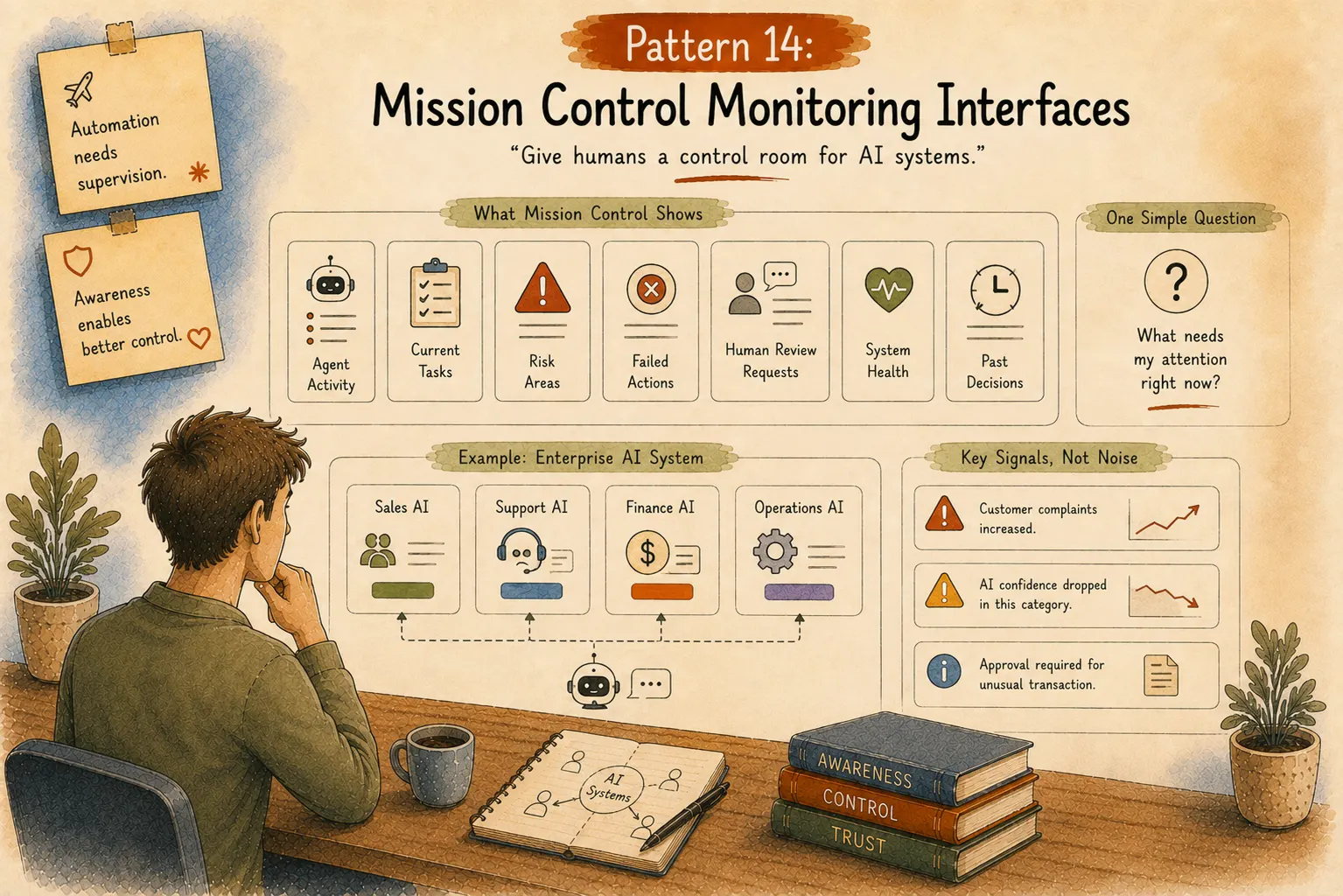
“Give humans a control room for AI systems.”
Large AI systems need supervision.
Think about pilots.
Modern airplanes can automate many actions.
Yet the cockpit still exists.
Why?
Because humans need awareness and control during important moments.
AI products need their own cockpit.
What Does an AI Mission Control Interface Show?
A strong monitoring experience might include:
Agent activity.
Current tasks.
Risk areas.
Failed actions.
Human review requests.
System health.
Past decisions.
The goal is not creating another complicated dashboard.
The goal is answering one simple question:
“What needs my attention right now?”
Example: Enterprise AI System
Imagine a company running AI agents across departments.
Sales AI manages leads.
Support AI answers customers.
Finance AI reviews reports.
Operations AI tracks processes.
A leader doesn’t want thousands of AI logs.
They need signals:
“Customer complaints increased.”
“AI confidence dropped in this category.”
“Approval required for unusual transaction.”
Useful information beats unlimited information.
Pattern 15: Agent Status & Activity Visibility
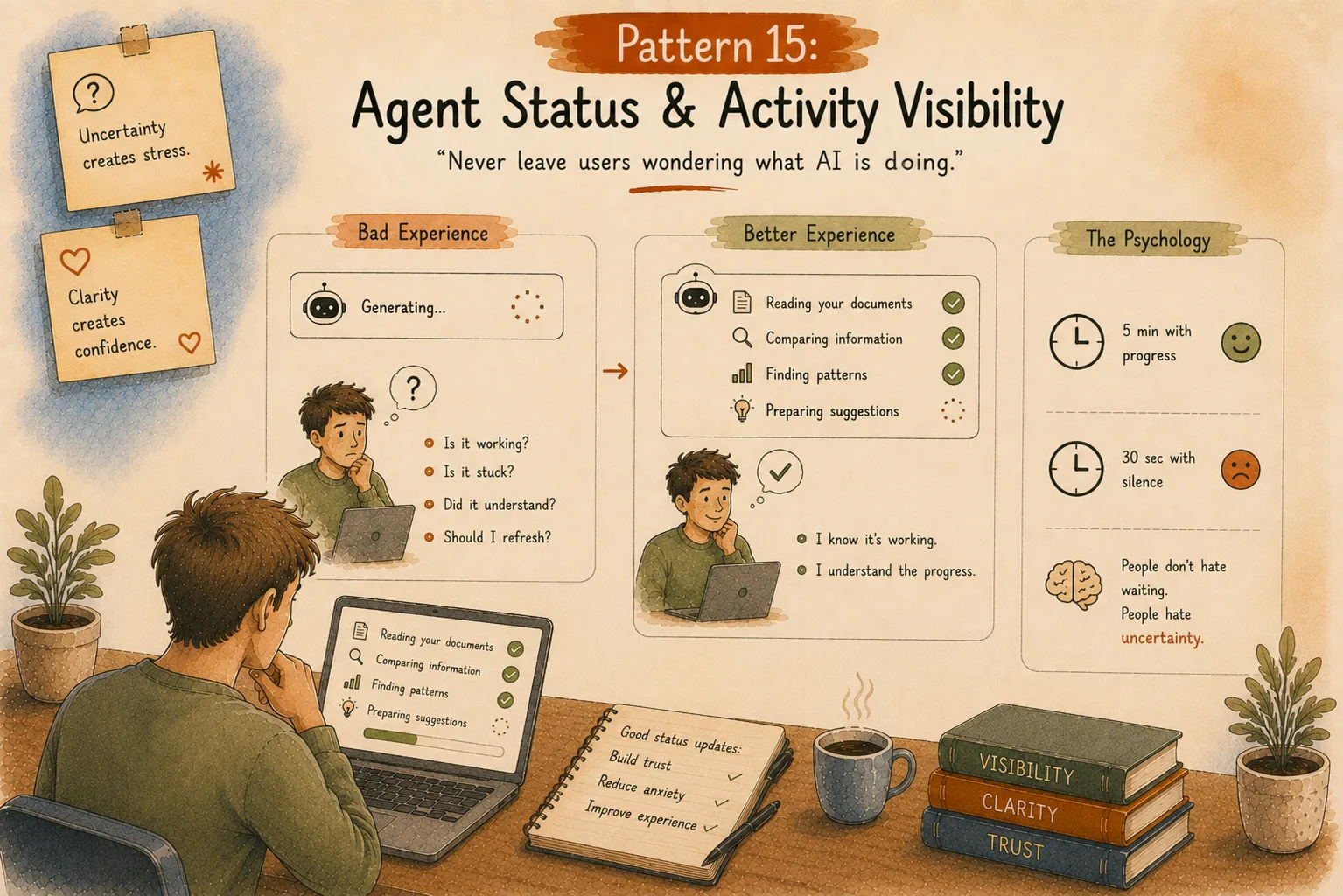
“Never leave users wondering what AI is doing.”
One of the most uncomfortable AI experiences:
Waiting.
Watching animation.
No clue what is happening.
Is AI working?
Is it stuck?
Did it misunderstand?
Should I refresh?
A small amount of feedback changes everything.
Bad Experience:
“Generating…”
Better Experience:
Reading your documents.
Comparing information.
Finding patterns.
Preparing suggestions.
Now the user understands progress.
The system feels alive.
The Psychology Behind Status Updates
People don’t hate waiting.
People hate uncertainty.
A five-minute wait with progress feels shorter than a silent thirty seconds.
This is why delivery apps, ride apps, and installation screens show progress.
AI needs the same thinking.
Pattern 16: Context Window Management UX
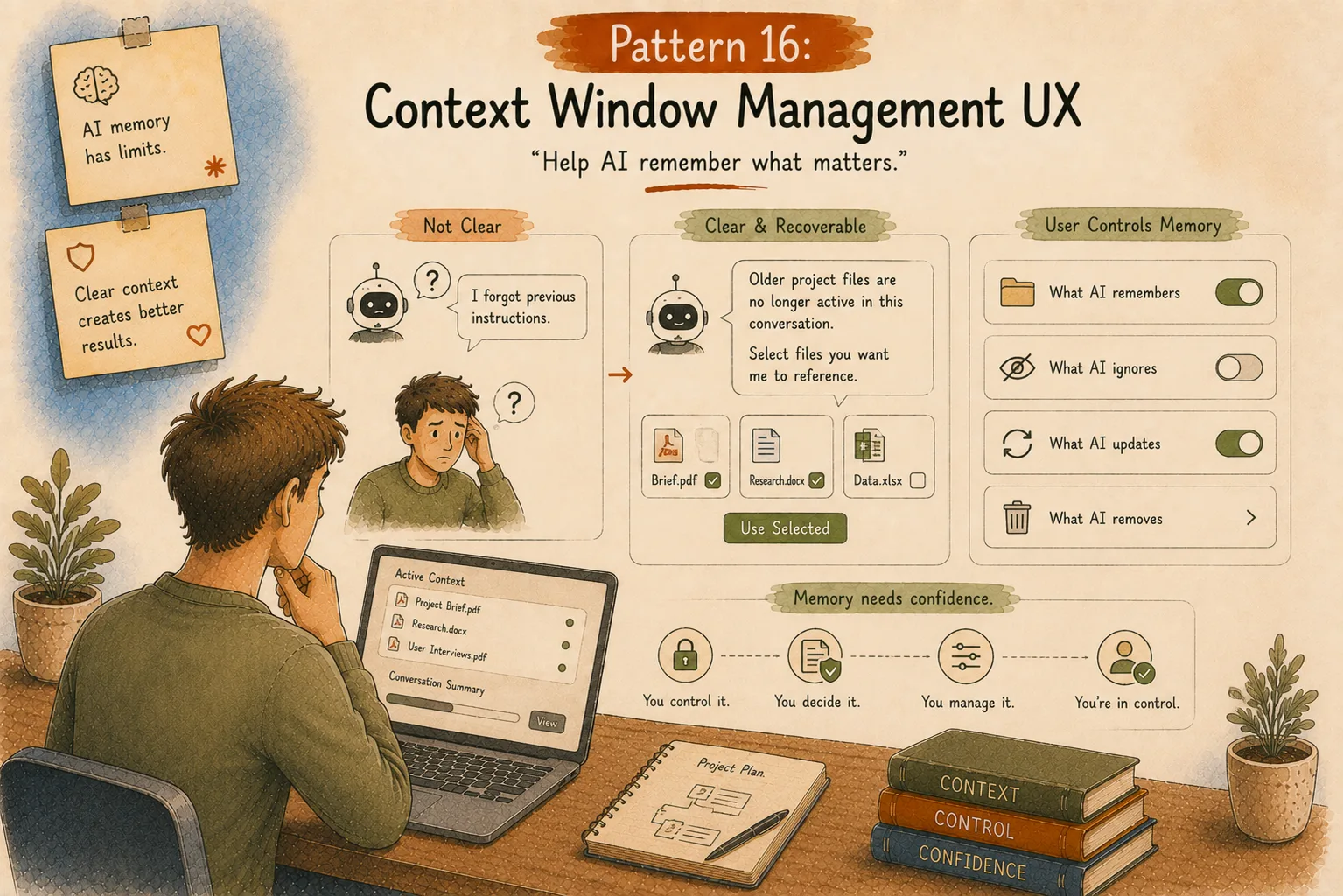
“Help AI remember what matters.”
AI systems have memory limits.
They can forget information.
They can lose context.
They can focus on the wrong details.
Most users don’t understand why.
They simply think:
“The AI became worse.”
Good UX explains context clearly.
Example: AI Workspace Assistant
Instead of failing silently:
“I forgot previous instructions.”
A better experience:
“Older project files are no longer active in this conversation. Select files you want me to reference.”
Simple.
Human.
Recoverable.
Designing AI Memory Experiences
Future AI products will need memory management.
Users may want control over:
What AI remembers.
What AI ignores.
What AI updates.
What AI removes.
Memory is personal.
People need confidence that they control it.
Pattern 17: Error Handling and Recovery Patterns
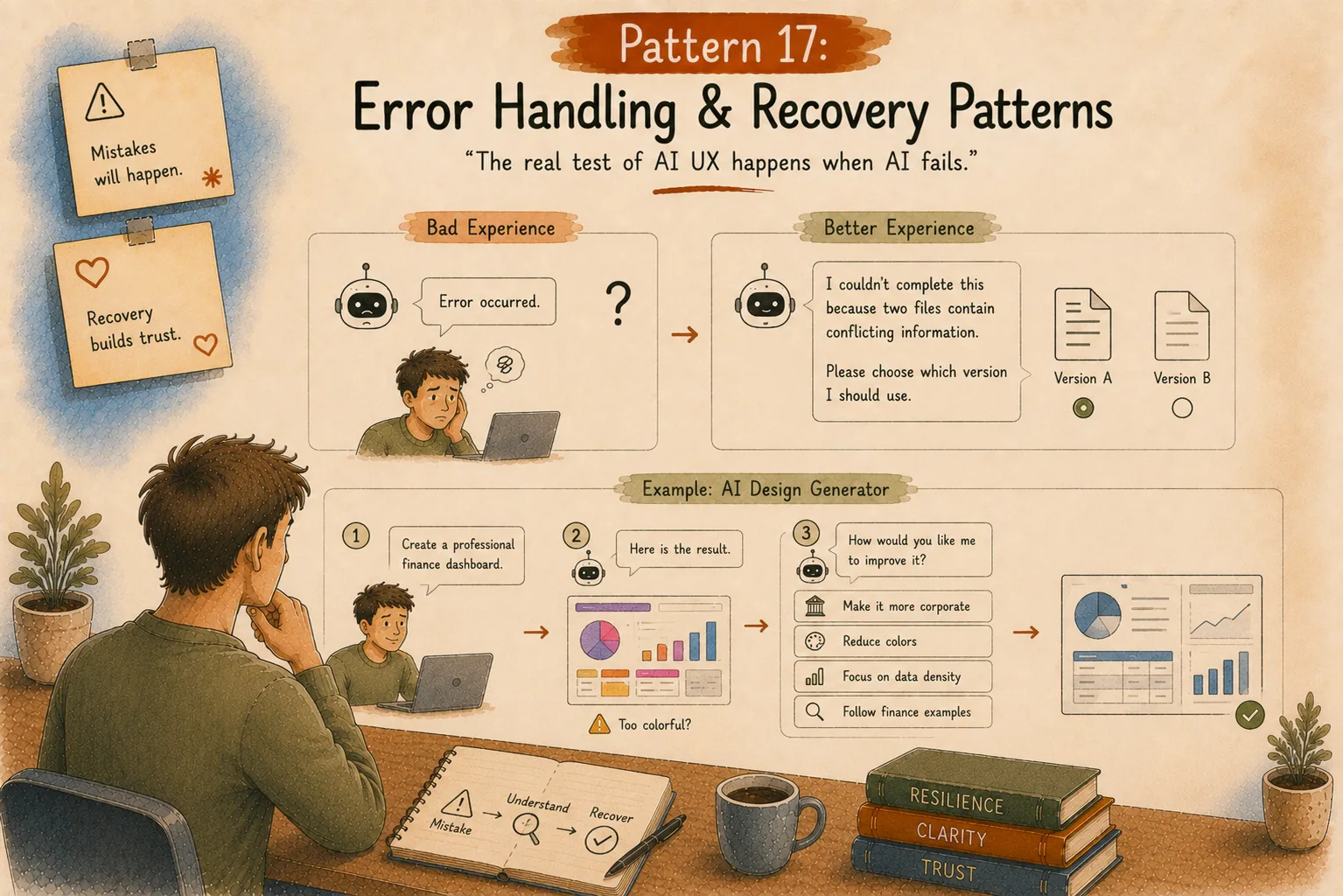
“The real test of AI UX happens when AI fails.”
Every AI system will make mistakes.
Every single one.
The question is:
What happens next?
Bad AI experience:
“Error occurred.”
User reaction:
Okay… now what?
A better experience:
“I couldn’t complete this because two files contain conflicting information. Please choose which version I should use.”
Now the user has a path forward.
AI Mistakes Need Different Design Thinking
Traditional software errors are usually technical.
Missing file.
Wrong password.
Connection failed.
AI errors are different.
AI might:
misunderstand intent,
make incorrect assumptions,
miss context,
produce incomplete information.
The recovery experience needs conversation, not just warnings.
Example: AI Design Generator
Imagine asking:
“Create a professional finance dashboard.”
AI creates something too colorful.
Poor recovery:
Regenerate.
Better recovery:
“Too playful?”
Options:
Make it more corporate.
Reduce colors.
Focus on data density.
Follow finance examples.
The user guides improvement.
Pattern 18: Human Override Controls
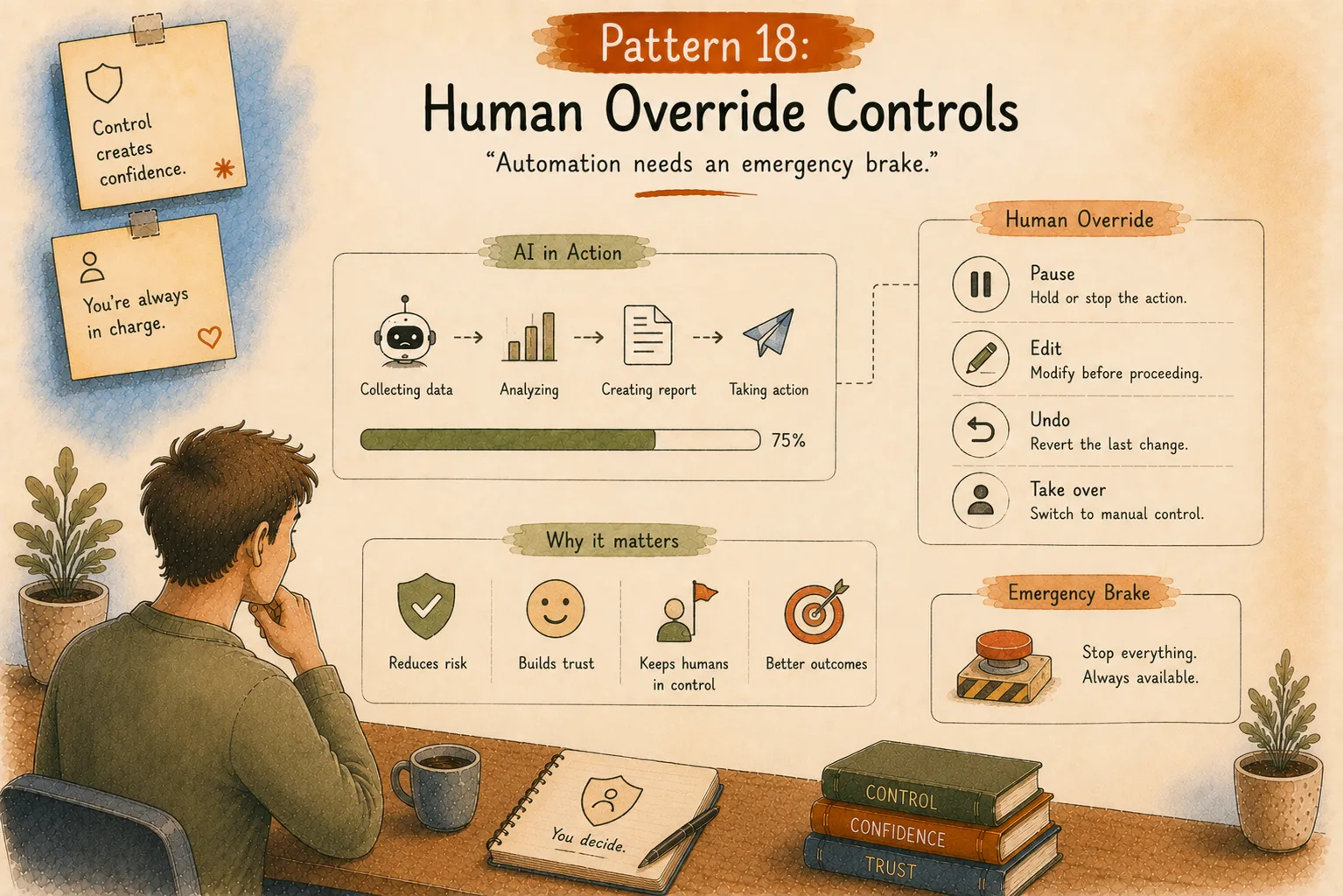
“Automation needs an emergency brake.”
People trust systems more when they know they can stop them.
Think about elevators.
Most people never press the emergency button.
But knowing it exists creates comfort.
AI products work the same way.
Users need ways to:
pause actions,
edit decisions,
reverse changes,
take manual control.
More AI power requires better human control.
The Future Designer Looks More Like a System Architect
Designers used to mainly ask:
Where should this button go?
What should this screen show?
How many steps does this flow need?
AI adds new questions:
When should AI act?
When should AI wait?
How much should users see?
What decisions require approval?
How does trust recover after mistakes?
This is why AI UX is becoming one of the most interesting design fields.
We’re designing less like screen creators.
More like relationship architects between humans and intelligent systems.
Other AI Patterns
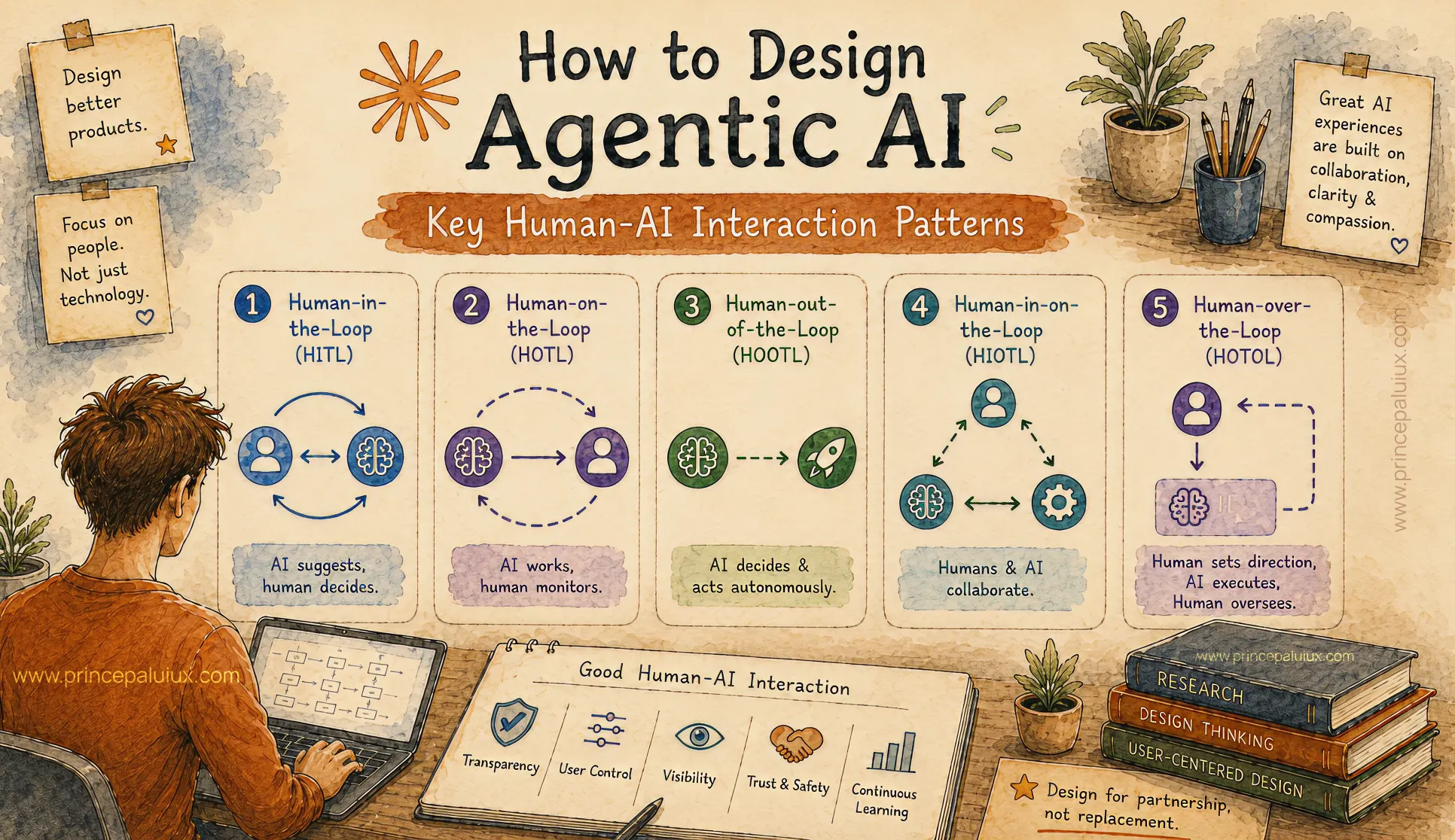
How to Design Agentic AI: Key Human-AI Interaction Patterns
- Pattern 1: Human-in-the-Loop (HITL)
- Pattern 2: Human-on-the-Loop (HOTL)
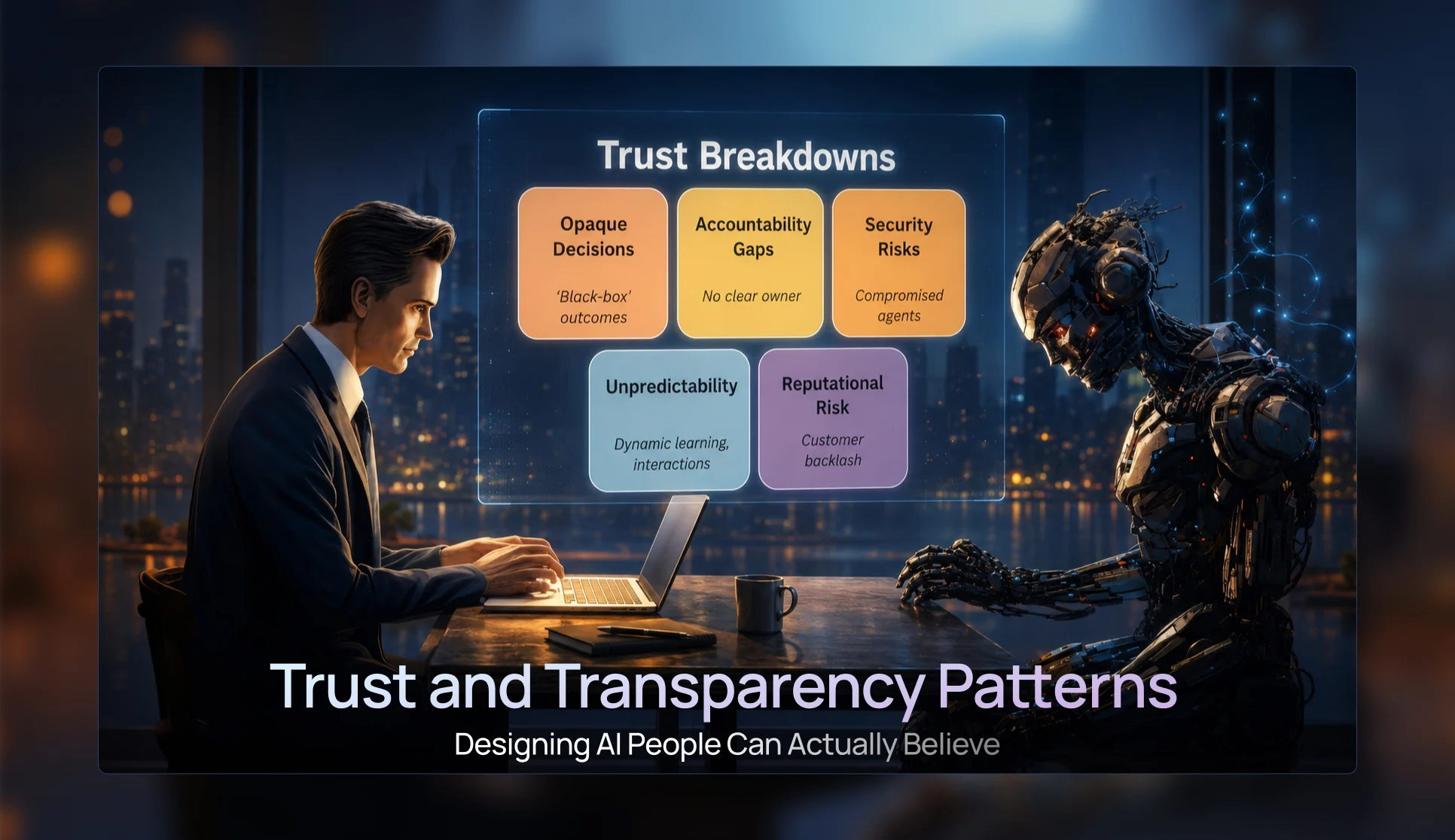
Trust & Transparency Patterns — Designing AI People Can Actually Believe
- Pattern 3: Progressive Disclosure UI Patterns
- Pattern 4: Confidence Visualization Patterns
- Pattern 5: Trust and Transparency Patterns
- Pattern 6: Agent Status & Activity Patterns
- Pattern 7: Visual Reasoning Interfaces
Conversational UI Patterns for the Future of AI Chat Windows
- Pattern 8: Conversational Interface Patterns
- Pattern 9: Multimodal Interaction Patterns
- Pattern 10: Mixed-Initiative Interface Patterns
- Pattern 11: Ambient Agent Patterns
- Pattern 12: Cross-Platform Agent Experiences
The Future of AI UX: Designing Interfaces for Multi-Agent Systems
- Pattern 13: Agent Collaboration UX
- Pattern 14: Mission Control Monitoring Interfaces
- Pattern 15: Agent Status & Activity Visibility
- Pattern 16: Context Window Management UX
- Pattern 17: Error Handling and Recovery Patterns
Designing Adaptive AI Interfaces: UX for Context-Aware AI Experiences
- Pattern 19: Adaptive Interface Patterns
- Pattern 20: Privacy and Security UX
- Pattern 21: Accessibility in AI Design
- Pattern 22: Agent Onboarding and Education Patterns