
Trust is becoming one of the biggest challenges in AI UX design. Users don’t just want intelligent answers; they want to understand how AI reaches those answers. Trust and Transparency Patterns help designers create AI interfaces that explain decisions, communicate uncertainty, and keep people involved.
Through techniques like confidence visualization, progressive disclosure, AI reasoning interfaces, and clear feedback systems, designers can make AI experiences easier to understand. A successful Human-AI Interaction design gives users confidence without overwhelming them with technical details.
The goal is simple: build AI products where people feel informed, respected, and in control.
AI has a strange trust problem.
Sometimes people trust it too much.
Sometimes they don’t trust it at all.
A person might copy an AI-generated answer without checking a single sentence. The same person might completely ignore an accurate AI recommendation because they don’t understand where it came from.
Funny, isn’t it?
The problem usually isn’t intelligence.
The problem is communication.
A smart AI system with poor UX feels like talking to an expert who refuses to explain their thinking.
Imagine asking a financial advisor:
“Why should I make this investment?”
And they reply:
“Trust me.”
Nobody likes that answer.
AI interfaces have the same challenge.
Users don’t just need results.
They need context.
Trust Breakdowns: Where Human-AI Systems Can Lose Confidence
Even the most advanced AI systems can create problems when trust, control, and transparency are missing. As AI agents become more independent, designers and businesses need to understand where these trust gaps can appear.
Opaque Decisions:
AI makes decisions, but users, teams, or regulators struggle to understand the reasoning behind those outcomes.
Accountability Gaps:
When something goes wrong, it becomes unclear who is responsible — the human, the AI system, or the organization behind it.
Security Risks:
AI agents with too much access can create vulnerabilities, especially if they are misused, manipulated, or compromised.
Unpredictability:
AI systems may behave differently than expected as they learn, adapt, or interact with changing situations.
Reputational Risk:
Customers may lose confidence if they feel AI decisions are unfair, confusing, or biased.
Trust failures don’t just affect technology adoption. They can damage customer relationships, reduce confidence, and impact how people perceive a brand. Building responsible AI experiences means designing for clarity, control, and human trust from the beginning.
Pattern 3: Progressive Disclosure UI Patterns
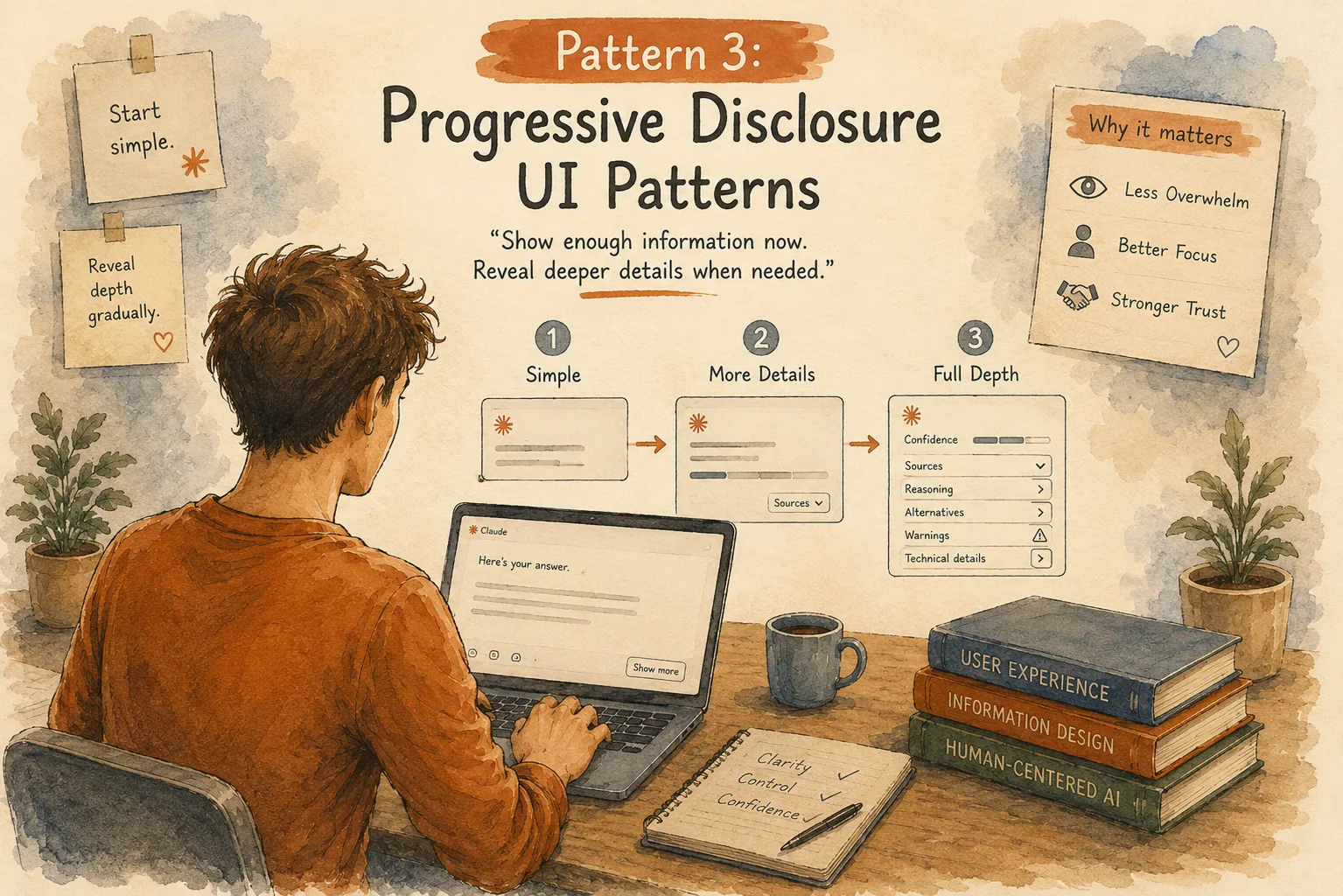
“Show enough information now. Reveal deeper details when needed.”
One common mistake in AI products is showing everything at once.
The AI generates an answer.
Then the interface displays:
- confidence scores
- data sources
- reasoning steps
- alternative options
- warnings
- technical explanations
Suddenly, the user feels lost.
More information doesn’t always create more clarity.
Sometimes it creates more confusion.
Progressive disclosure solves this problem.
The idea is simple:
Start simple.
Reveal depth gradually.
Example: AI Travel Assistant
Imagine asking an AI assistant:
“Plan my weekend trip.”
A poor experience might immediately show:
Flights.
Hotels.
Weather.
Restaurant lists.
Transportation.
Budget calculations.
User reviews.
Twenty different cards appear.
Too much.
A better experience starts with:
“I created a relaxed 2-day plan based on your budget and interest in nature.”
Then provides options:
View budget details.
Adjust preferences.
See why these places were selected.
The user controls how much information they want.
Why Progressive Disclosure Matters in Agent Interfaces
AI systems can process huge amounts of information.
Humans can’t.
At least not comfortably.
A great AI interface works like a good conversation.
Nobody explains everything they know in the first sentence.
People reveal information naturally.
AI experiences should do the same.
Pattern 4: Confidence Visualization Patterns
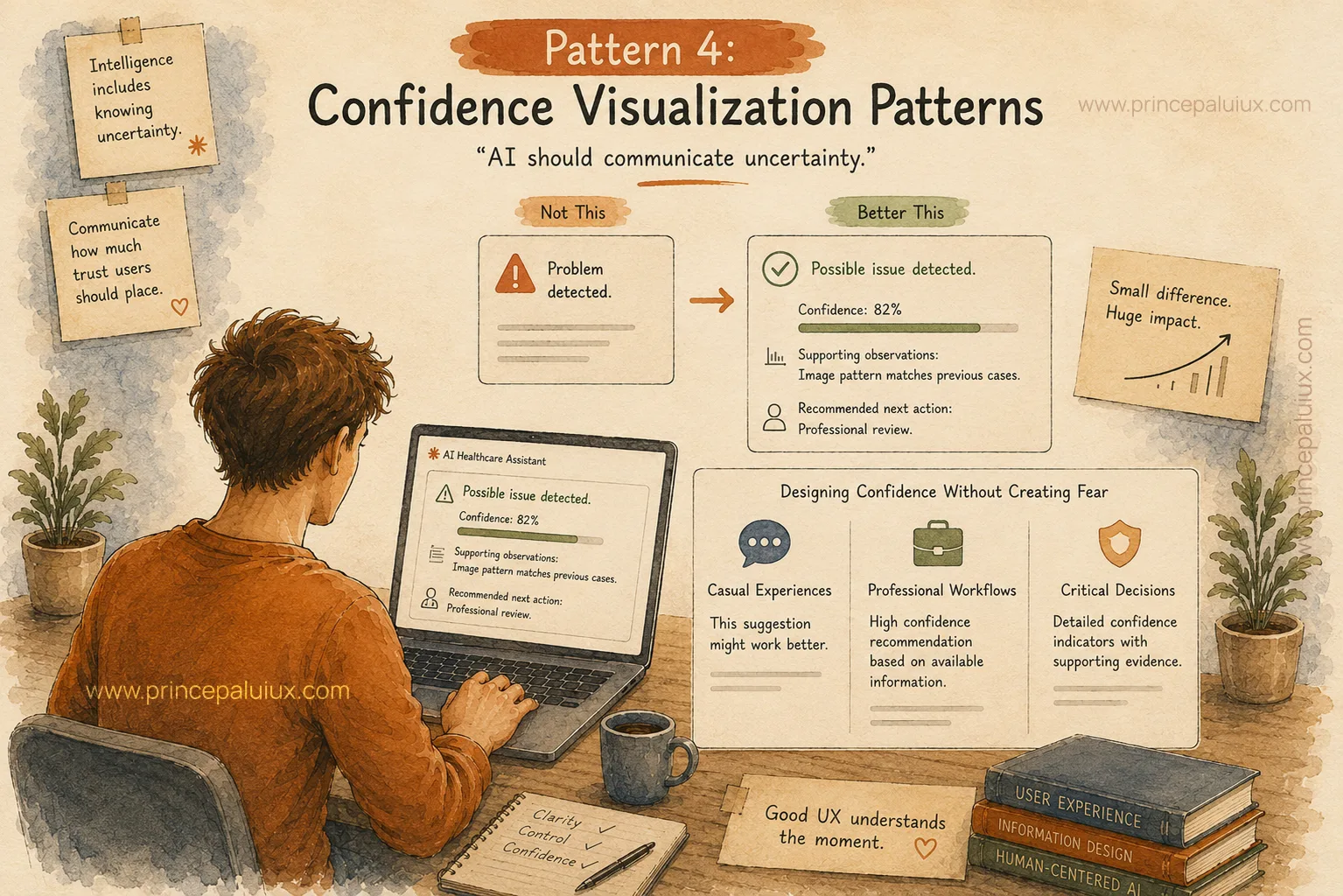
“AI should communicate uncertainty.”
One of the biggest myths about AI:
People expect it to always provide perfect answers.
But intelligence includes knowing uncertainty.
A good doctor says:
“This looks likely, but I want another test.”
A good AI experience should communicate in the same way.
Confidence visualization helps users understand how much trust they should place in an AI response.
Example: AI Healthcare Assistant
Instead of showing:
“Problem detected.”
A better interface shows:
“Possible issue detected.”
Confidence: 82%
Supporting observations:
Image pattern matches previous cases.
Recommended next action:
Professional review.
Small difference.
Huge impact.
Designing Confidence Without Creating Fear
This part is tricky.
Showing confidence percentages everywhere can make the experience feel robotic.
Imagine a writing assistant saying:
“This sentence improvement has 73.4% confidence.”
Nobody talks like that.
Different situations need different confidence signals.
For casual experiences:
“This suggestion might work better.”
For professional workflows:
“High confidence recommendation based on available information.”
For critical decisions:
Detailed confidence indicators with supporting evidence.
Good UX understands the moment.
Pattern 5: Trust and Transparency Patterns
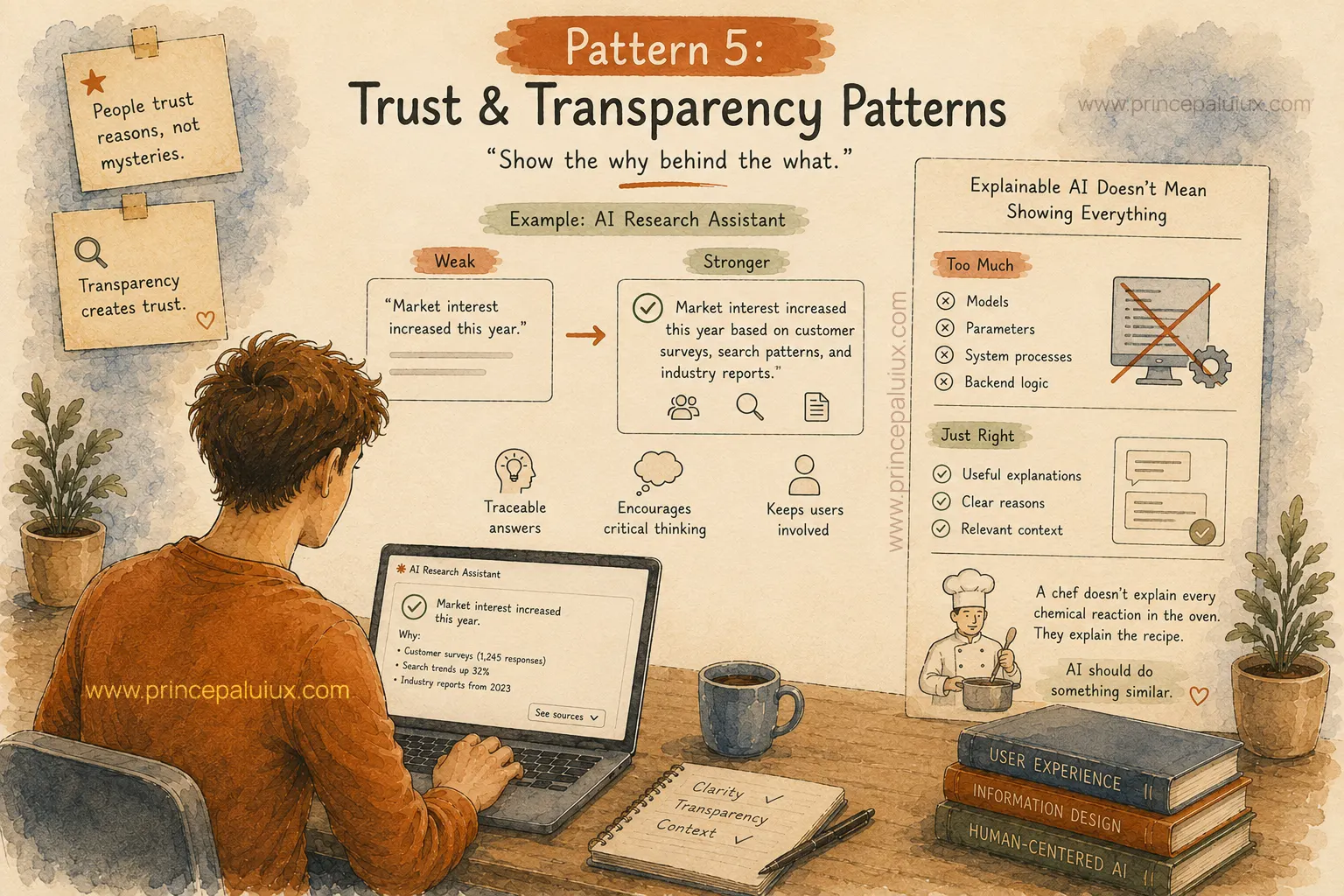
“Show the why behind the what.”
People rarely trust mysterious decisions.
Think about online shopping.
Would you trust a product with:
5 stars but zero reviews?
Probably less.
You want to see comments, photos, experiences, and reasons.
AI works the same way.
Example: AI Research Assistant
A weak AI response:
“Market interest increased this year.”
A stronger AI response:
“Market interest increased this year based on customer surveys, search patterns, and industry reports.”
The answer becomes traceable.
The user can think.
The user can question.
The user stays involved.
Explainable AI Doesn’t Mean Showing Everything
There’s another side.
Some teams go too far.
They expose every technical detail:
Models.
Parameters.
System processes.
Backend logic.
Most users don’t need that.
Transparency means showing useful explanations.
Not dumping complexity onto the screen.
A chef doesn’t explain every chemical reaction happening inside an oven.
They explain the recipe.
AI should do something similar.
Pattern 6: Agent Status & Activity Patterns
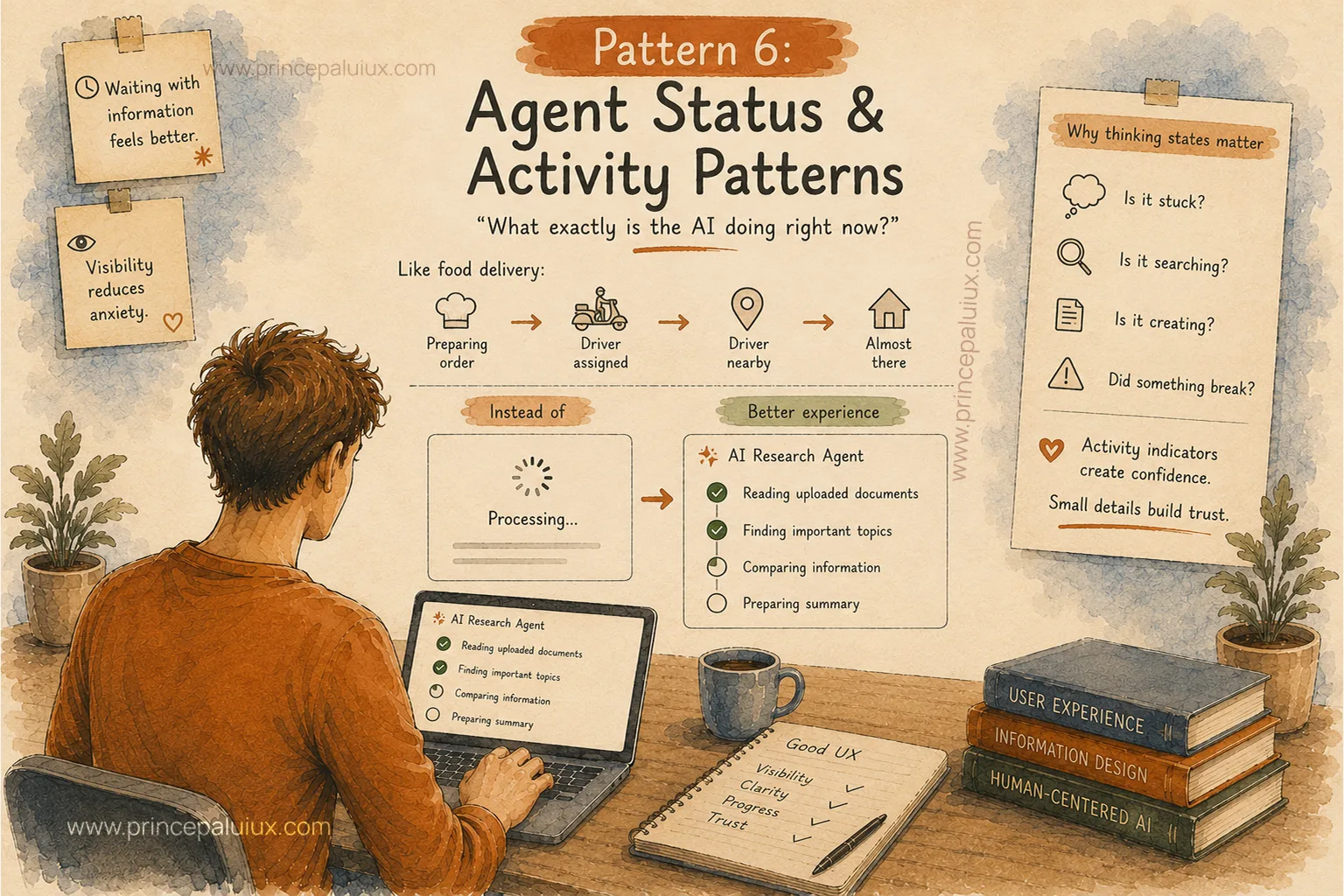
“What exactly is the AI doing right now?”
Waiting feels uncomfortable.
Waiting without information feels worse.
Think about ordering food online.
The waiting time feels shorter because you see:
Preparing order.
Driver assigned.
Driver nearby.
Almost there.
The information reduces anxiety.
AI agents need similar visibility.
Example: AI Research Agent
Instead of a loading spinner saying:
“Processing…”
A better experience:
Reading uploaded documents.
Finding important topics.
Comparing information.
Preparing summary.
Now the user understands progress.
Why Thinking States Matter
AI agents often perform multi-step work.
A user may wonder:
Is it stuck?
Is it searching?
Is it creating?
Did something break?
Activity indicators create confidence.
Small details build trust.
Pattern 7: Visual Reasoning Interfaces
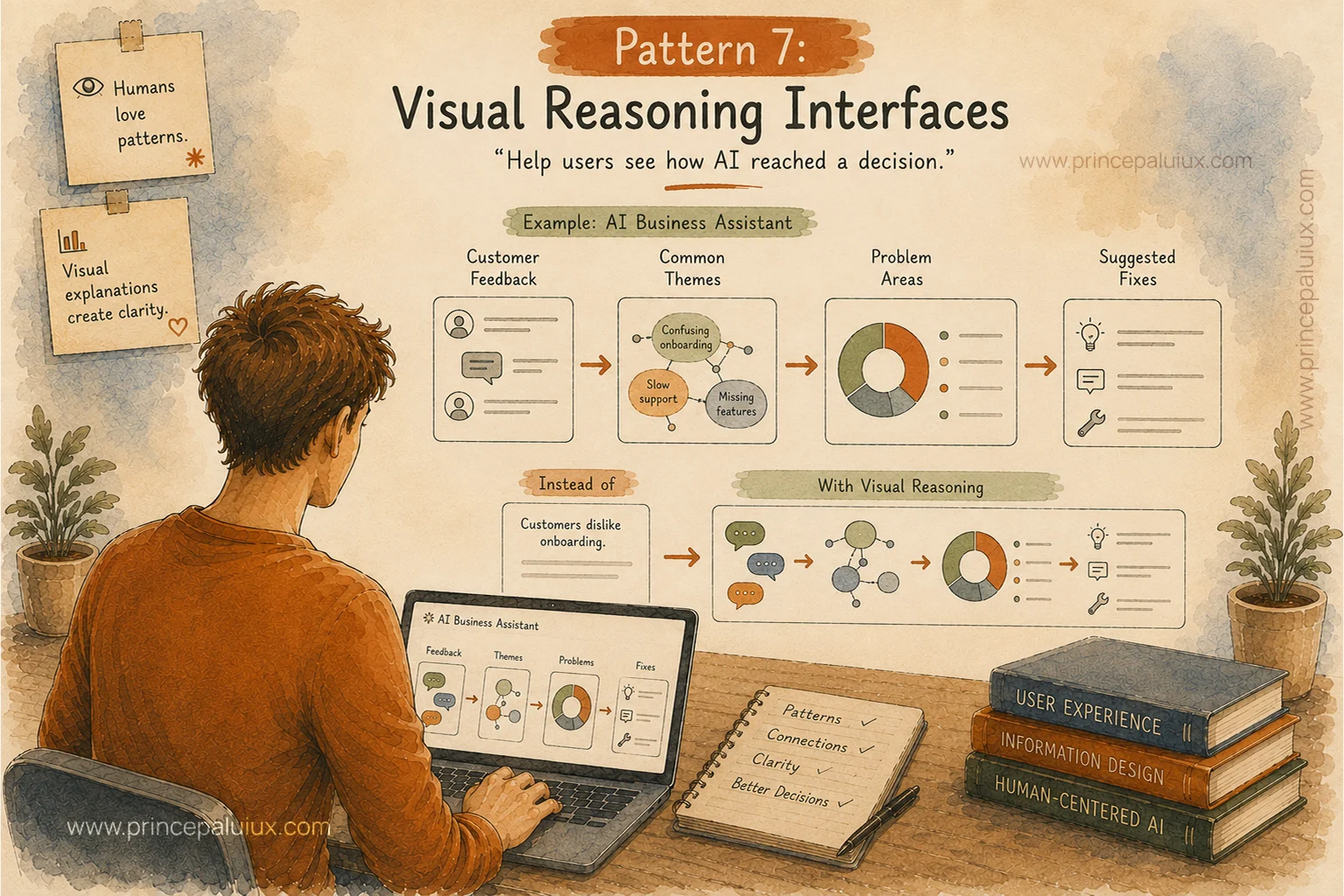
“Help users see how AI reached a decision.”
Humans love patterns.
Maps.
Charts.
Timelines.
Connections.
Sometimes visual explanations work better than paragraphs.
Imagine an AI business assistant analyzing customer complaints.
Instead of giving only:
“Customers dislike onboarding.”
The system could show:
Customer feedback → Common themes → Problem areas → Suggested fixes
Now the user sees the path.
They understand the connection.
The Trust Formula for AI UX
Great AI experiences usually combine three things:
Clarity:
“What happened?”
Reason:
“Why did this happen?”
Control:
“What can I do next?”
Remove any one of these and trust becomes weaker.
A powerful AI system without clarity feels confusing.
A transparent AI system without control feels frustrating.
A controllable AI system without intelligence feels like old software.
The future belongs to AI products that explain, communicate, and respect human judgment.
Because trust isn’t created by smarter algorithms alone.
Trust is created through better experiences.
Other AI Patterns
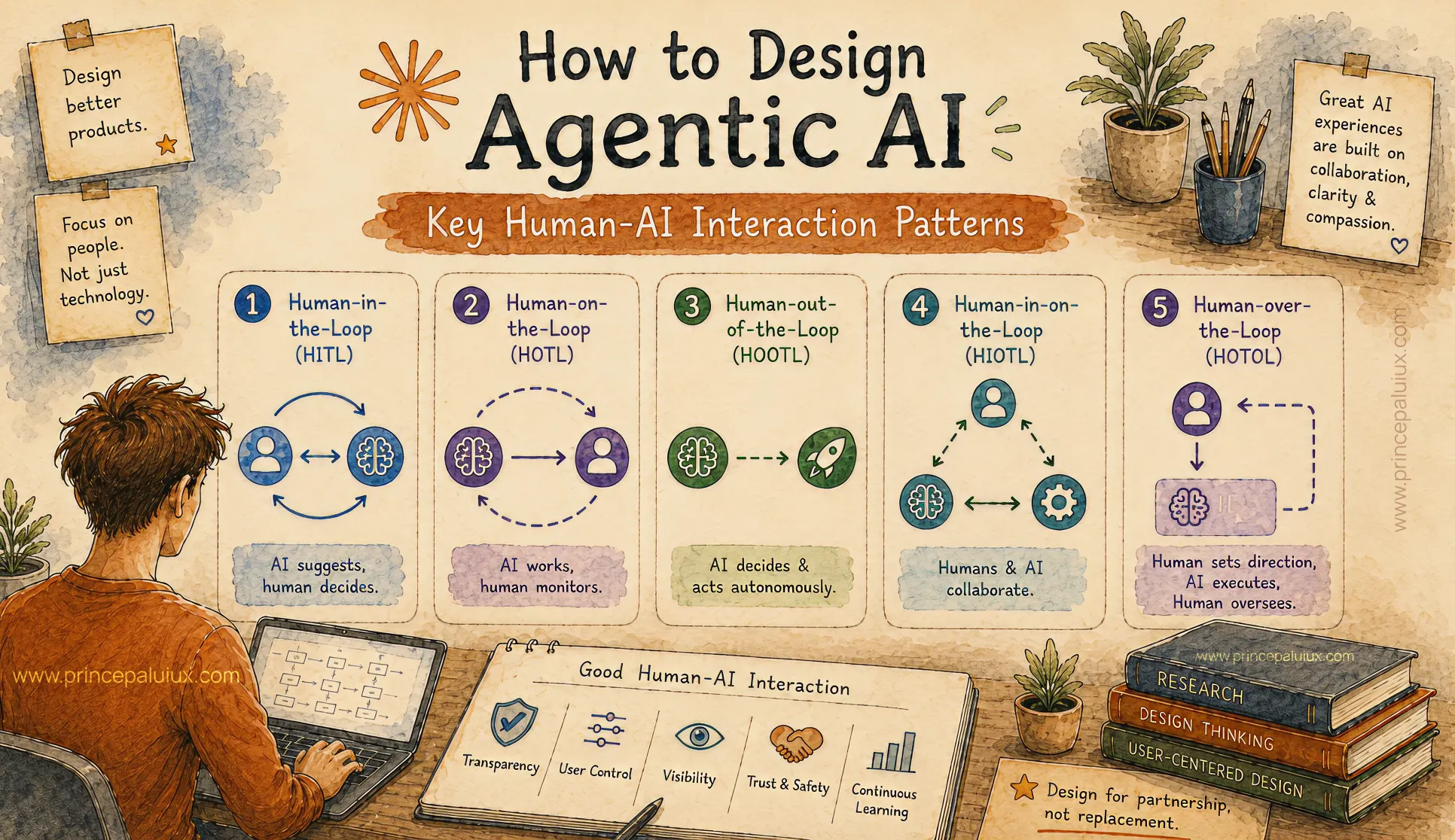
How to Design Agentic AI: Key Human-AI Interaction Patterns
- Pattern 1: Human-in-the-Loop (HITL)
- Pattern 2: Human-on-the-Loop (HOTL)
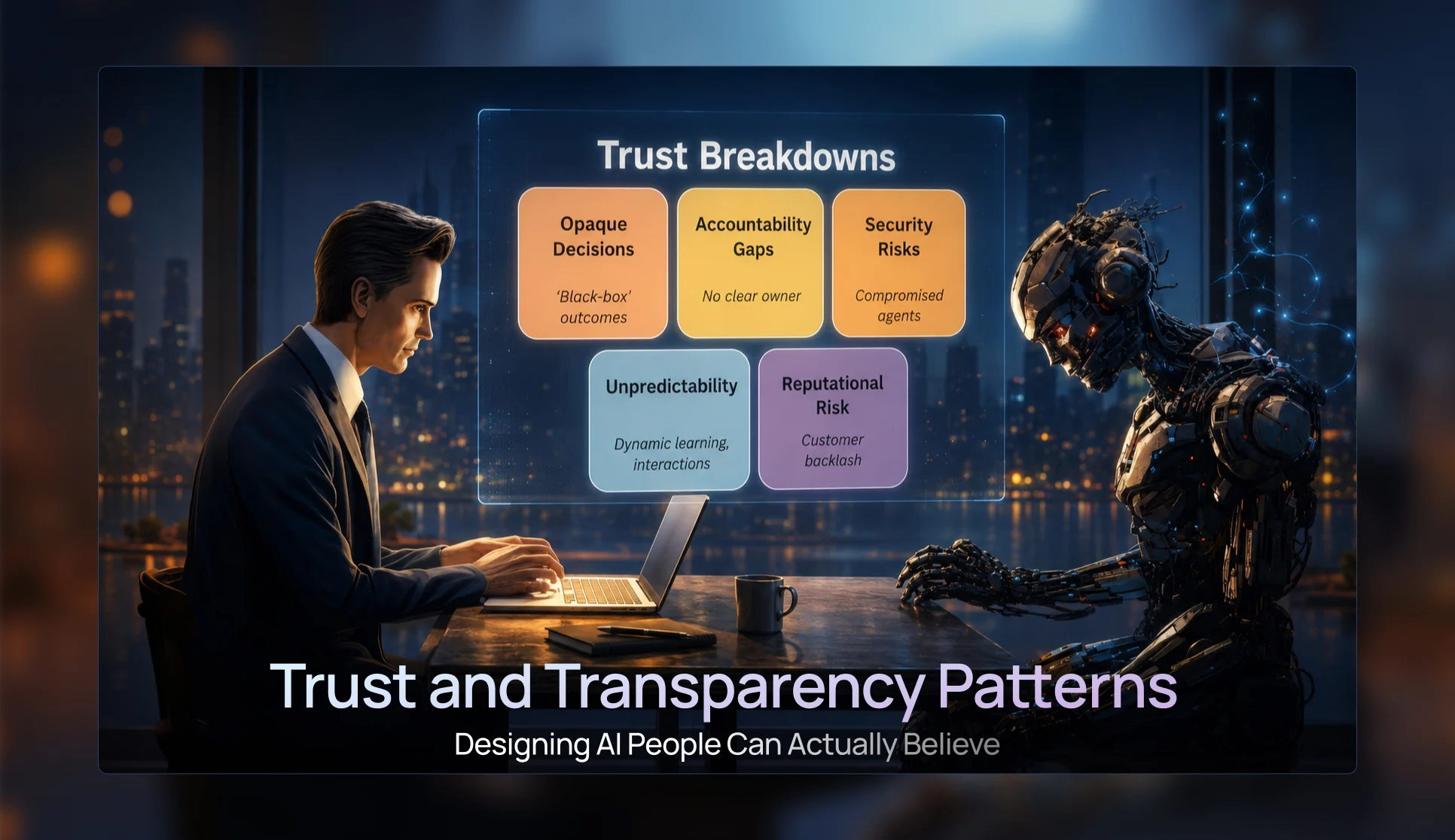
Trust & Transparency Patterns — Designing AI People Can Actually Believe
- Pattern 3: Progressive Disclosure UI Patterns
- Pattern 4: Confidence Visualization Patterns
- Pattern 5: Trust and Transparency Patterns
- Pattern 6: Agent Status & Activity Patterns
- Pattern 7: Visual Reasoning Interfaces
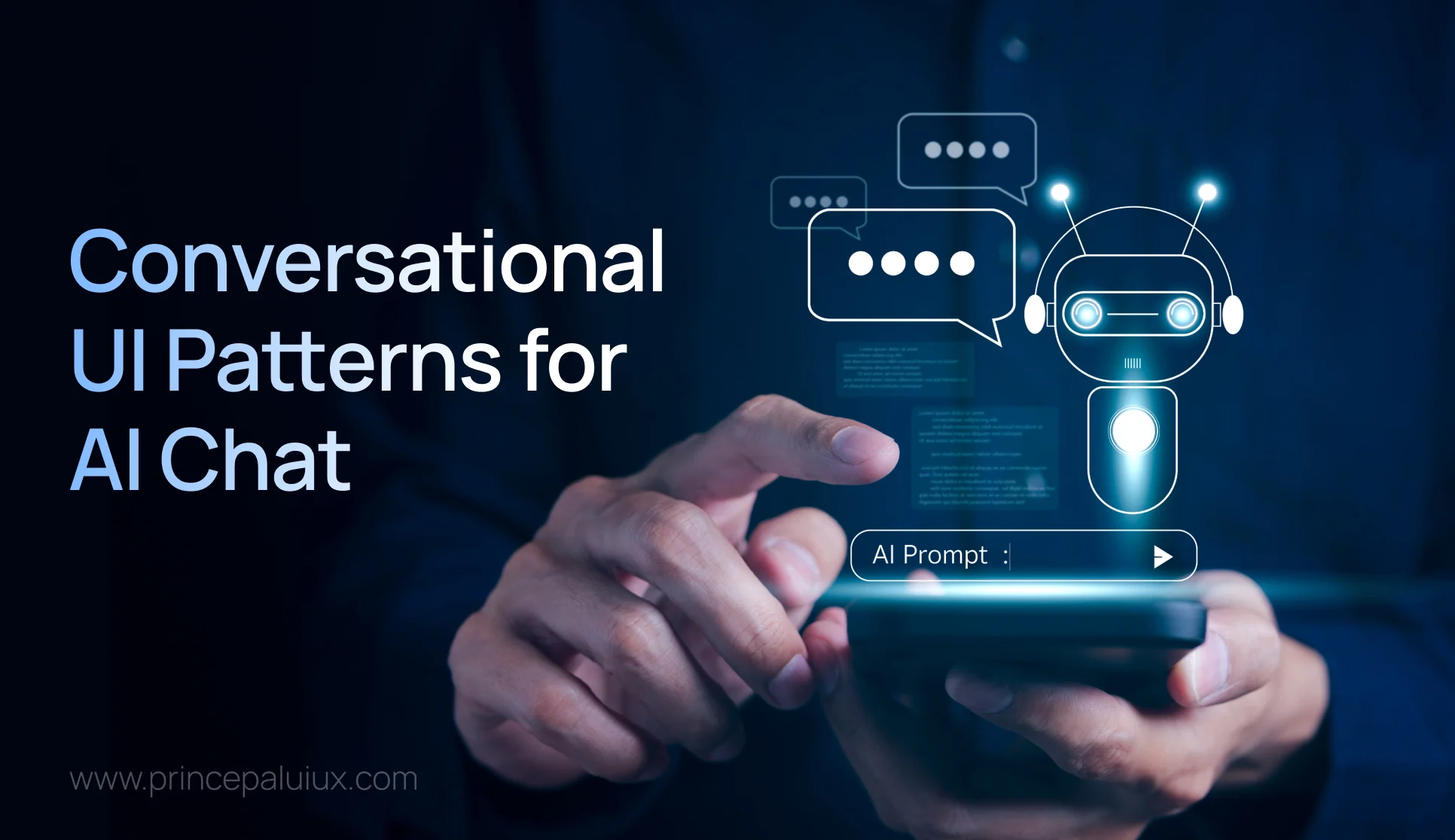
Conversational UI Patterns for the Future of AI Chat Windows
- Pattern 8: Conversational Interface Patterns
- Pattern 9: Multimodal Interaction Patterns
- Pattern 10: Mixed-Initiative Interface Patterns
- Pattern 11: Ambient Agent Patterns
- Pattern 12: Cross-Platform Agent Experiences
The Future of AI UX: Designing Interfaces for Multi-Agent Systems
- Pattern 13: Agent Collaboration UX
- Pattern 14: Mission Control Monitoring Interfaces
- Pattern 15: Agent Status & Activity Visibility
- Pattern 16: Context Window Management UX
- Pattern 17: Error Handling and Recovery Patterns
Designing Adaptive AI Interfaces: UX for Context-Aware AI Experiences
- Pattern 19: Adaptive Interface Patterns
- Pattern 20: Privacy and Security UX
- Pattern 21: Accessibility in AI Design
- Pattern 22: Agent Onboarding and Education Patterns