
AI interfaces are shifting from fixed experiences to intelligent systems that adapt based on user goals, context, and behavior. Adaptive AI Interfaces help create products that understand how different people work instead of forcing everyone into the same interaction model.
Through personalization, privacy-first experiences, accessibility patterns, and context-aware design, AI UX can become more supportive and human-centered. The best AI products provide the right information at the right moment while keeping users informed and in control.
Future Human-AI Interaction will focus less on commands and more on creating flexible experiences that respond naturally to individual needs.
Most software treats everyone almost the same.
Two people open the same app.
They see the same menus.
The same settings.
The same experience.
For many years, this worked.
But AI introduces a new possibility:
What if software could adjust based on how someone thinks, works, and makes decisions?
A beginner might need guidance.
An expert might need speed.
A busy manager might need a summary.
A researcher might need every detail.
Same product.
Different experiences.
That is where adaptive AI interfaces enter the conversation.
Pattern 19: Adaptive Interface Patterns
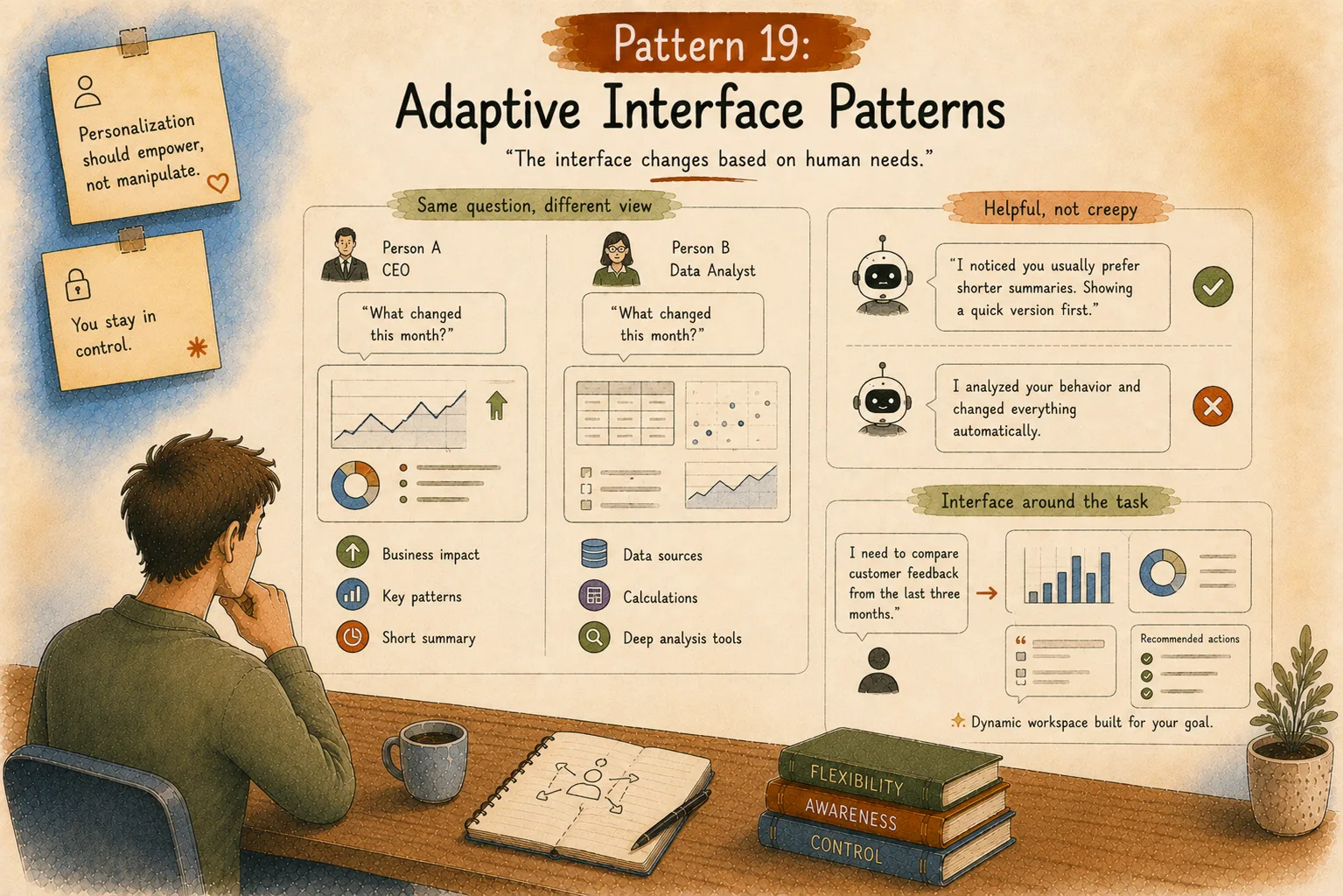
“The interface changes based on human needs.”
Traditional personalization usually meant:
Recommended videos.
Suggested products.
Saved preferences.
AI personalization goes deeper.
The system can understand:
working style,
knowledge level,
current goal,
previous interactions,
preferred communication style.
Think about two people using the same AI analytics platform.
Person A:
A CEO.
They ask:
“What changed this month?”
They probably need:
business impact,
major patterns,
short explanations.
Person B:
A data analyst.
They ask the same question.
They probably need:
data sources,
calculations,
deeper analysis options.
The information is similar.
The presentation changes.
Personalization Should Feel Helpful, Not Creepy
There is a thin line here.
A very thin one.
Helpful:
“I noticed you usually prefer shorter summaries. Showing a quick version first.”
Strange:
“I analyzed your behavior and changed everything automatically.”
People like assistance.
People dislike losing control.
Good AI UX always keeps users aware of changes.
The Future of Interfaces Might Be Flexible
For years, designers created fixed screens.
Dashboard goes here.
Menu goes there.
Button goes there.
AI creates a different possibility:
Interfaces that rebuild themselves around user goals.
Imagine saying:
“I need to compare customer feedback from the last three months.”
Instead of sending you through five menus, AI creates a temporary workspace:
charts,
summaries,
customer comments,
recommended actions.
The interface appears around the task.
Not the other way around.
Pattern 20: Privacy and Security UX
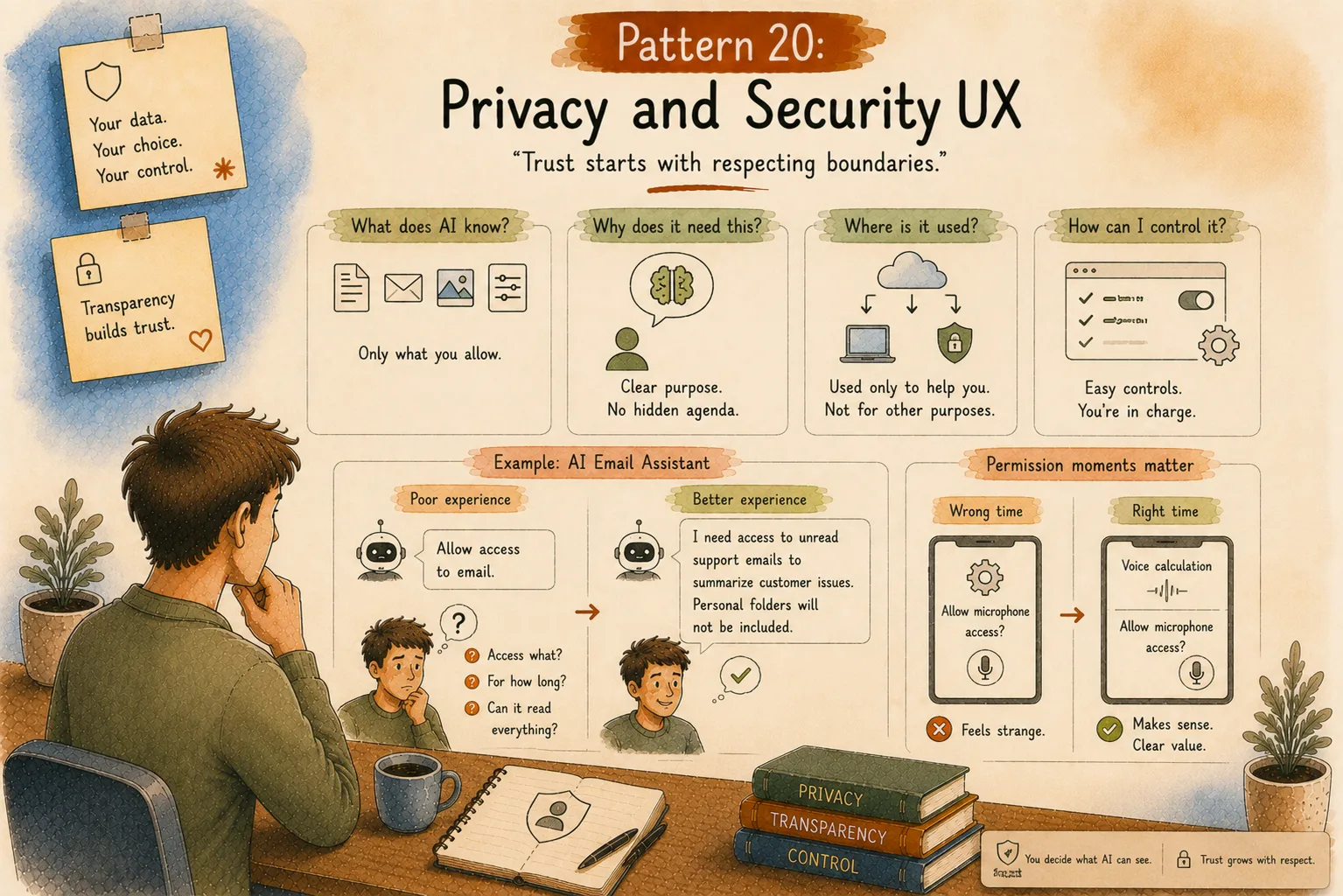
“Trust starts with respecting boundaries.”
AI systems work with information.
A lot of information.
Documents.
Messages.
Images.
Personal preferences.
Business data.
That creates an important design responsibility.
Users need to understand:
What does AI know?
Why does it need this information?
Where is the information used?
How can I control it?
Privacy cannot hide inside a settings page nobody opens.
Example: AI Email Assistant
Imagine connecting your inbox.
Poor experience:
“Allow access to email.”
That creates questions:
Access what?
For how long?
Can it read everything?
Better experience:
“I need access to unread support emails to summarize customer issues. Personal folders will not be included.”
The user understands the exchange.
Designing Permission Moments
Timing matters.
Imagine downloading a calculator app.
First screen:
“Allow microphone access.”
Feels strange.
But if you tap:
“Voice calculation”
and then it asks:
“Allow microphone access?”
Now it makes sense.
AI permissions work the same way.
Ask when the value is clear.
Pattern 21: Accessibility in AI Design
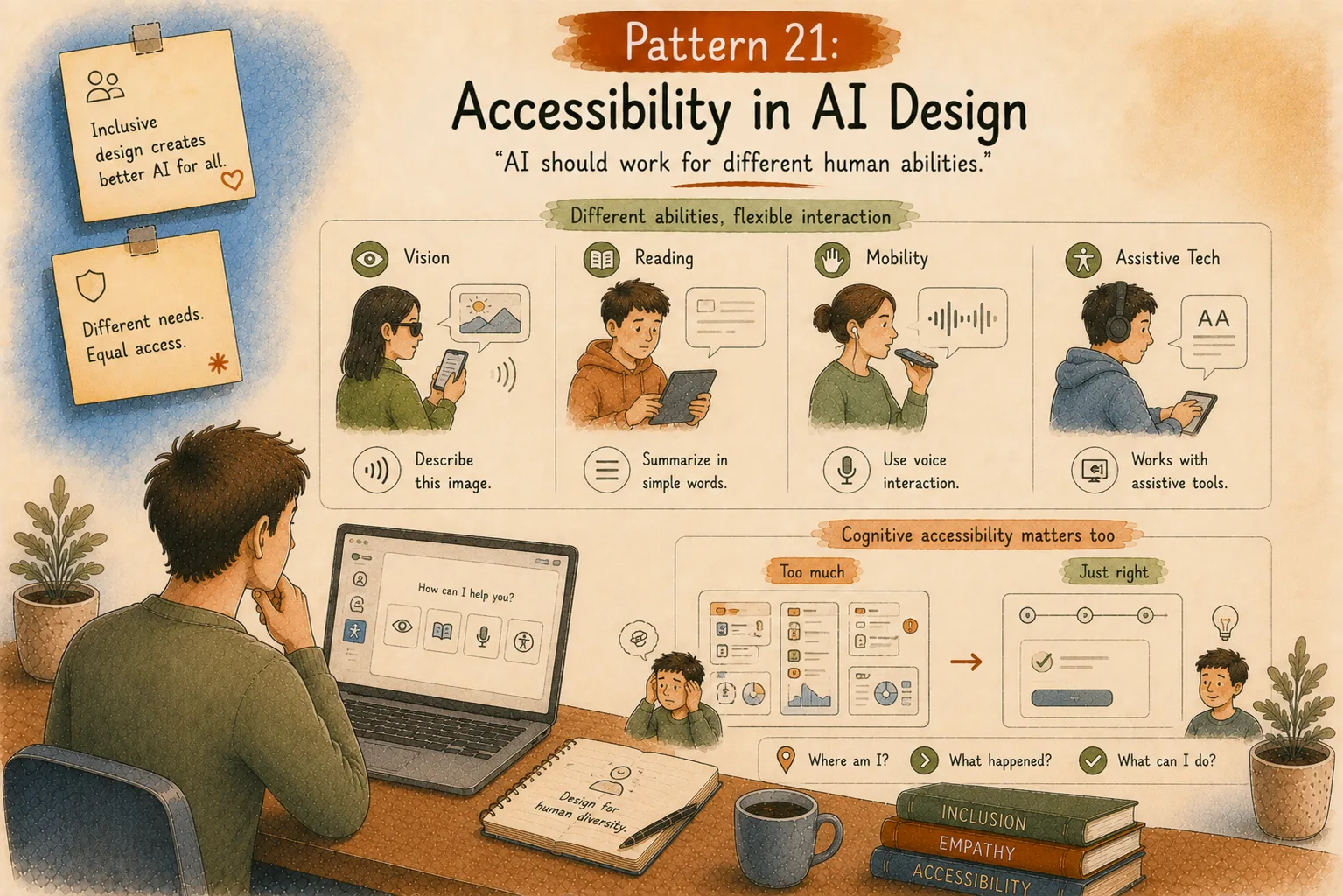
“AI should work for different human abilities.”
Great AI design includes different ways people interact with technology.
Some people prefer reading.
Some prefer listening.
Some use assistive technology.
Some process information differently.
AI can create powerful accessibility improvements.
For example:
A person with vision limitations can ask AI to describe an image.
A person who struggles with long documents can request a simpler explanation.
A person who cannot type comfortably can use voice interaction.
Flexible interaction creates better experiences for everyone.
Cognitive Accessibility Matters Too
Accessibility is not only about physical ability.
Mental effort matters.
Many AI interfaces accidentally create overload.
Too many options.
Too many suggestions.
Too much information.
The user thinks:
“What am I supposed to do next?”
Good AI UX reduces unnecessary thinking.
It answers:
Where am I?
What happened?
What can I do?
Simple questions.
Big impact.
Pattern 22: Agent Onboarding and Education Patterns
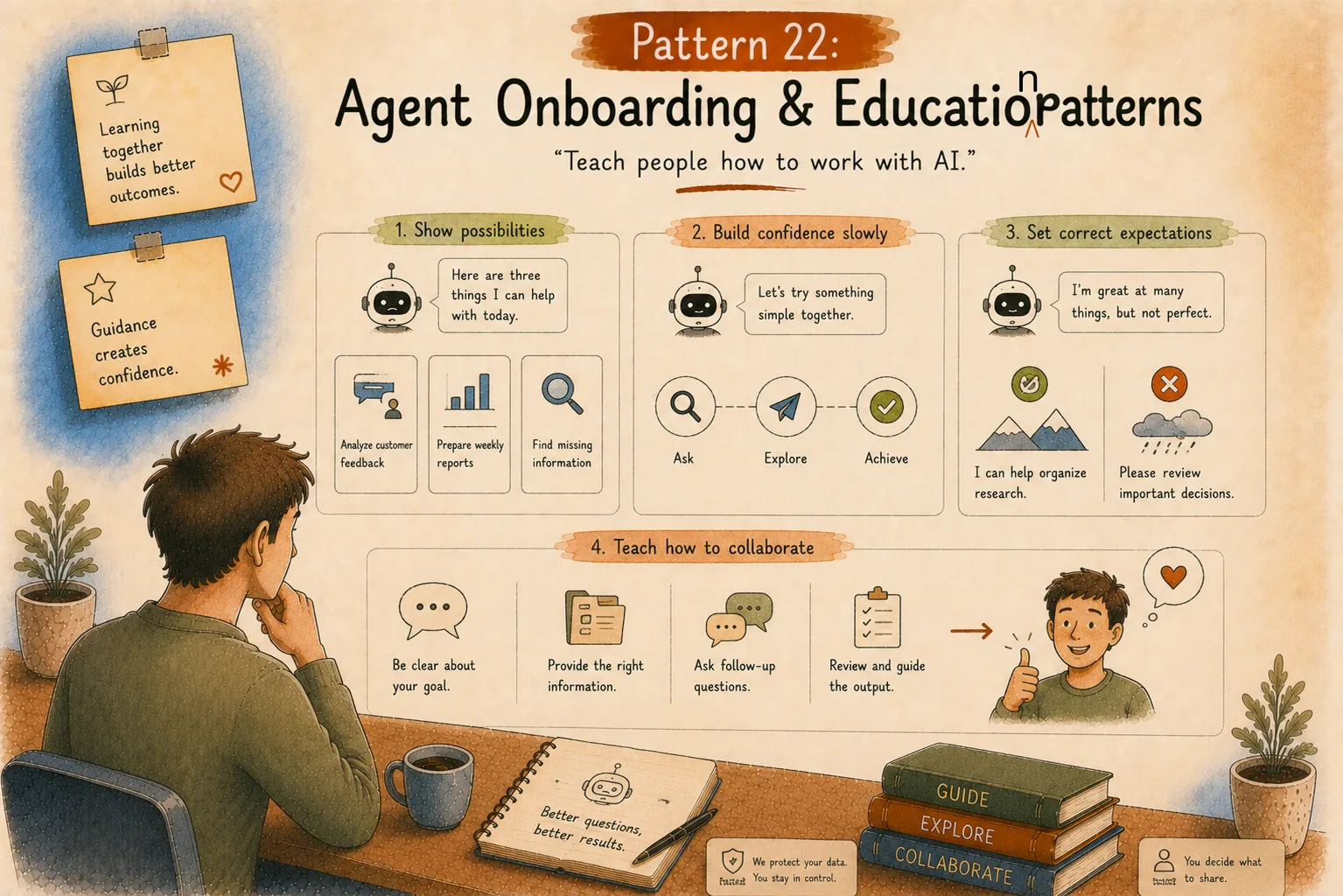
“Teach people how to work with AI.”
One surprising AI problem:
Many users don’t know what to ask.
They open a powerful AI product…
Then freeze.
The empty box creates pressure.
A better onboarding experience teaches collaboration.
Instead of:
“Start typing.”
Try:
“Here are three things I can help with today.”
Analyze customer feedback.
Prepare weekly reports.
Find missing information.
Show possibilities.
Build confidence slowly.
Setting Correct Expectations
Overpromising AI creates disappointment.
If users believe AI is perfect, one mistake breaks trust.
Good onboarding explains strengths and limits.
Example:
“I can help organize research, but please review important decisions.”
That sentence creates a healthier relationship.
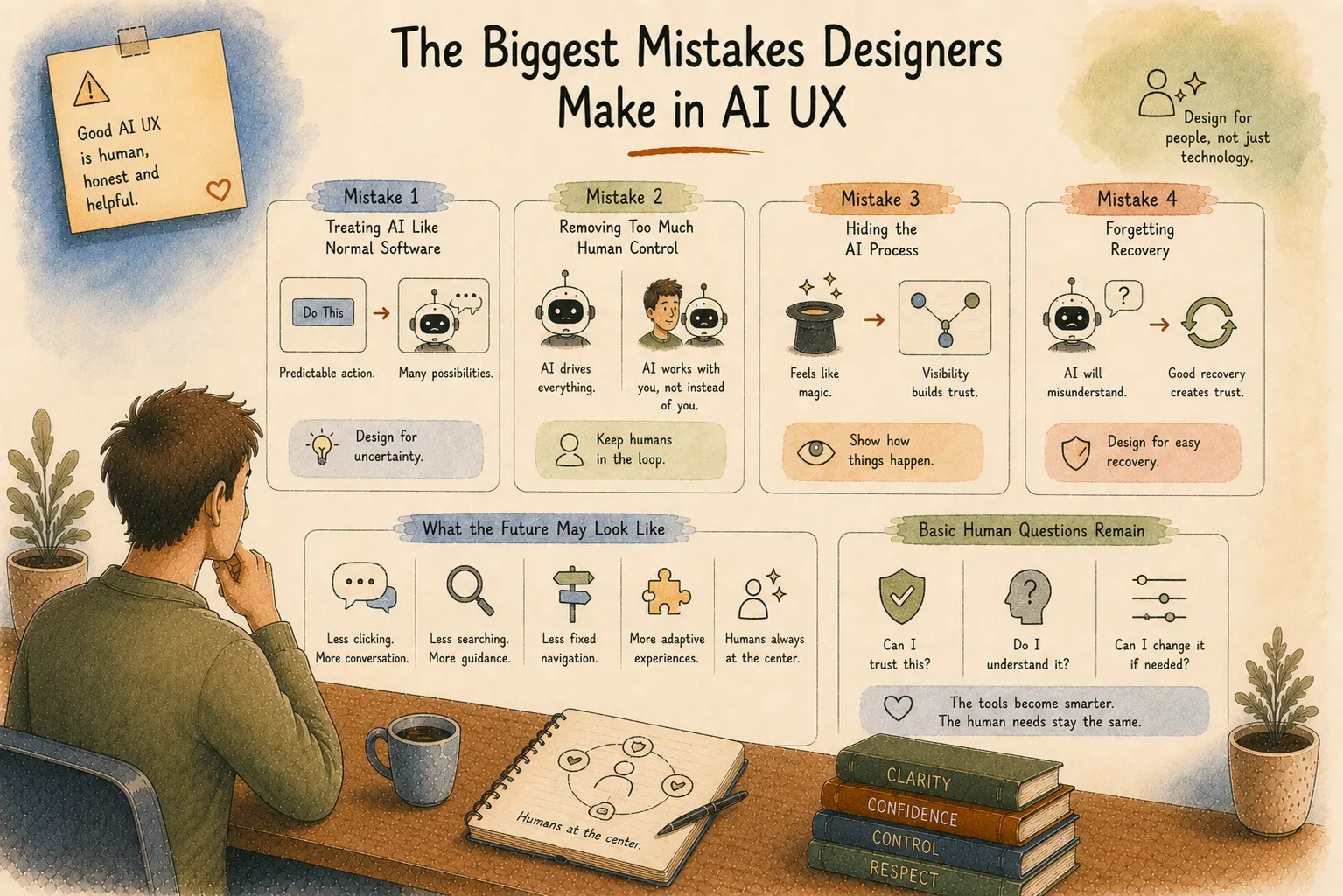
The Biggest Mistakes Designers Make in AI UX
AI design is still young.
Teams are experimenting.
Mistakes happen.
Some patterns appear again and again.
Mistake 1: Treating AI Like Normal Software
AI interaction is different.
A button usually does one predictable thing.
AI produces possibilities.
Design needs room for uncertainty.
Mistake 2: Removing Too Much Human Control
Automation feels exciting.
But removing every decision can make users uncomfortable.
People don’t always want AI driving.
Sometimes they want AI sitting beside them.
Mistake 3: Hiding the AI Process
Magic feels amazing the first time.
The second time, people ask:
“How did this happen?”
Trust grows through visibility.
Mistake 4: Forgetting Recovery
AI will misunderstand.
That’s normal.
The experience after the mistake defines user trust.
What Will the Future Human-AI Interface Look Like?
The next wave of UX design will probably look very different.
Less clicking.
More conversation.
Less searching.
More guidance.
Less fixed navigation.
More adaptive experiences.
But humans will remain at the center.
Because technology changes quickly.
Human needs change slowly.
People still want: clarity, confidence, control, and respect.
The tools become smarter.
The basic human questions remain:
Can I trust this?
Do I understand it?
Can I change it if needed?
Final Thoughts: We Are Designing a New Relationship With Technology
For years, designers created experiences between humans and screens.
Now we’re creating experiences between humans and intelligent systems.
That requires a different mindset.
A great AI product is not the one that does everything automatically.
It is the one that knows the right moment to help.
The right moment to explain.
The right moment to wait.
The future of UI/UX is not only visual design.
It is behavior design.
It is trust design.
It is Human-AI Interaction design.
And designers who understand this shift will help shape how millions of people work with intelligent technology in the coming years.
Other AI Patterns
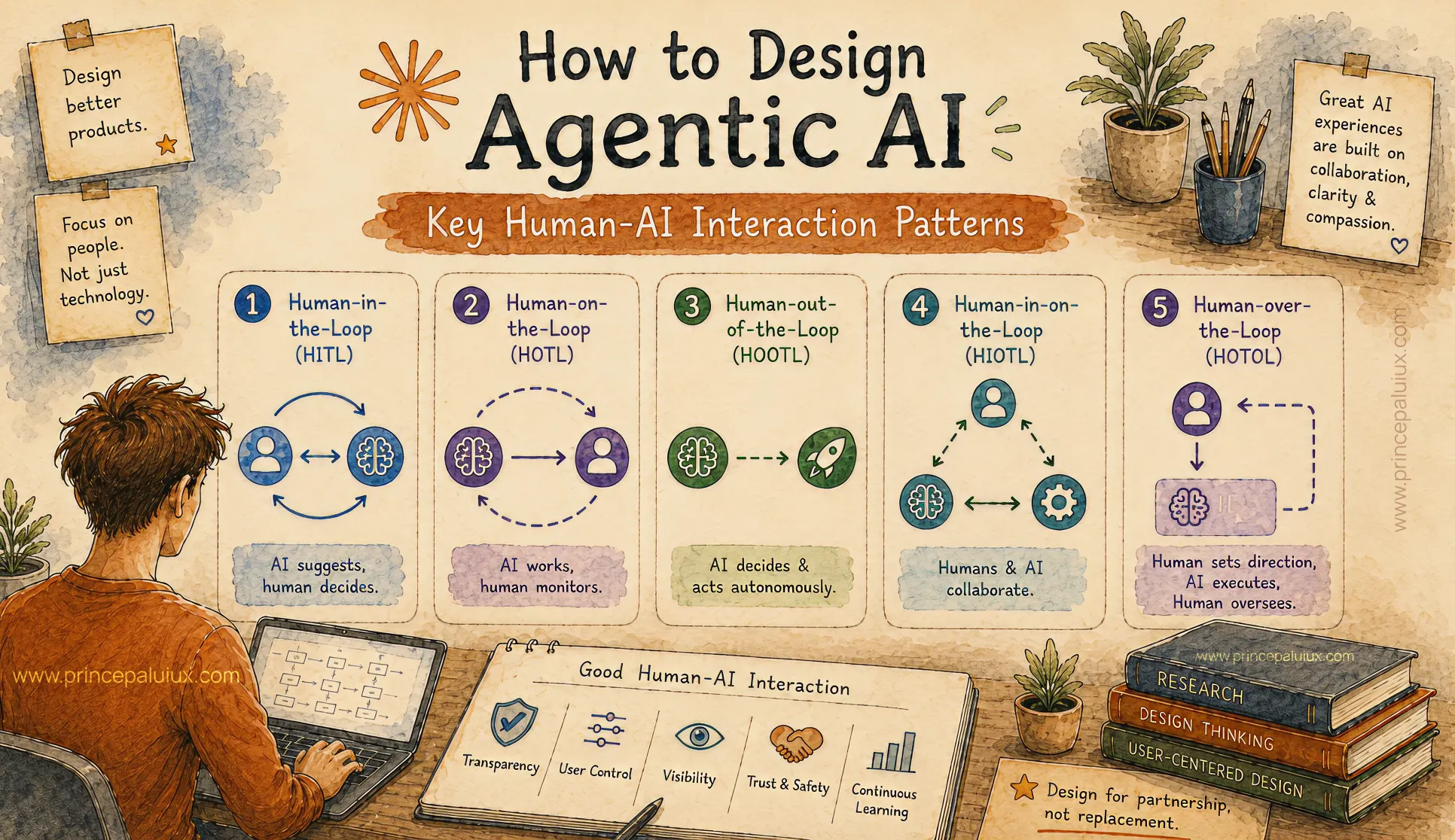
How to Design Agentic AI: Key Human-AI Interaction Patterns
- Pattern 1: Human-in-the-Loop (HITL)
- Pattern 2: Human-on-the-Loop (HOTL)
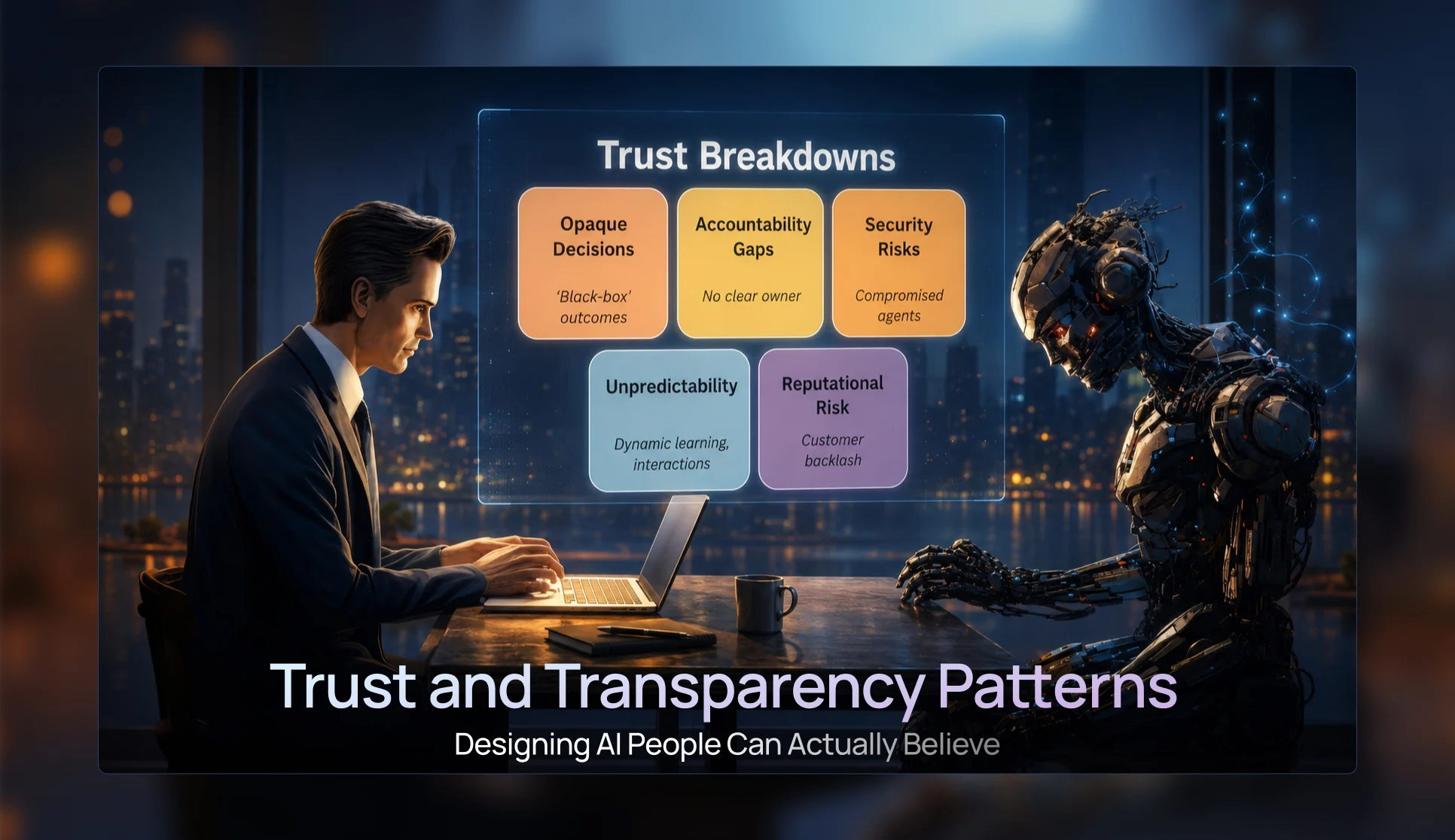
Trust & Transparency Patterns — Designing AI People Can Actually Believe
- Pattern 3: Progressive Disclosure UI Patterns
- Pattern 4: Confidence Visualization Patterns
- Pattern 5: Trust and Transparency Patterns
- Pattern 6: Agent Status & Activity Patterns
- Pattern 7: Visual Reasoning Interfaces
Conversational UI Patterns for the Future of AI Chat Windows
- Pattern 8: Conversational Interface Patterns
- Pattern 9: Multimodal Interaction Patterns
- Pattern 10: Mixed-Initiative Interface Patterns
- Pattern 11: Ambient Agent Patterns
- Pattern 12: Cross-Platform Agent Experiences

The Future of AI UX: Designing Interfaces for Multi-Agent Systems
- Pattern 13: Agent Collaboration UX
- Pattern 14: Mission Control Monitoring Interfaces
- Pattern 15: Agent Status & Activity Visibility
- Pattern 16: Context Window Management UX
- Pattern 17: Error Handling and Recovery Patterns
Designing Adaptive AI Interfaces: UX for Context-Aware AI Experiences
- Pattern 19: Adaptive Interface Patterns
- Pattern 20: Privacy and Security UX
- Pattern 21: Accessibility in AI Design
- Pattern 22: Agent Onboarding and Education Patterns