
Explore practical AI UX patterns that help designers create clear, trustworthy Human-AI experiences with better collaboration, transparency, user control, and thoughtful AI interactions.
Designing an AI product changes some of the questions we’ve been asking as UX designers for years.

With traditional software, we often design around predictable actions: a user clicks a button, enters information, chooses an option, and the system responds in a known way.
AI changes that relationship.
A user can express a goal in natural language. The AI can interpret that goal, generate possibilities, make recommendations, complete tasks, ask questions, or even take actions on the user’s behalf.
So the design question is no longer simply:
“What does the user want to do?”
We also need to ask:
“What should the AI do, what should the human do, and how should they work together?”
That’s where AI UX patterns become useful.
This guide is a growing catalog of Human-AI Interaction patterns for designers, product teams, developers, and anyone building AI-powered experiences.
Some patterns borrow ideas we already know from UX. Others have emerged from the novel interaction problems posed by generative and agentic AI.
The goal isn’t to give you a rigid set of rules. Think of this catalog as a reference you can return to when designing an AI feature, reviewing a workflow, or trying to solve a particular interaction problem.

Why Use AI UX Patterns?
Patterns give us a shared language for recurring design problems.
We already use this thinking everywhere in UX.
Navigation menus help people move through information. Progress indicators tell people something is happening. Confirmation dialogs give users a chance to reconsider an important action.
AI introduces another set of recurring problems:
- How much control should AI have?
- When should a human review an AI decision?
- How do we communicate uncertainty?
- How do users know what an AI agent is doing?
- What happens when AI misunderstands someone?
- How should multiple agents appear in one interface?
- What should AI remember?
- How can users correct or override it?
- How much of the AI’s reasoning should be visible?
- How do we explain why AI needs access to someone’s data?
Rather than solving these questions from scratch for every product, we can identify interaction patterns and adapt them to the situation.
Real product examples are useful, of course. Yet simplified examples have another advantage: they remove the visual noise.
We can examine the interaction itself.
What does the human see? What does the AI know? Who makes the decision? Where does control change hands? What happens when something goes wrong?
Once you understand the pattern, you can adapt it to a healthcare platform, financial product, SaaS application, creative tool, customer support system, or something that hasn’t been invented yet.

How to Use This AI UX Pattern Catalog
You don’t need to use every pattern.
In fact, you probably shouldn’t.
The right patterns depend on the task, the consequences of AI getting something wrong, the user’s knowledge, the system’s autonomy, and the context in which someone uses it.
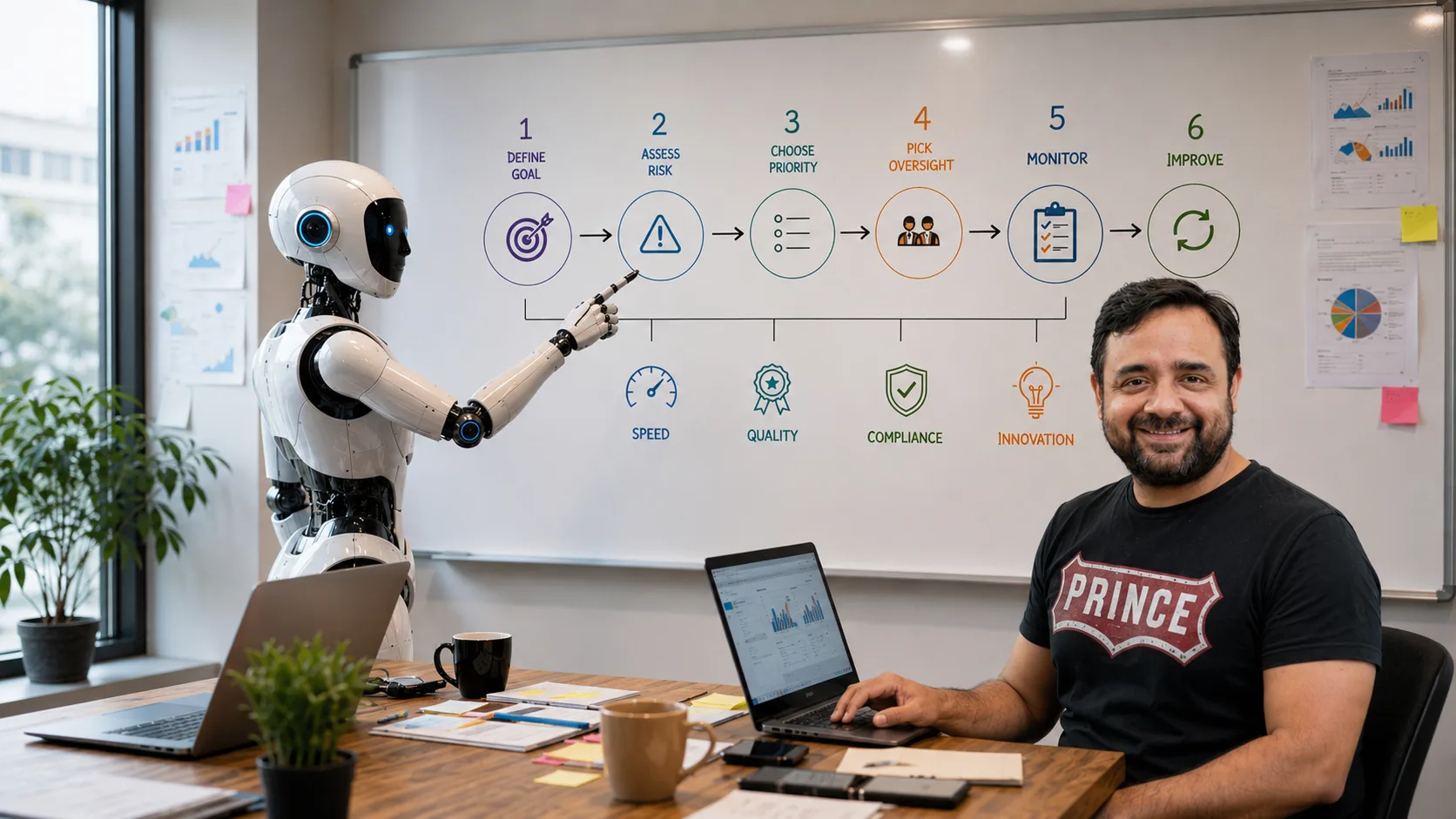
A simple three-step process works well.
Step 1: Define the Human Goal
Start with the person, not the AI.
What is someone trying to accomplish?
Map the workflow and identify the moments that require judgment, information, approval, correction, or action.
Then ask a second question:
What does success look like for the human?
That’s far more useful than starting with, “Where can we add AI?”
Step 2: Decide the Human-AI Relationship
Now look at what AI could reasonably handle.
Should AI recommend something and wait?
Should it complete a task after approval?
Can it act independently while a person monitors it?
Does it need to explain its confidence?
Can users interrupt it?
What happens if it gets something wrong?
This is where patterns such as Human-in-the-Loop, Human-on-the-Loop, Mixed-Initiative Interfaces, Agent Status, Human Override, Error Recovery, Context Management, and Mission Control start becoming relevant.
Step 3: Combine Patterns Around the Workflow
Most good AI products won’t rely on a single pattern.
Imagine an AI research agent.
You might use:
Progressive Disclosure to present a simple summary first.
Agent Status to show what the AI is currently doing.
Confidence Visualization to communicate uncertainty.
Trust and Transparency to show supporting sources.
Context Management to let users control which documents AI can reference.
Human Override to stop or redirect an autonomous task.
Error Recovery when sources conflict, or the agent can’t finish its work.
Patterns work together.
The product context decides which combination makes sense.
Why LLMs Change the UX Design Problem
Traditional software is largely built around predefined logic.
The details can become extremely sophisticated, but the basic relationship is familiar:
Input → Rules → Predictable Output
Press Save, and the system saves something.
Apply a filter, and you expect the same filtering rules each time.
Enter the wrong password, and the system rejects it according to known conditions.
Generative AI behaves differently.
Large language models interpret language and generate probabilistic responses. The same request can produce slightly different results.
The system can misunderstand intent, miss context, make incorrect assumptions, or confidently produce information that isn’t accurate.
That’s a major UX difference.
We can’t design every AI interaction as though:
User action → guaranteed correct result.
Instead, we often need to design for:
Intent → interpretation → AI response → human judgment → refinement or action.
That extra space between intent and outcome is where much of AI UX lives.
AI Isn’t Magic — Even When the Interface Makes It Feel That Way
One of the early attractions of generative AI was its apparent simplicity.
Type something.
Wait a moment.
Something surprisingly intelligent appears.
It feels almost magical.
But “magic” becomes a UX problem once people depend on the system for real work.
Sooner or later, users ask:
Where did this answer come from?
How certain is the AI?
What information did it use?
Why did it make that decision?
Can I change it?
What happens if it’s wrong?
A good AI experience needs ways to answer those questions without turning every screen into a technical manual.
That’s the balancing act.
We need enough visibility to build confidence without burying people under model details, logs, probabilities, and system information they never asked for.
From Commands to Intent
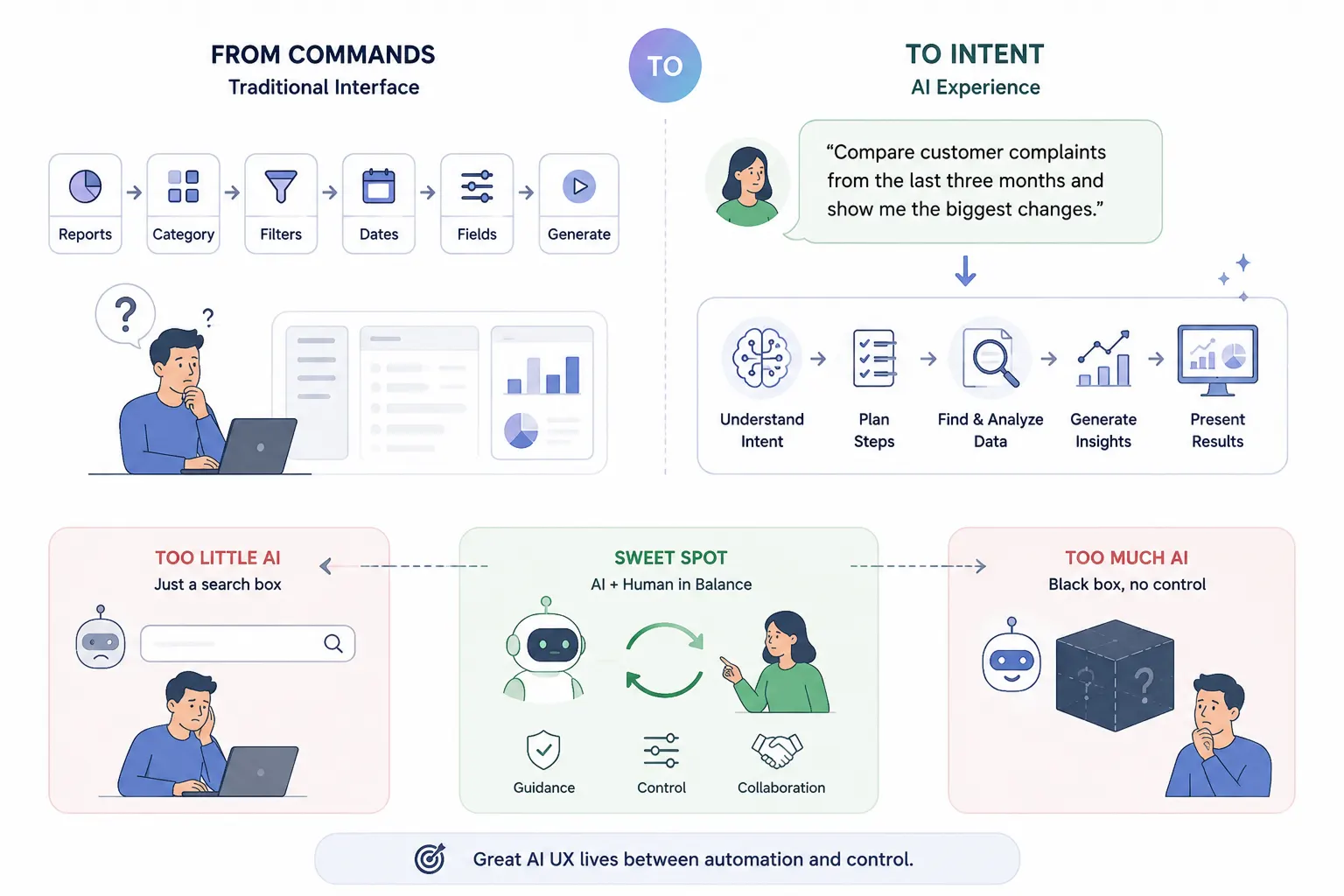
Traditional interfaces usually make people learn the structure of the software.
Want a report?
Go to Reports → choose a category → select filters → choose dates → configure fields → generate.
AI can reverse some of that relationship.
A person can simply say:
“Compare customer complaints from the last three months and show me the biggest changes.”
The system interprets the goal and figures out some of the steps.
That moves interaction from command-based interfaces toward intent-based interfaces.
And it creates a fascinating UX problem.
If users don’t need to specify every action, how much should the interface decide for them?
Too little assistance and AI feels like an expensive search box.
Too much autonomy and users start wondering who is actually in control.
Much of Human-AI Interaction design sits somewhere between those two extremes.
Prompt Abstraction: Users Shouldn’t Have to Become Prompt Engineers
Technically, interacting with many generative AI systems can be as simple as typing into a box.
But there’s a catch.
Writing something is easy.
Writing a prompt containing the right context, constraints, examples, format, intent, and direction can require skill.
Most users don’t want to become prompt engineers just to use your product.
And they shouldn’t have to.
UX has always taken complicated systems and made them easier to operate. AI shouldn’t suddenly reverse that principle.
Rather than expecting users to write perfect prompts, the interface can help construct better instructions behind the scenes.
There are four useful levels of prompt abstraction.
1. Direct Prompt
The simplest model.
User input → AI
The person’s text is sent largely as written.
This works well when users understand what the AI can do and open-ended exploration is part of the experience.
Think of a general conversational AI interface.
2. Supplemented Prompt
The user provides a request, but the product adds instructions behind the scenes.
User request + system context → AI
For example, a user might type:
“Summarize this.”
The product may quietly provide instructions about length, tone, formatting, available documents, or the user’s current workspace.
The user gets better results without writing a miniature specification.
3. Prompt Variables
Here, interface controls help construct the prompt.
Instead of asking:
“Rewrite this email in a friendly professional tone, keep it below 150 words, and make it suitable for a customer.”
The interface could provide:
Tone: Friendly
Length: Short
Audience: Customer
The UI handles part of the prompt construction.
This feels familiar to users because normal interface controls — buttons, dropdowns, sliders, chips, checkboxes — become a bridge between traditional UX and generative AI.
4. Variable Composition
This approach goes further.
Different interface choices can add, remove, or modify larger pieces of context sent to the AI.
Imagine an AI research tool where a user selects:
Customer interviews
Competitor research
Analytics data
Previous reports
The system builds its working context from those choices.
The user doesn’t need to understand token limits, context windows, retrieval systems, or prompt construction.
They simply understand:
“Use these things for this task.”
That’s good abstraction.
The Human-AI Control Spectrum
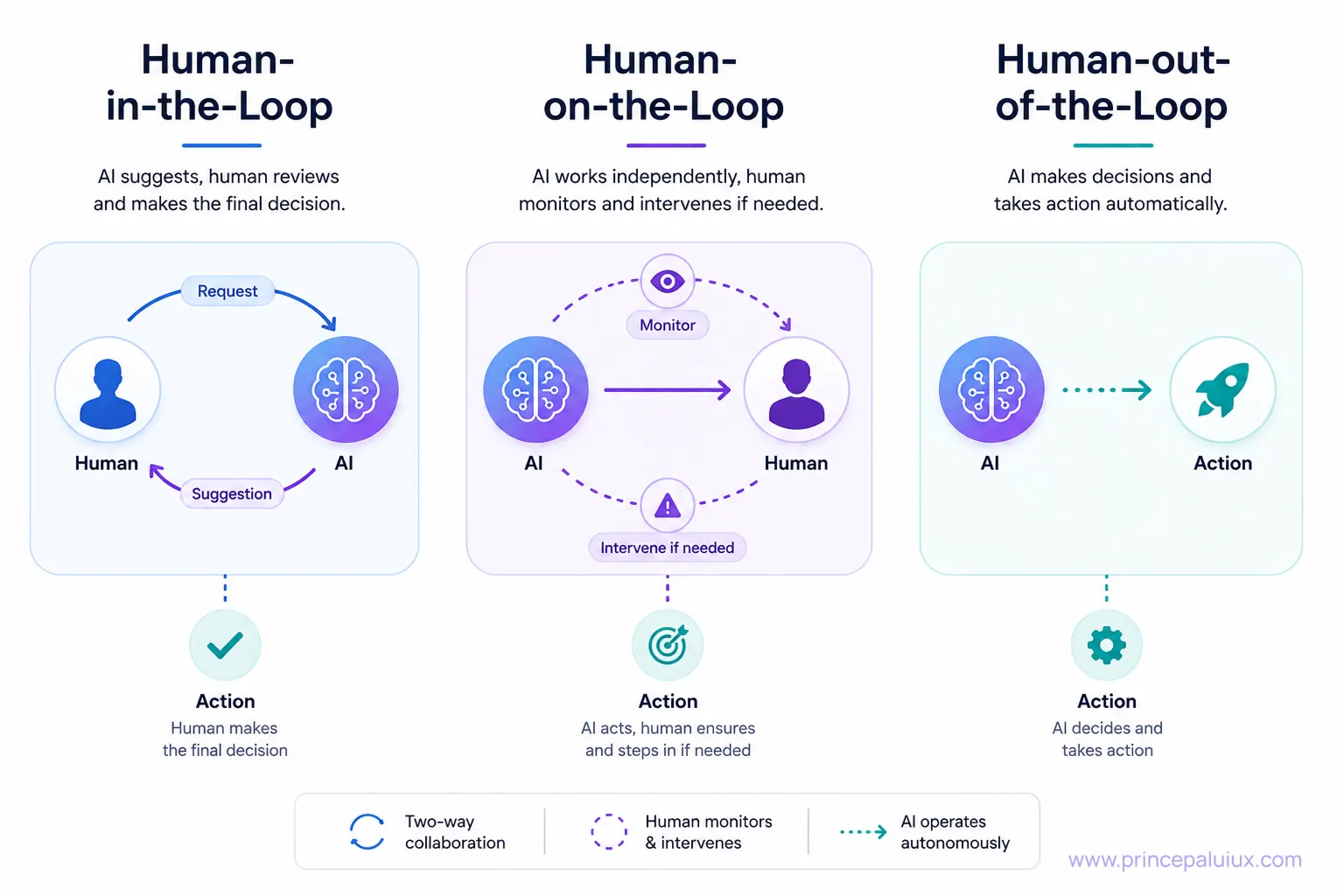
One of the most useful ways to think about AI UX is to ask:
Where is the human in relation to the AI’s actions?
There isn’t one correct answer.
Different situations require different levels of human involvement.
Human-in-the-Loop
AI performs part of the task, but a human reviews or approves important outcomes.
Think:
AI recommends → Human decides
Useful for high-impact decisions or situations where human judgment matters.
Human-on-the-Loop
AI operates with greater independence, but a human supervises and can intervene.
Think:
AI acts → Human monitors
This is useful when reviewing every action would create too much work, yet full autonomy would carry too much risk.
Human-out-of-the-Loop
AI acts without real-time human involvement.
Think:
AI detects → AI acts
This can make sense for low-risk, highly repetitive, or time-sensitive tasks.
The interesting part isn’t deciding that one model is “better.”
It’s deciding which level of human involvement fits each moment in the workflow.
A single product may use all three.
AI UX Is Really About Managing Uncertainty
Here’s the slightly uncomfortable truth.
AI products will make mistakes.
They’ll misunderstand people.
They’ll miss context.
They’ll generate weak suggestions.
They’ll occasionally behave in ways nobody predicted.
Trying to hide that uncertainty doesn’t make the experience safer. It often makes the eventual failure feel worse.
Good AI UX acknowledges uncertainty and gives people ways to work with it.
That may mean showing:
- confidence signals,
- supporting evidence,
- sources,
- progress,
- assumptions,
- editable results,
- approval controls,
- undo actions,
- alternative suggestions,
- clear recovery paths.
The interface doesn’t need to scream “AI MIGHT BE WRONG!” every few seconds.
It needs to communicate the right amount of uncertainty at the right moment.
The Four Questions Behind Good Human-AI Interaction
As this catalog grows, you’ll notice that many patterns solve different versions of the same human concerns.
People want to know:
1. What is the AI doing?
This leads to patterns around Agent Status, Activity Visibility, Mission Control, Multi-Agent Collaboration, and Visual Reasoning.
2. Why did the AI do that?
This leads to Trust & Transparency, Confidence Visualization, Progressive Disclosure, and Explainability patterns.
3. Can I control it?
This brings us to Human-in-the-Loop, Mixed-Initiative Interaction, Human Override, Privacy Controls, and Context Management.
4. What happens when something goes wrong?
That’s where Error Handling, Recovery, Correction, Undo, Escalation, and Human Handoff patterns become important.
If an AI experience answers these questions well, it already has a strong foundation.
If an AI experience answers these questions well, it already has a strong foundation.
AI UX Patterns Catalog
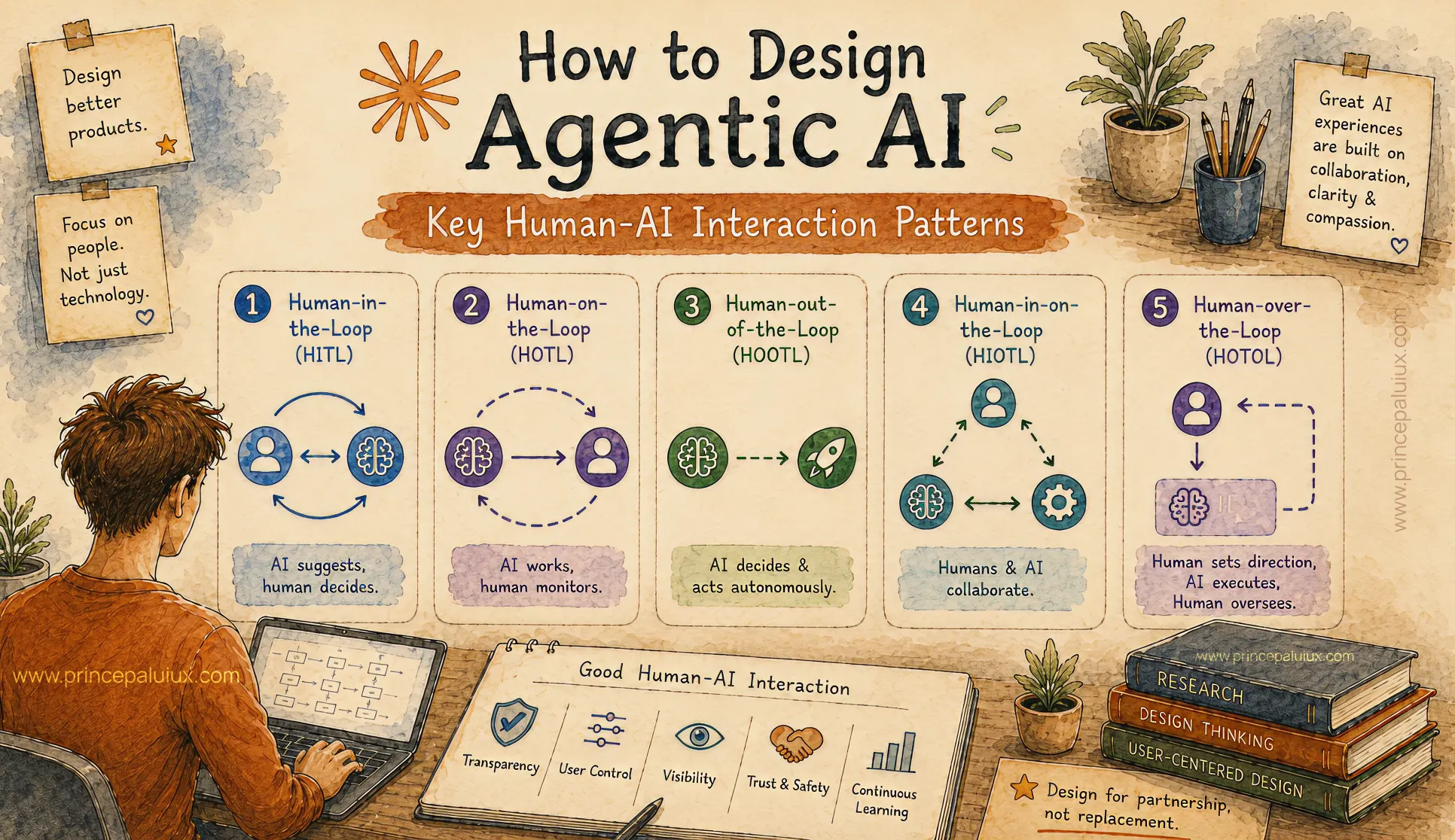
How to Design Agentic AI: Key Human-AI Interaction Patterns
- Pattern 1: Human-in-the-Loop (HITL)
- Pattern 2: Human-on-the-Loop (HOTL)
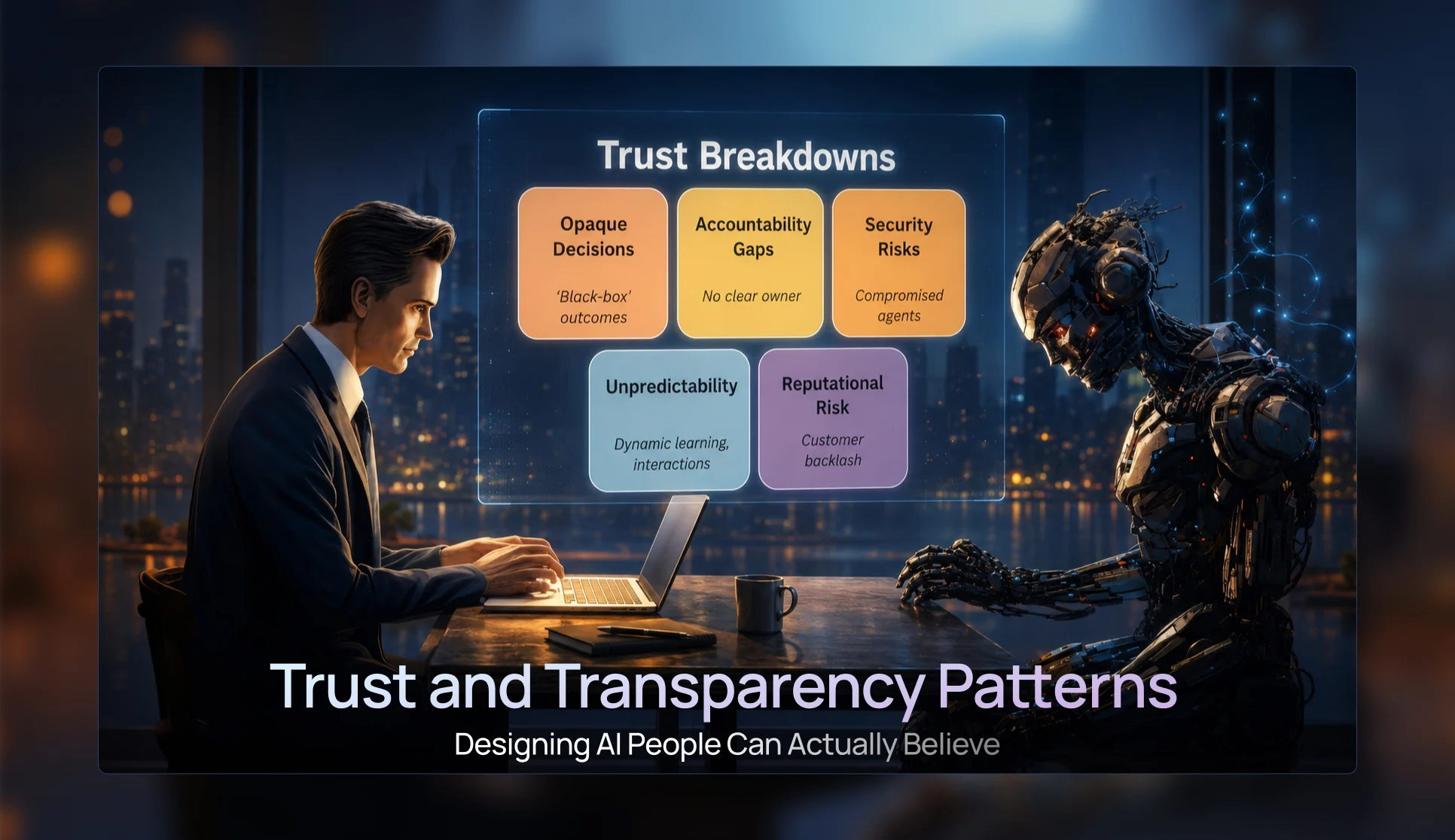
Trust & Transparency Patterns — Designing AI People Can Actually Believe
- Pattern 3: Progressive Disclosure UI Patterns
- Pattern 4: Confidence Visualization Patterns
- Pattern 5: Trust and Transparency Patterns
- Pattern 6: Agent Status & Activity Patterns
- Pattern 7: Visual Reasoning Interfaces
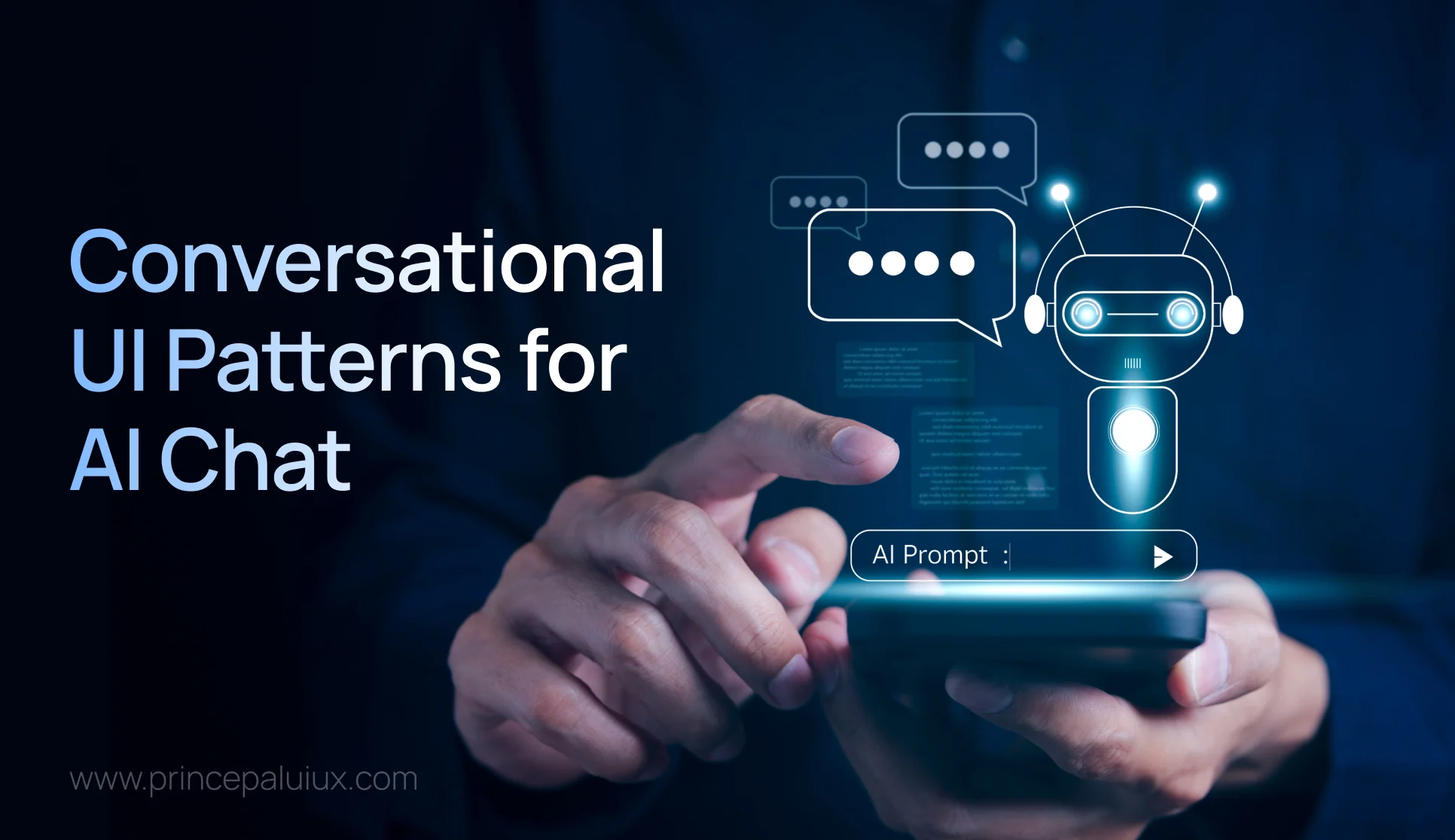
Conversational UI Patterns for the Future of AI Chat Windows
- Pattern 8: Conversational Interface Patterns
- Pattern 9: Multimodal Interaction Patterns
- Pattern 10: Mixed-Initiative Interface Patterns
- Pattern 11: Ambient Agent Patterns
- Pattern 12: Cross-Platform Agent Experiences

The Future of AI UX: Designing Interfaces for Multi-Agent Systems
- Pattern 13: Agent Collaboration UX
- Pattern 14: Mission Control Monitoring Interfaces
- Pattern 15: Agent Status & Activity Visibility
- Pattern 16: Context Window Management UX
- Pattern 17: Error Handling and Recovery Patterns
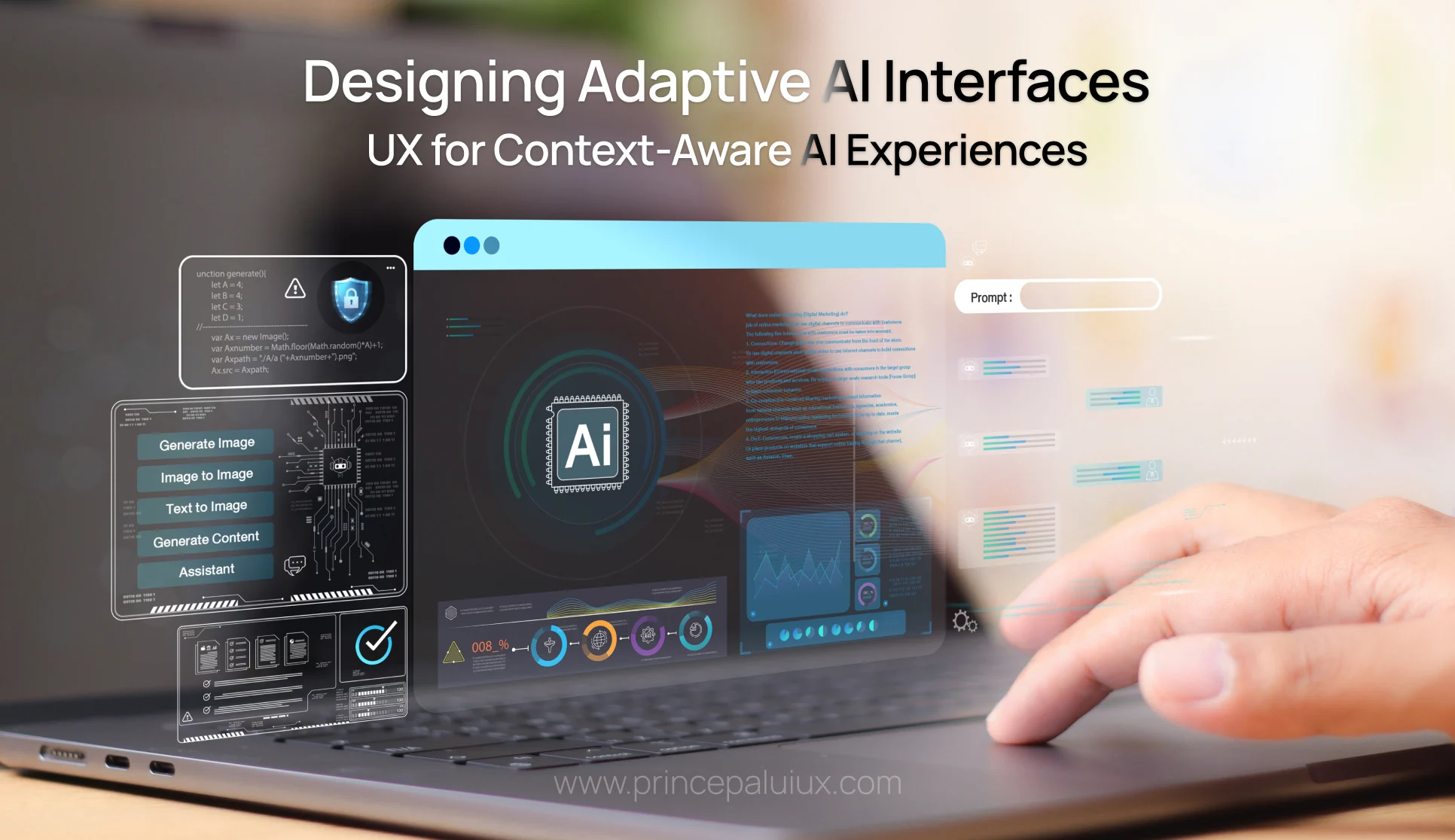
Designing Adaptive AI Interfaces: UX for Context-Aware AI Experiences
- Pattern 19: Adaptive Interface Patterns
- Pattern 20: Privacy and Security UX
- Pattern 21: Accessibility in AI Design
- Pattern 22: Agent Onboarding and Education Patterns
This Catalog Will Keep Growing
Human-AI Interaction is still taking shape.
Chat interfaces were only the beginning.
We’re already moving toward multimodal systems, persistent AI assistants, adaptive interfaces, autonomous agents, agent teams, generated interfaces, ambient AI, and systems that move between devices and contexts.
New interaction patterns will appear.
Some existing patterns will disappear.
Others will become so familiar that we’ll stop thinking of them as “AI patterns” at all.
Remember when pull-to-refresh felt novel?
UX patterns mature that way.
The interesting work for designers is figuring out which behaviors genuinely help people and which ones merely demonstrate what the technology can do.
Frequently Asked Questions
How should I use this AI UX pattern catalog?
Start with your user’s goal and workflow. Identify where AI enters that workflow, how much autonomy it has, what could go wrong, and where human judgment matters.
Then explore the catalog for patterns that address those specific interaction problems.
Don’t start with a pattern and force your product around it.
Start with the problem.
Should I use every AI UX pattern?
No.
A writing assistant, medical AI platform, autonomous research agent, and enterprise operations system have very different needs.
Choose patterns based on the user, task, autonomy level, risk, context, and consequences of getting something wrong.
Sometimes one pattern is enough.
Sometimes several need to work together.
Are the UI examples complete designs?
No.
The examples in this catalog intentionally simplify each interaction so the underlying UX idea is easier to see.
A pattern shown as a card might become a sidebar, modal, notification, inline message, dashboard component, conversational response, or something entirely different inside a real product.
Focus on the interaction principle, not the pixels.
Can I copy these patterns directly into my product?
Use them as thinking tools rather than templates.
Your users, workflows, business rules, accessibility requirements, risk level, and AI capabilities will determine how the final interaction should work.
The pattern gives you a starting point.
Your product gives it context.
Does this guide define an AI product strategy?
No.
These patterns help answer how humans interact with AI once you’ve identified a meaningful role for AI in the product.
They shouldn’t be used to justify adding AI where it isn’t needed.
Before choosing an interaction pattern, you still need to understand the problem, the user, the value AI provides, technical constraints, and the consequences of failure.
Sometimes the right AI UX pattern is surprisingly simple:
Don’t use AI for that part.
One Rule Worth Remembering
AI UX isn’t a competition to make the machine look intelligent.
It’s about making the relationship between the human and the intelligence understandable.
Before shipping an AI experience, ask:
Can people understand what the AI is doing?
Can they see why something happened?
Can they correct it?
Can they control important actions?
Can they recover when it gets something wrong?
If those answers aren’t clear, adding another clever AI feature probably won’t solve the problem.
Better Human-AI Interaction might.
Feedback & Contributions
This catalog will continue to grow as AI products, agentic systems, and Human-AI Interaction patterns mature.
If you’ve spotted a pattern I’ve missed, disagree with one of the examples, or think something needs correcting, I’d genuinely like to hear about it.
This is a living reference built from curiosity, design practice, experimentation, and a simple belief: smarter AI needs thoughtful human interaction.
Feedback and pattern suggestions are welcome at princepaluiux@gmail.com.